Open
Can't match field names in Thunderbird importing addresses from Google .csv file

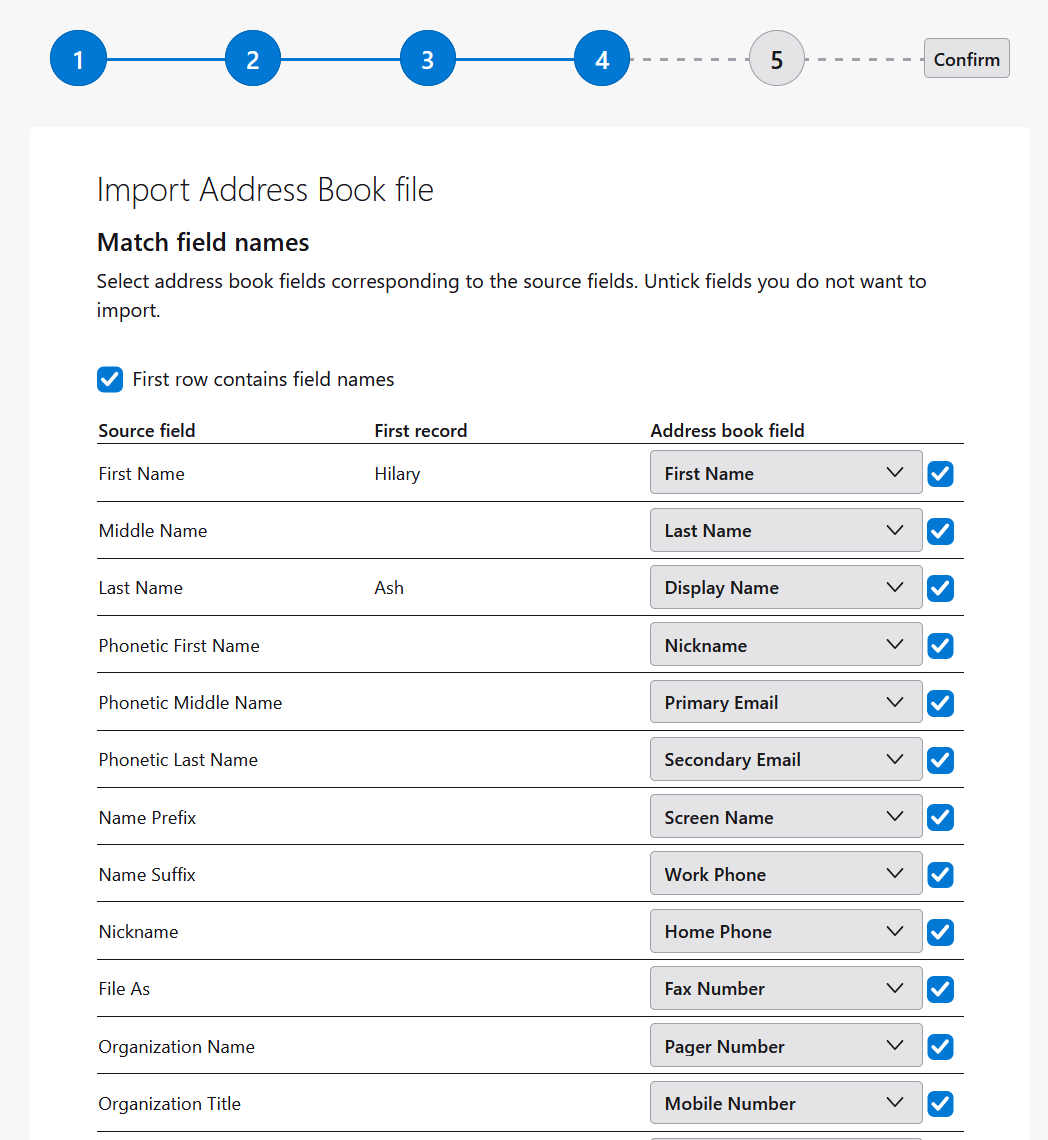
I can't match field names in Thunderbird 158.0 (64-bit) on Win 11 when importing addresses from Google .csv file. The dropdowns to pick TB fields to match the .csv header fields only show one item, usually (and obviously) the wrong one . For example, Last Name is not matched with Last Name and cannot be changed.

I can't match field names in Thunderbird 158.0 (64-bit) on Win 11 when importing addresses from Google .csv file. The dropdowns to pick TB fields to match the .csv header fields only show one item, usually (and obviously) the wrong one . For example, Last Name is not matched with Last Name and cannot be changed.
Screenshot:
https://www.dropbox.com/scl/fi/8usw6dgucrkd71l9m4hk3/ImportAddressBookMatchFieldNames.png?rlkey=216i5dyax4it6sz4909b7ujfy&dl=0