I can't seem to allow the camera when using sites like meet.google.com

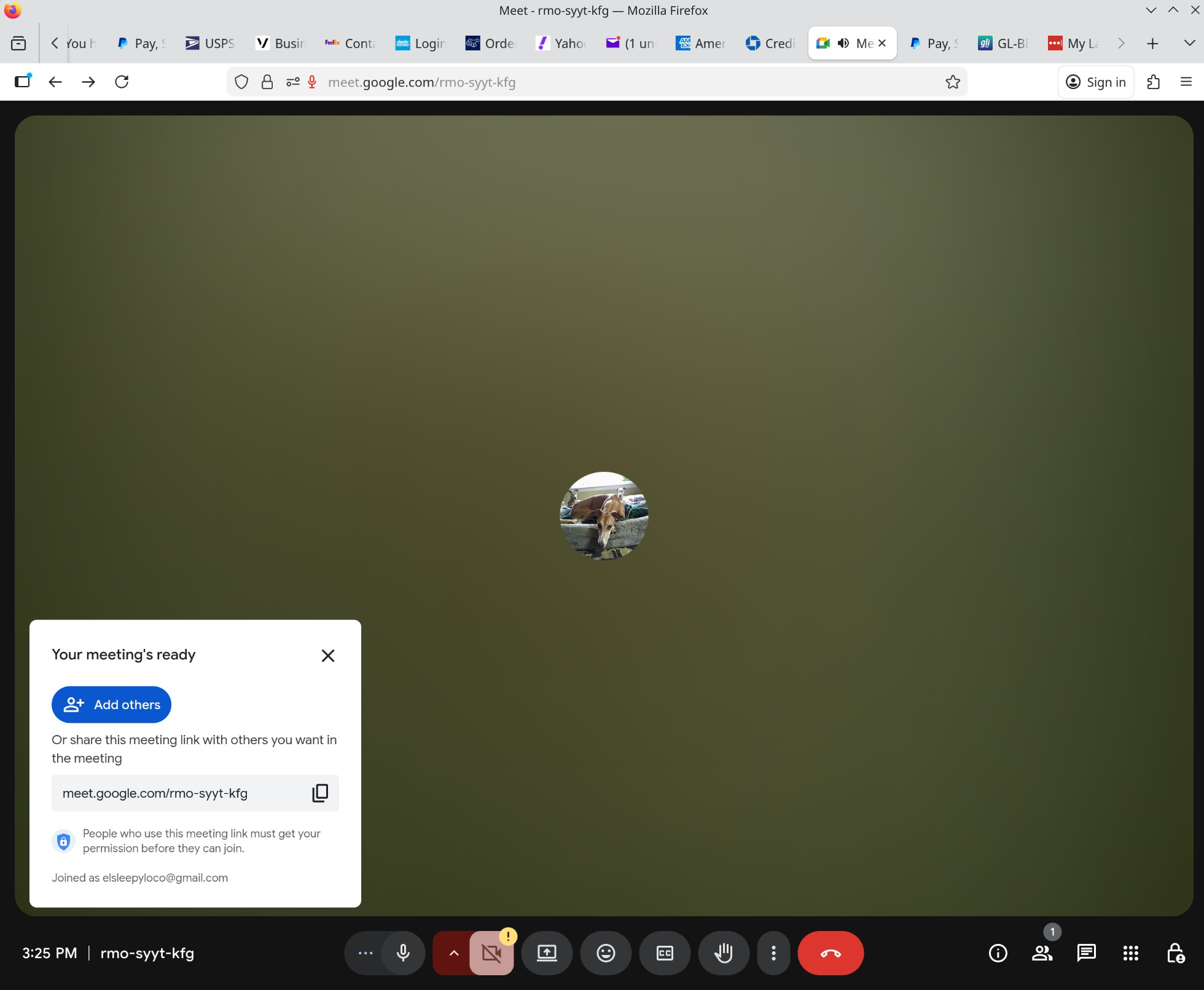
I recently tried to connect to two different meeting sites. Both times I got a pop-up noting (correctly) that camera and microphone are blocked. I'm able to click to enable the microphone but I never get the option to enable the camera.
I tried going to Settings>Security&Privacy>Camera but that only allows me to remove previously-enabled websites.
Clicking on the settings button in the address bar shows audio and recording settings but no camera.
What am I doing wrong?
Fedora 42 Firefox 145.0
Chosen solution
Referring to your screenshots, as I reported initially the pop-up from the address bar tells me I've allowed the microphone but doesn't mention the webcam (any webcam) at all. As for the Settings page, meet.google.com doesn't show up in the list of sites granted permissions and there's no way to add it and grant permissions manually.
All of this is moot, however.
I've upgraded to Fedora 43 and now everything's working. The KDE version didn't change and I'm still using Wayland (no choice about that w/f43) but now I get a list of my cameras/speakers/microphones to grant permission to. Works for meet.google.com, zoom.us, and webcammictest.com. Who knows, maybe it was the upgrade's reboots that solved the problem. ("Have you tried turning it on and off again?")
Thanks for engaging with this problem.
Read this answer in context 👍 1All Replies (8)
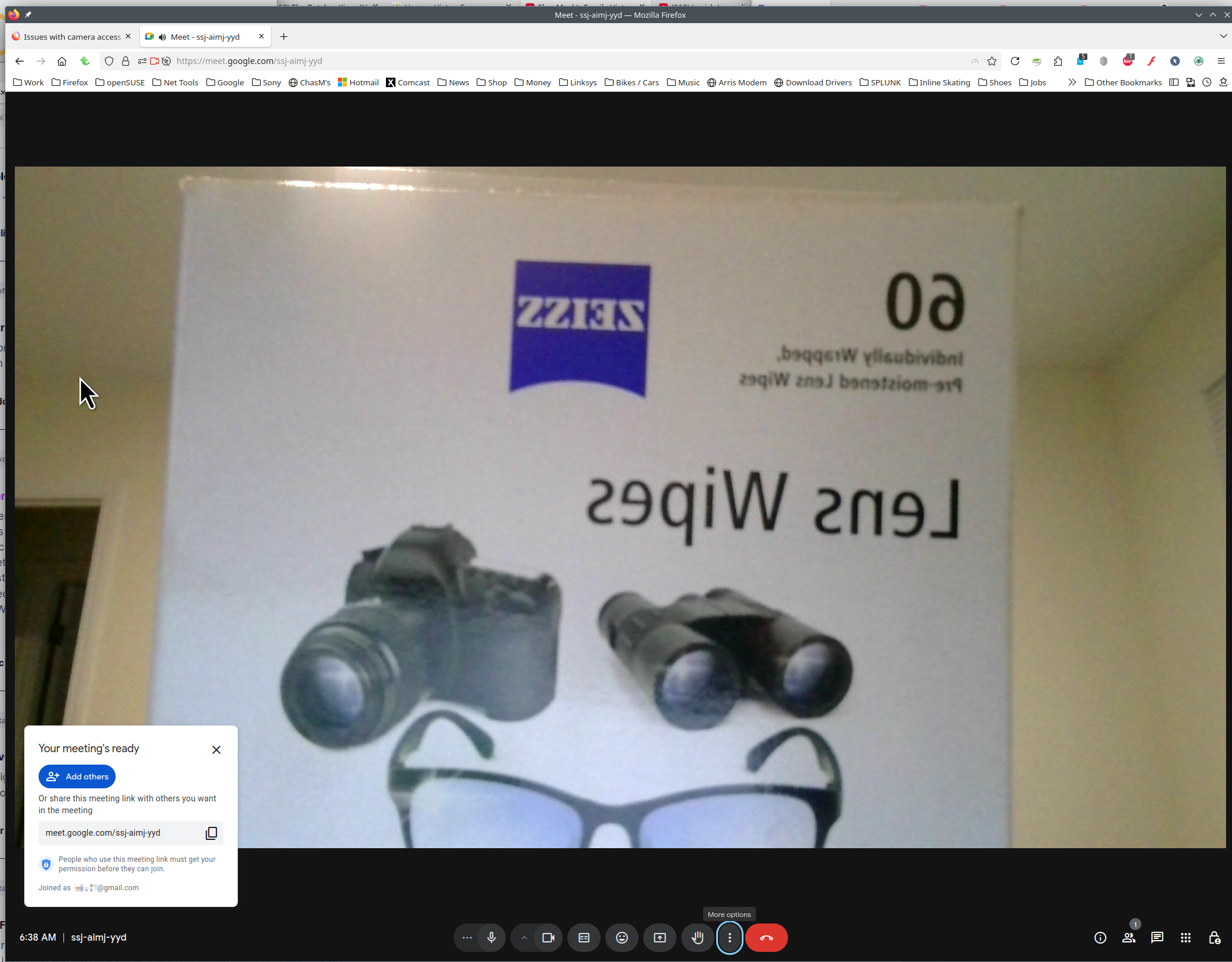
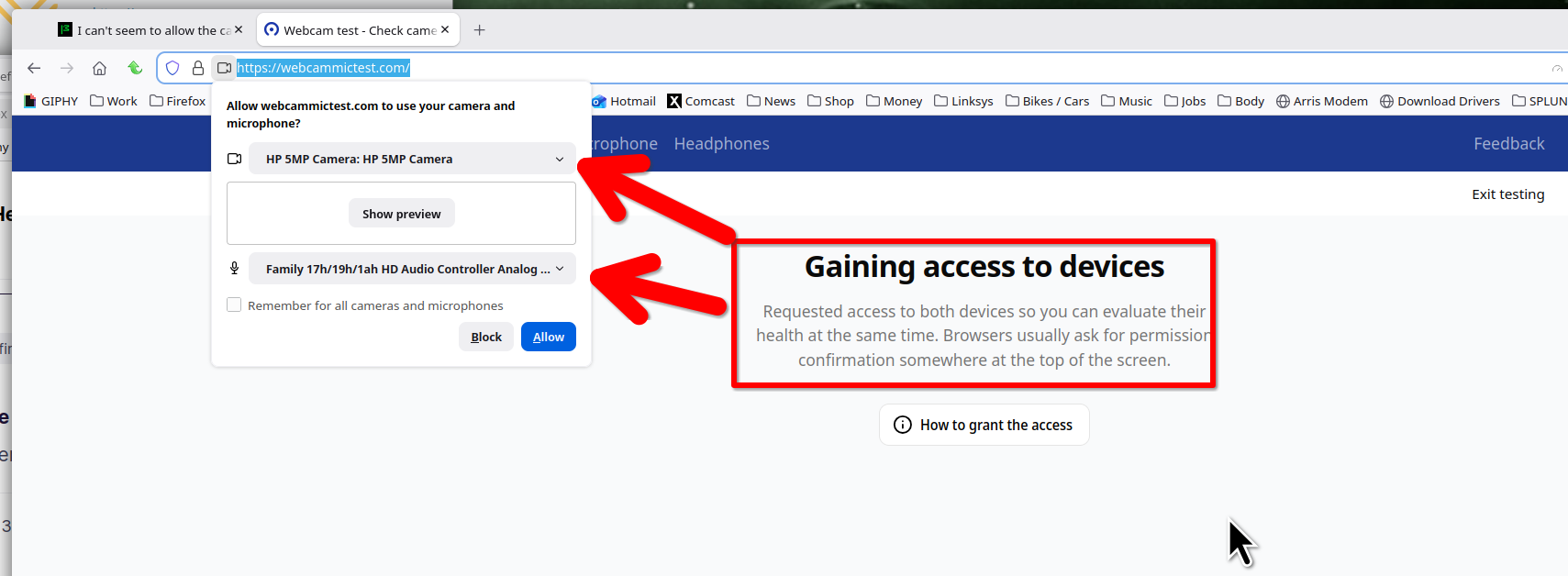
I have no issues with meet. Can you go to these sites and test that your camera is working. https://webcammictest.com/ https://app.zoom.us/test
Looking at your screenshot, it appears that the camera is not available. What Desktop? X11 or Wayland?
Operating System: openSUSE Leap 15.6 KDE Plasma Version: 5.27.11 KDE Frameworks Version: 5.115.0 Qt Version: 5.15.12 Kernel Version: 6.4.0-150600.23.78-default (64-bit) Graphics Platform: X11 Processors: 16 × AMD Ryzen 7 PRO 6850HS with Radeon Graphics Memory: 62.1 GiB of RAM Graphics Processor: AMD Radeon Graphics Manufacturer: HP Product Name: HP EliteBook 865 16 inch G9 Notebook PC
Modified by jonzn4SUSE

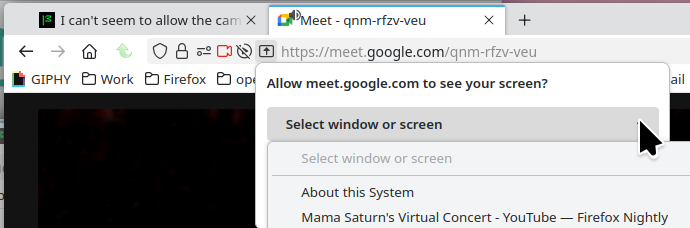
wrong problem. my camera works it is the "share screen" that says it must have permission but I cannot find where to give it
Dale S Richards said
wrong problem. my camera works it is the "share screen" that says it must have permission but I cannot find where to give it
Same area in the browser. see screenshot
jonzn4SUSE -
The two test sites work pretty much the same way as meet.google.com; I'm never prompted to grant access to the camera and the site complains that camera access is denied. Clicking on the sliders icon in the address bar, it tells me about the things I have enabled but doesn't say anything about the camera. The setting menu doesn't offer a way to add a site directly.
The camera works in google-chrome and chrome-derived browsers like Brave.
I'm running KDE 6.5.3 over Wayland.
Gory details: Operating System: Fedora Linux 42 KDE Plasma Version: 6.5.3 KDE Frameworks Version: 6.20.0 Qt Version: 6.9.3 Kernel Version: 6.16.12-200.fc42.x86_64 (64-bit) Graphics Platform: Wayland Processors: 8 × 11th Gen Intel® Core™ i7-1165G7 @ 2.80GHz Memory: 32 GiB of RAM (31.0 GiB usable) Graphics Processor 1: Intel® Iris® Xe Graphics Graphics Processor 2: NVIDIA T500 Manufacturer: LENOVO Product Name: 20VXX029US System Version: ThinkPad P14s Gen 2i
Allow me to revise and extend.
The camera works fine if I install the local Zoom binaries. Doesn't work from a web browser.
p_s_kennedy said
Allow me to revise and extend. The camera works fine if I install the local Zoom binaries. Doesn't work from a web browser.
Nice test. Show what your permissions are in Firefox. see my screenshots Here is what I get with a zoom test.
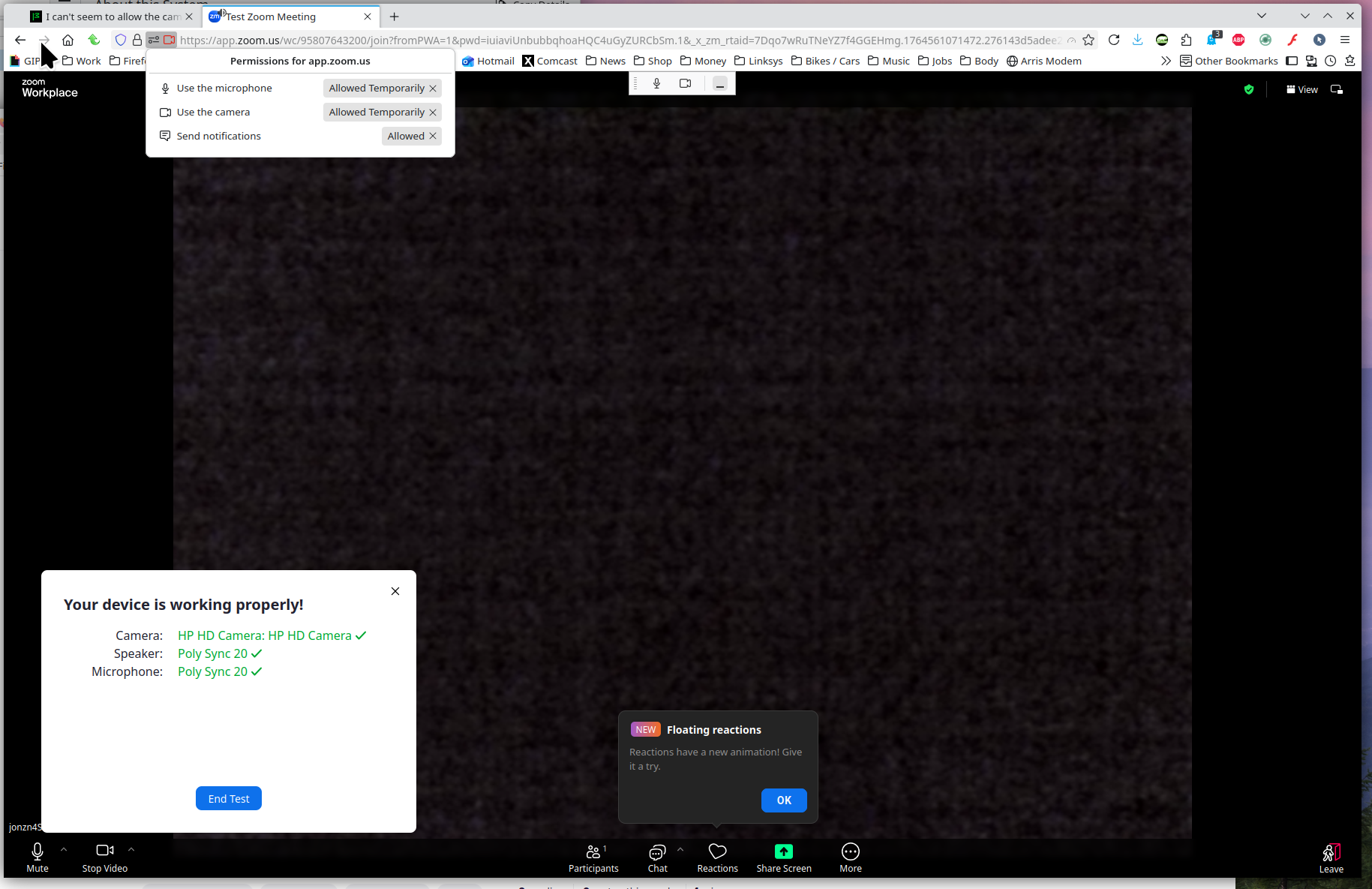
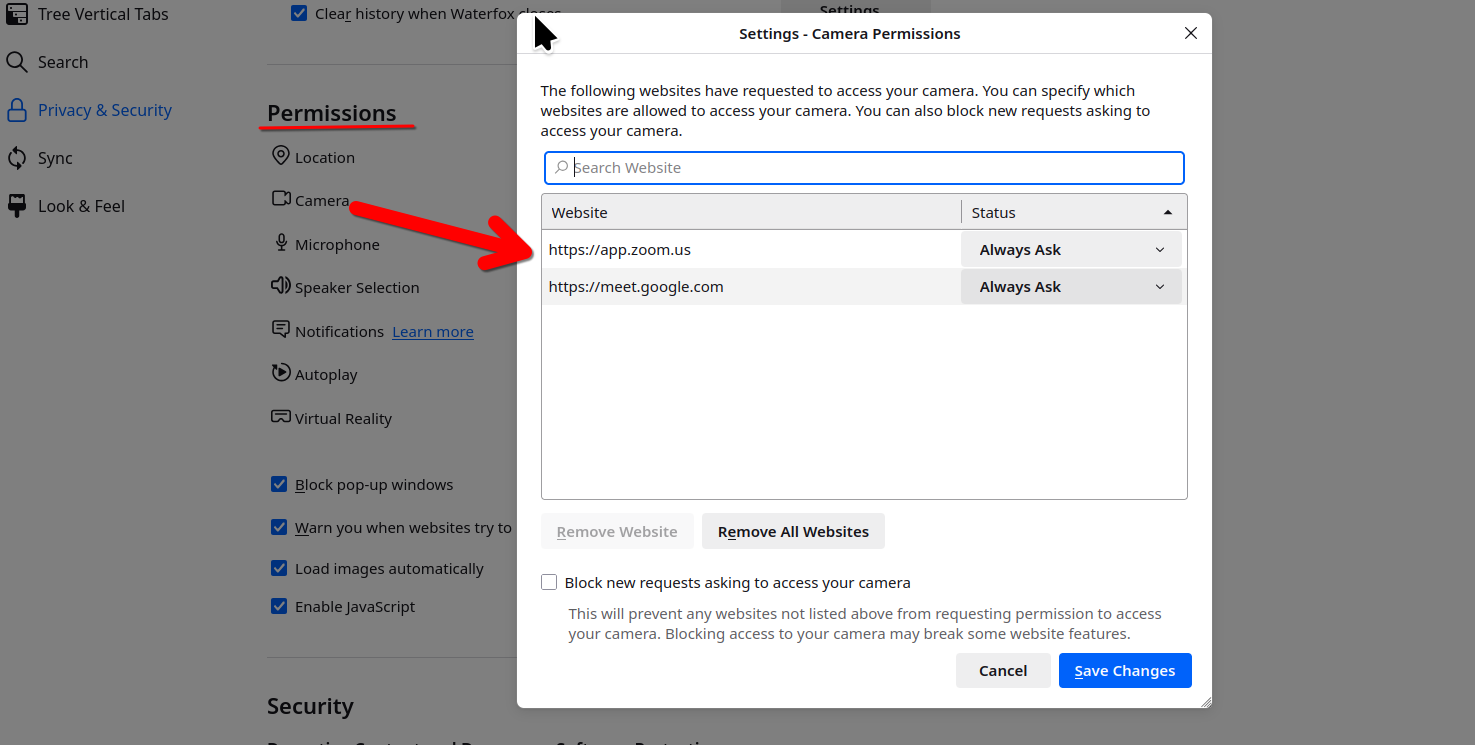
Modified by jonzn4SUSE
Chosen Solution
Referring to your screenshots, as I reported initially the pop-up from the address bar tells me I've allowed the microphone but doesn't mention the webcam (any webcam) at all. As for the Settings page, meet.google.com doesn't show up in the list of sites granted permissions and there's no way to add it and grant permissions manually.
All of this is moot, however.
I've upgraded to Fedora 43 and now everything's working. The KDE version didn't change and I'm still using Wayland (no choice about that w/f43) but now I get a list of my cameras/speakers/microphones to grant permission to. Works for meet.google.com, zoom.us, and webcammictest.com. Who knows, maybe it was the upgrade's reboots that solved the problem. ("Have you tried turning it on and off again?")
Thanks for engaging with this problem.