


Windows 10 reached EOS (end of support) on October 14, 2025. If you are on Windows 10, see this article.

Search Support

Avoid support scams. We will never ask you to call or text a phone number or share personal information. Please report suspicious activity using the “Report Abuse” option.

Learn More

Possible Profiles Install Issue

  • Atsakymų nėra
  • 0 have this problem
  • 70 views
  • Open

UPDATE: efforts to fix this have revealed that it's likely the release of Profiles didn't cause this problem although I speculate there might have been an inadvertent time bomb in the release. I will open a different question searching doesn't turn up the fix. If I would delete this post if possible.


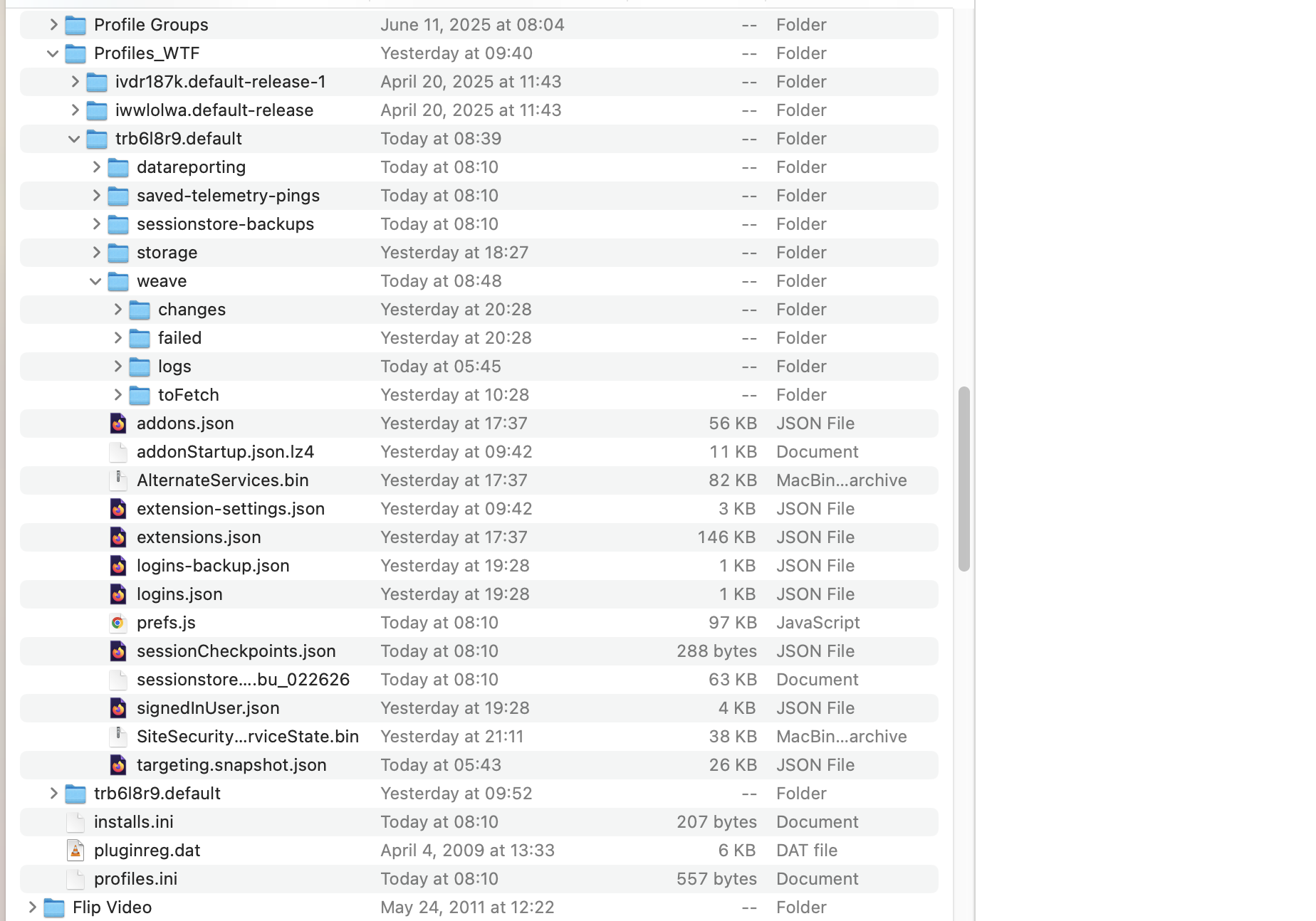
FF 148.0 was running on MacOS with my profile as a folder (e.g, trb618r9.default) under Firefox. When I looked in history it was empty so I restarted FF, none of my tabs were there, and TreeStyleTabs didn't display. Investigating I see a new folder named Profiles that has a profile in it with the trb618r9.default name but not all the data in the original trb618r9.default. I renamed the "new trb618r9.default" and moved the original trb618r9.default to Profiles and restarted FF but still am not seeing the original fxxx data which still exists.

Screenshot of finder before I renamed etc. as described above shows the two same named profiles.

How can I recover?
UPDATE: efforts to fix this have revealed that it's likely the release of Profiles didn't cause this problem although I speculate there might have been an inadvertent time bomb in the release. I will open a different question searching doesn't turn up the fix. If I would delete this post if possible. FF 148.0 was running on MacOS with my profile as a folder (e.g, trb618r9.default) under Firefox. When I looked in history it was empty so I restarted FF, none of my tabs were there, and TreeStyleTabs didn't display. Investigating I see a new folder named Profiles that has a profile in it with the trb618r9.default name but not all the data in the original trb618r9.default. I renamed the "new trb618r9.default" and moved the original trb618r9.default to Profiles and restarted FF but still am not seeing the original fxxx data which still exists. Screenshot of finder before I renamed etc. as described above shows the two same named profiles. How can I recover?
Pridėtos ekrano nuotraukos

Modified by rod@ rodmiller.com

You must log in to your account to reply to posts. Please start a new question, if you do not have an account yet.