


Why is Firefox getting around my firewall?
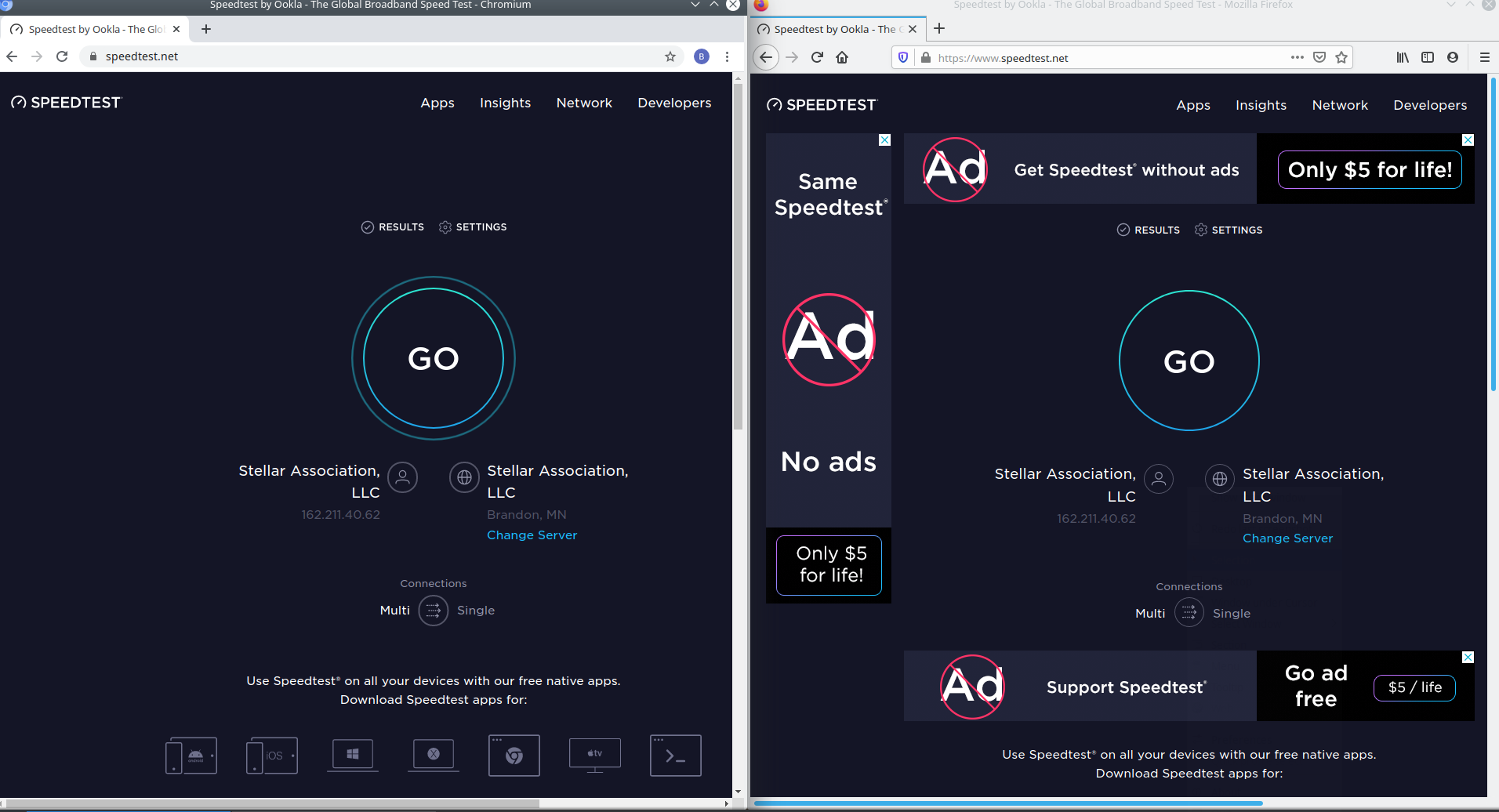
I spent half the day updating and checking setting on my firewall until I realized that Firefox (my main browser and the only one I let my kids use) is the only browser getting around my pfblockerNG in my pfSense firewall. I use pfblockerNG to block ads and inappropriate content from my household. Here is a screen shot of the latest version of Chromium and Firefox on the same website load one after another. Also it doesn't matter if I'm running Linux or Windows.
Any help would be appreciated I don't want to have to switch to Chromium, thanks.
Chosen solution
I use my pfSense to do a whole network ad block.
I figured it out, I had to turn off "DNS over HTTPS" as that was able to bypass my firewall ad block.
Skaityti atsakymą kartu su kontekstu 👍 0All Replies (4)

100bubeans said
Here is a screen shot of the latest version of Chromium and Firefox on the same website
Which is which?
Go to the Mozilla Add-ons Web Page {web Link} (There’s a lot of good stuff here) and search for a good ad blocker.
Please provide a public link (no password) that we can check out. No Personal Information Please !
Chosen Solution
I use my pfSense to do a whole network ad block.
I figured it out, I had to turn off "DNS over HTTPS" as that was able to bypass my firewall ad block.
That was very good work. Well Done.