Windows 10 reached EOS (end of support) on October 14, 2025. If you are on Windows 10, see this article.

Search Support

Avoid support scams. We will never ask you to call or text a phone number or share personal information. Please report suspicious activity using the “Report Abuse” option.

Learn More

Desktop Thunderbird no longer downloading from Yahoo email account to Inbox, but does Send messages out

  • Eyano ata moko te
  • 0 eza na bankokoso oyo
  • Open

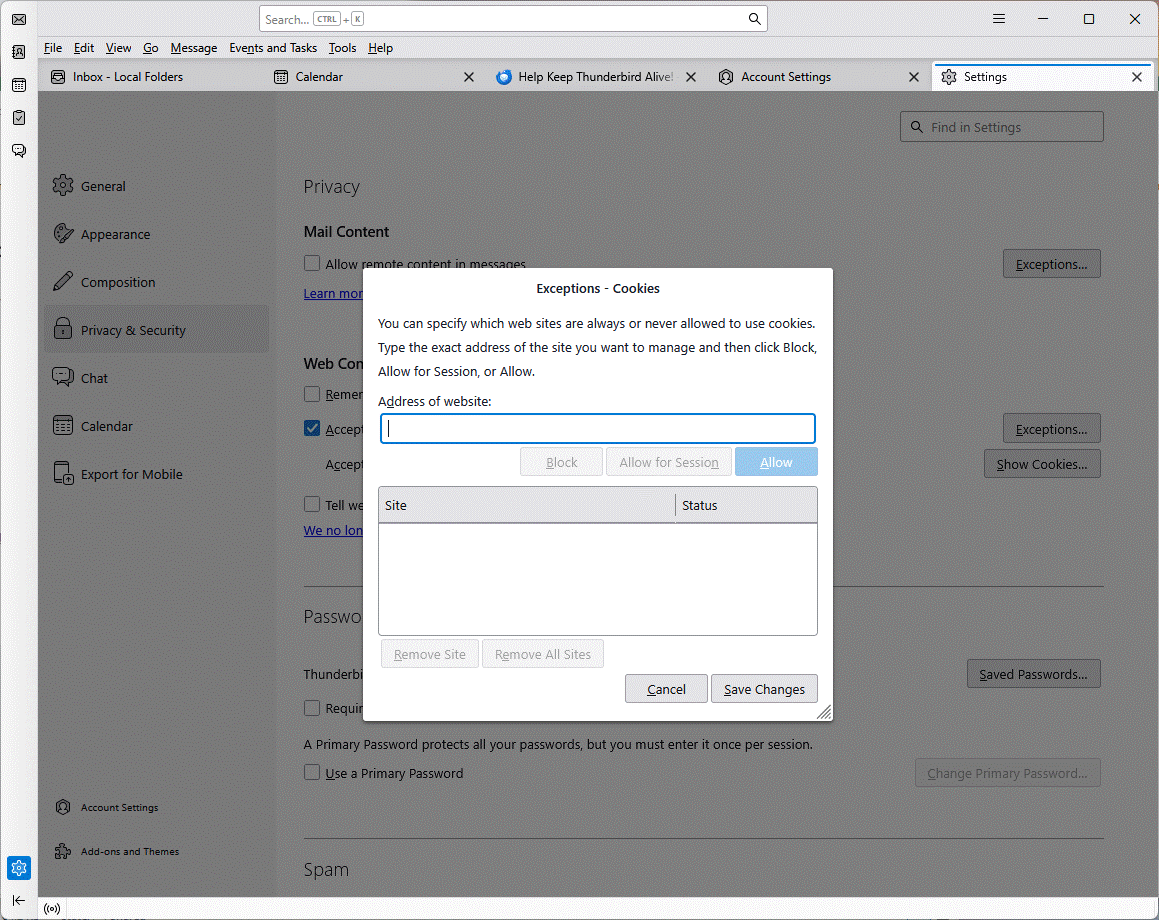
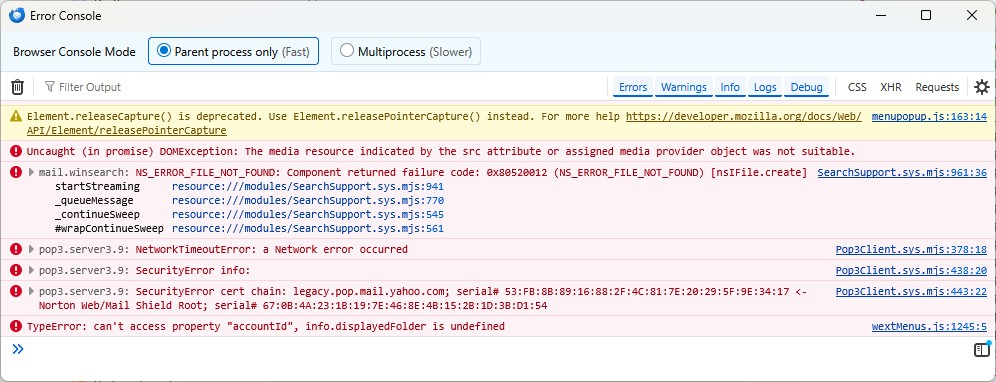
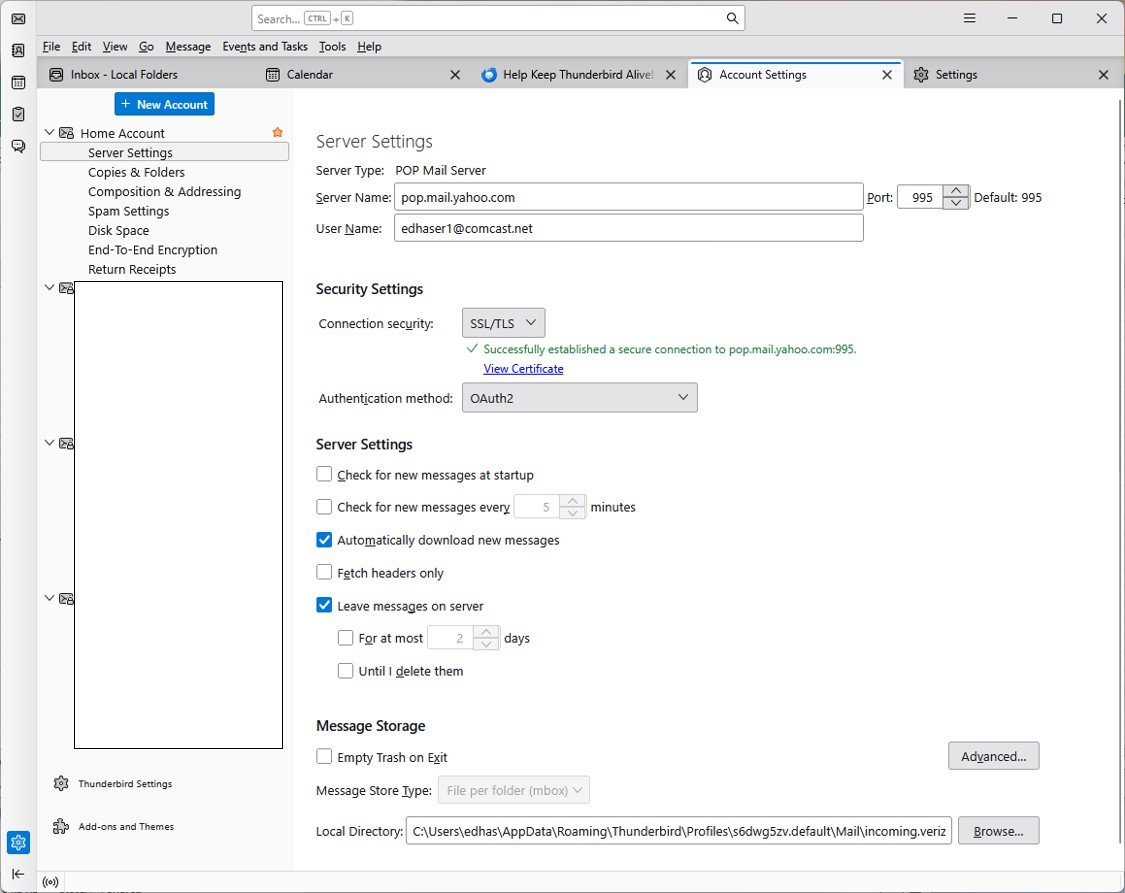
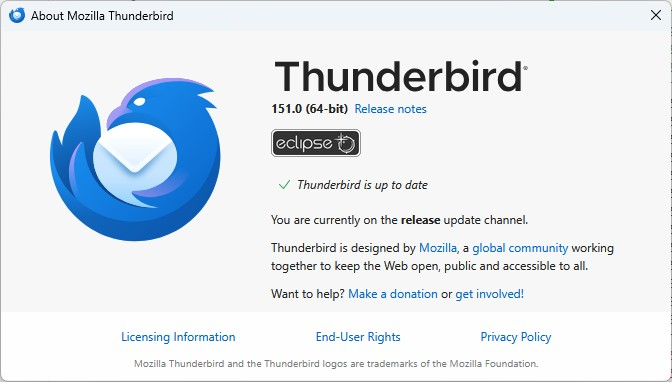
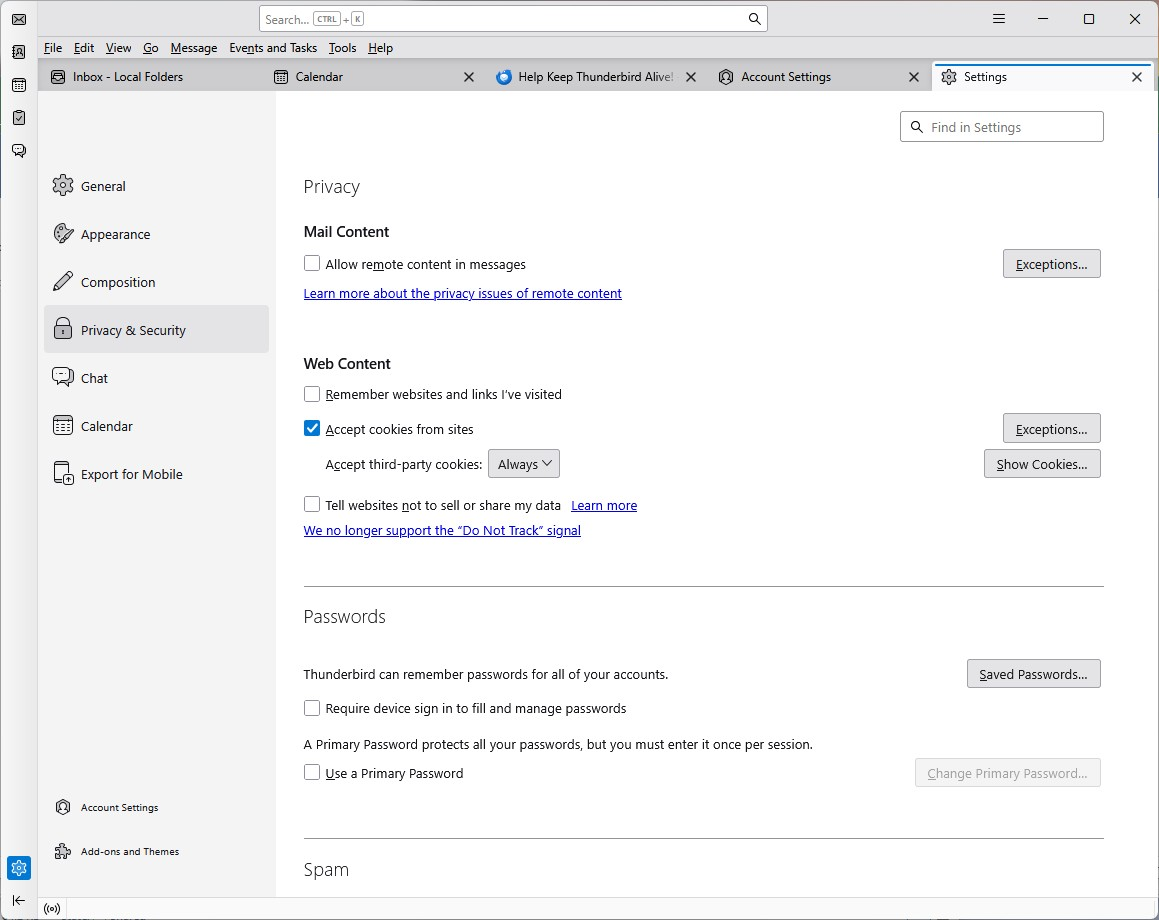
Desktop Thunderbird no longer downloads mail from Yahoo though it did until 2 weeks ago or so. Now when checking for mail, I only see a "Local Folders: Checking Inbox for new messages" (screenshot) that eventually disappears after a while with no download. I can still send messages out from Thunderbird through Yahoo. I have done the "Please check the following before asking for support" : 1. I can log into my Yahoo account via the web and am using the same password 2. I only have one Yahoo account; all the other accounts work fine 3. I can send mail from Thunderbird through my Yahoo account with no problem 4. OAuth2 is active and can successfully establish a secure connection (screenshot) 5. Cookies are enabled with no exceptions (screen shot) 6. I do not use a VPN 7. Version is 151.0 (screenshot) 8. I checked the Error Console messages when Checking Inbox was active (screenshot) but do not understand it

I blocked out information on non-Yahoo accounts and email subjects on screen shots
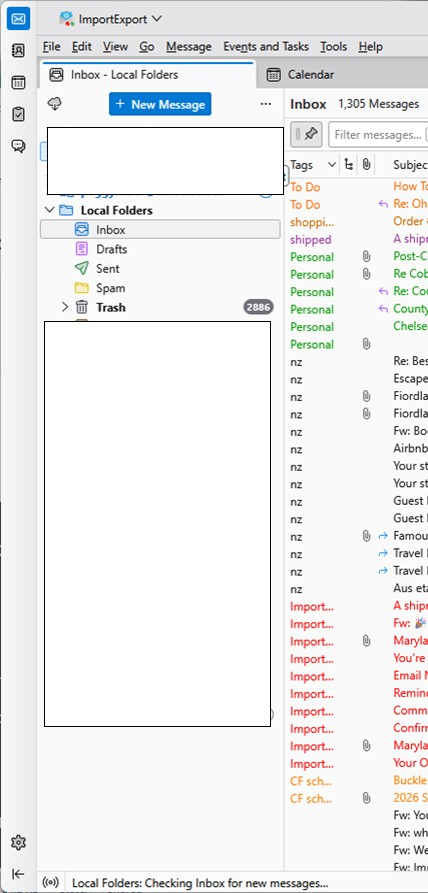
Desktop Thunderbird no longer downloads mail from Yahoo though it did until 2 weeks ago or so. Now when checking for mail, I only see a "Local Folders: Checking Inbox for new messages" (screenshot) that eventually disappears after a while with no download. I can still send messages out from Thunderbird through Yahoo. I have done the "Please check the following before asking for support" : 1. I can log into my Yahoo account via the web and am using the same password 2. I only have one Yahoo account; all the other accounts work fine 3. I can send mail from Thunderbird through my Yahoo account with no problem 4. OAuth2 is active and can successfully establish a secure connection (screenshot) 5. Cookies are enabled with no exceptions (screen shot) 6. I do not use a VPN 7. Version is 151.0 (screenshot) 8. I checked the Error Console messages when Checking Inbox was active (screenshot) but do not understand it I blocked out information on non-Yahoo accounts and email subjects on screen shots
Bafoto sur écran jointes

You must log in to your account to reply to posts. Please start a new question, if you do not have an account yet.