Phone numbers under the heading "email addresses"

I would glad donate to TB Mozilla IF it would work the way it is supposed to. I tried for 3 hours to create a MAILING LIST nut to no avail. The instructions make no sense.
Also in my Address book that I imported, phone numbers show up under the heading "email addresses...and I have email showing up at all.
Stan
All Replies (3)

Where did the address file that you imported into Thunderbird come from, and what format is it? I'm guessing the file is in CSV (Comma-Separated Values) format. Thunderbird needs the fields to be in a certain order to import it properly. If the file was created by another program, the fields may not be in the right order. Usually, if Thunderbird detects that your import file isn't right, it will open a window that lets you defined the fields to its liking. Did you see such a window (see attached image)? This can be a very tedious process that can be made easier by importing the CSV into a spreadsheet program and re-arranging the column order to agree with Thunderbird's preference. Below is a template for Thunderbird:
First Name,Last Name,Display Name,Nickname,Primary Email,Secondary Email,Screen Name,Work Phone,Home Phone,Fax Number,Pager Number,Mobile Number,Home Address,Home Address 2,Home City,Home State,Home ZipCode,Home Country,Work Address,Work Address 2,Work City,Work State,Work ZipCode,Work Country,Job Title,Department,Organization,Web Page 1,Web Page 2,Birth Year,Birth Month,Birth Day,Custom 1,Custom 2,Custom 3,Custom 4,Notes
The easiest solution would be if the file to import is in VCF (vCard) format, in which the fields are standardized. So, if possible, go back to the origin of your address book and export it in vCard format.
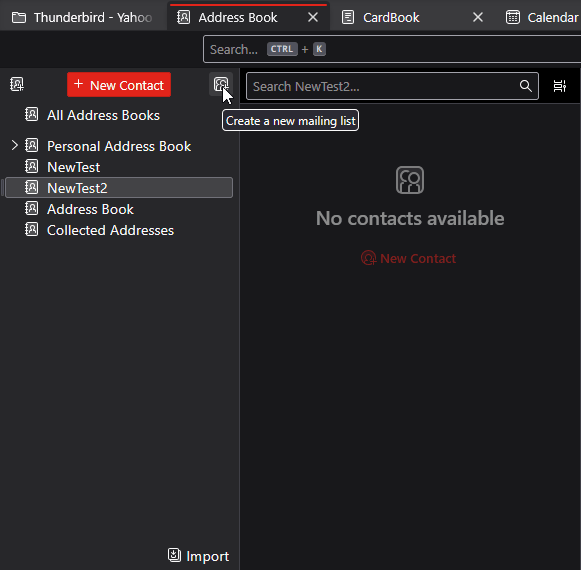
- To create a mailing list, click the small icon to the right of the 'new contact' button on the addressbook pane
- My guess is you were importing a csv file? Important to align the fields in the csv with the fields as thunderbird has them defined. I provided details on that in two recent posts, so I hope one of them works for you. let me know.
https://support.mozilla.org/en-US/questions/1569866
https://support.mozilla.org/en-US/questions/1568849
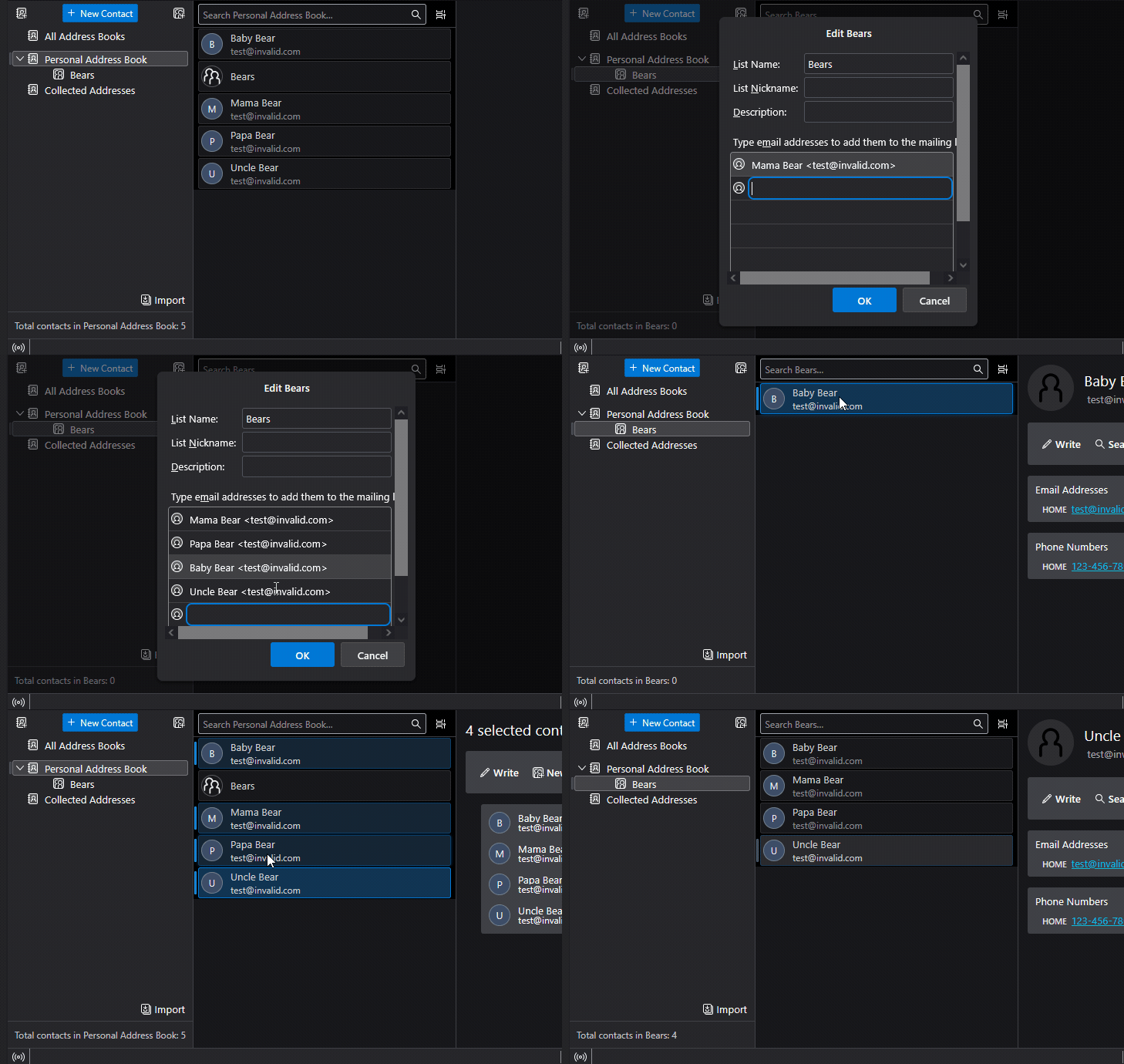
You can create a new Mailing List by selecting one of your address books and clicking the "New Mailing List icon - see attached image. You can then drag and drop contacts from the containing Address Book into the newly-created list. See the other attached animation.