


snap firefox v107 cannot find my default printer

Hi, wonderful crew I have this annoying issue: when I want to print a page and I open the Print menu from the "hamburger" button, the preview open but on the printer list I can see only the PDF printer, not my default printer or any other printer. Also if I click on the link "Print thru the system printer window" I see only "Print on file" and "Print on LPR" I tried the same on Chomium and there I can see my default printer My system is a Ubuntu desktop 22.04 recently updated from 20.04 LTS Thank for your work
Solution eye eponami
Thanks jonzn4SUSE, you have directed me to the solution of the problem: snap issue! So I found that the snap container must be enabled to comunicate with the printer and the following command does that: sudo snap connect firefox:cups-control :cups-control
Tanga eyano oyo ndenge esengeli 👍 3All Replies (4)
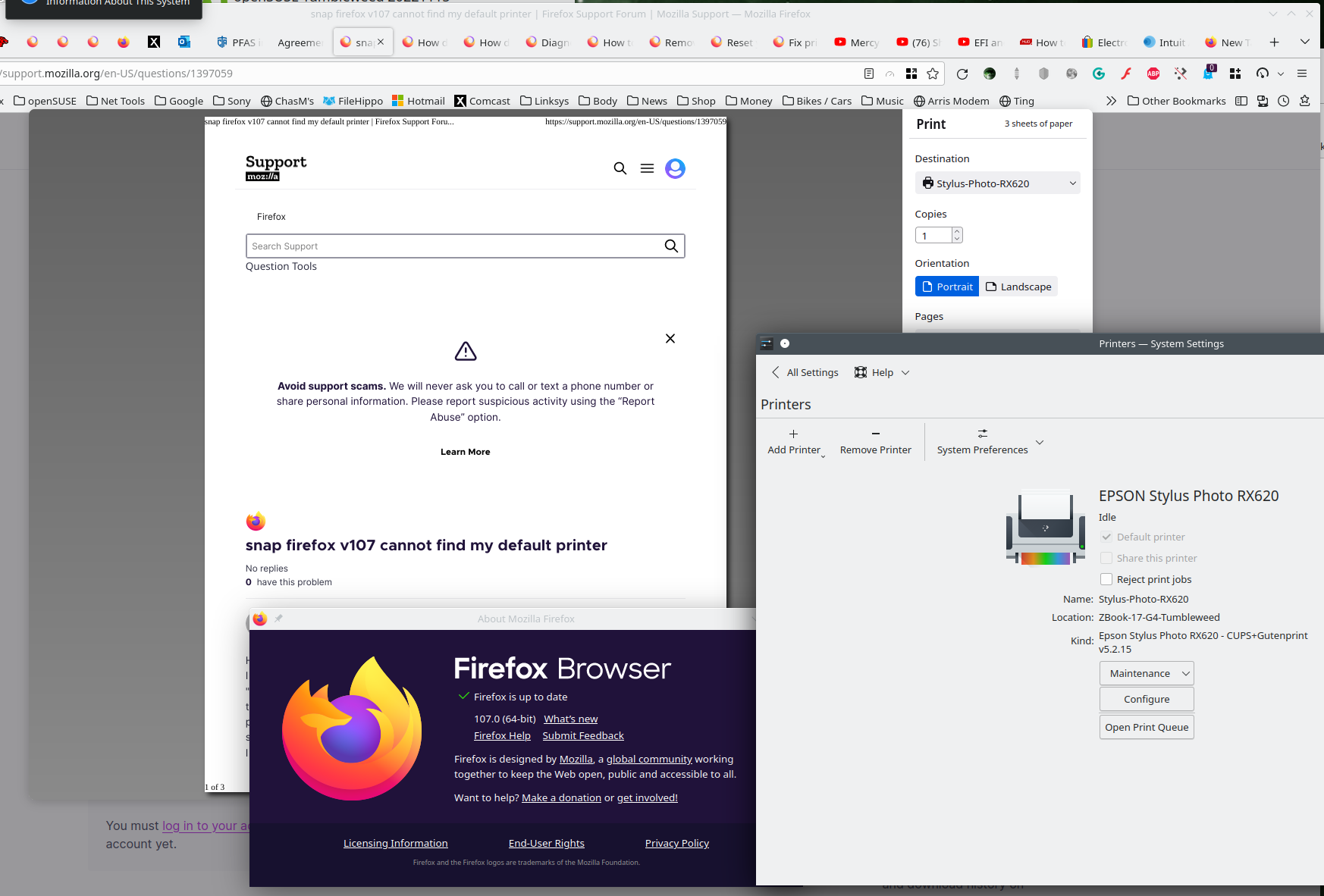
It see's my printer. see screenshot Smells like a snap issue. Try Firefox from Mozilla and see if you have the same issue. https://www.mozilla.org/en-US/firefox/all/#product-desktop-release
Operating System: openSUSE Tumbleweed 20221115
KDE Plasma Version: 5.26.3
KDE Frameworks Version: 5.100.0
Qt Version: 5.15.7
Kernel Version: 6.0.8-1-default (64-bit)
Graphics Platform: X11
Processors: 8 × Intel® Xeon® CPU E3-1535M v6 @ 3.10GHz
Memory: 62.7 GiB of RAM
Graphics Processor: Mesa Intel® HD Graphics P630
Manufacturer: HP
Product Name: HP ZBook 17 G4
Solution eye oponami
Thanks jonzn4SUSE, you have directed me to the solution of the problem: snap issue! So I found that the snap container must be enabled to comunicate with the printer and the following command does that: sudo snap connect firefox:cups-control :cups-control
Great! That's good info for the other snappers out there. ;-)) Mark it as resolved and have a good day.
This question has been locked because the original author has deleted their account. While you can no longer post new replies, the existing content remains available for reference.