


Message filters not moving email

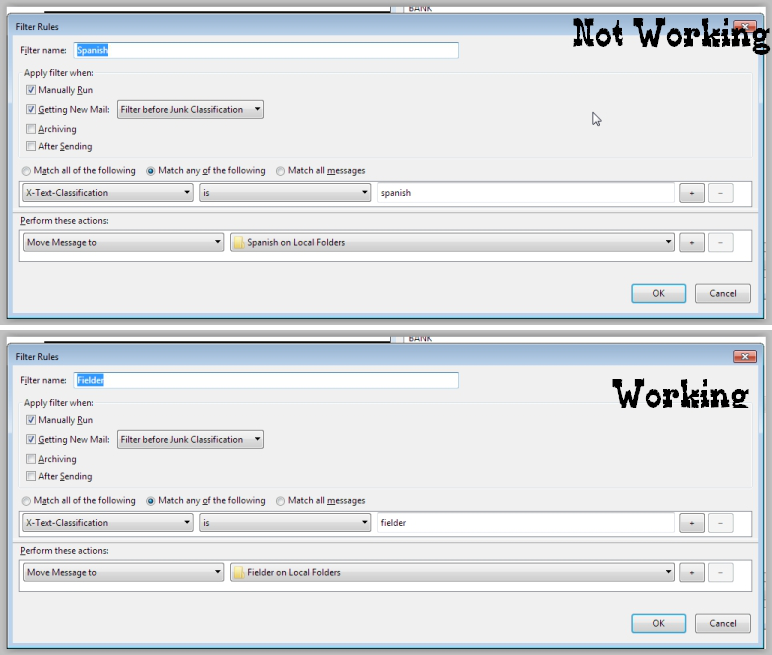
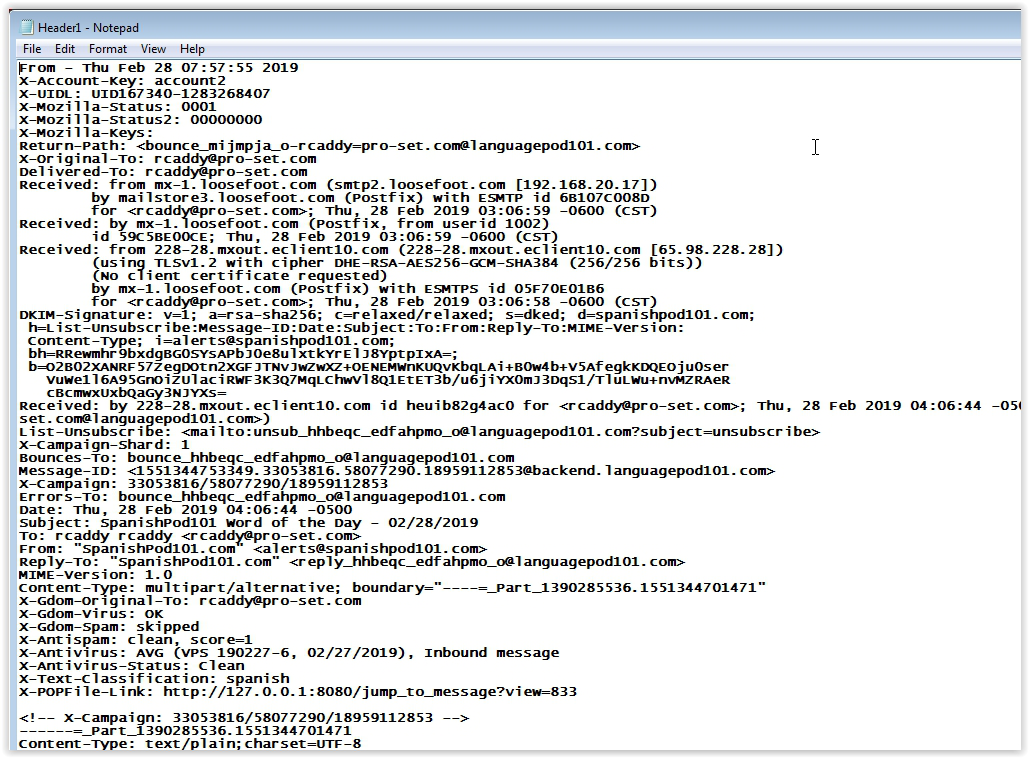
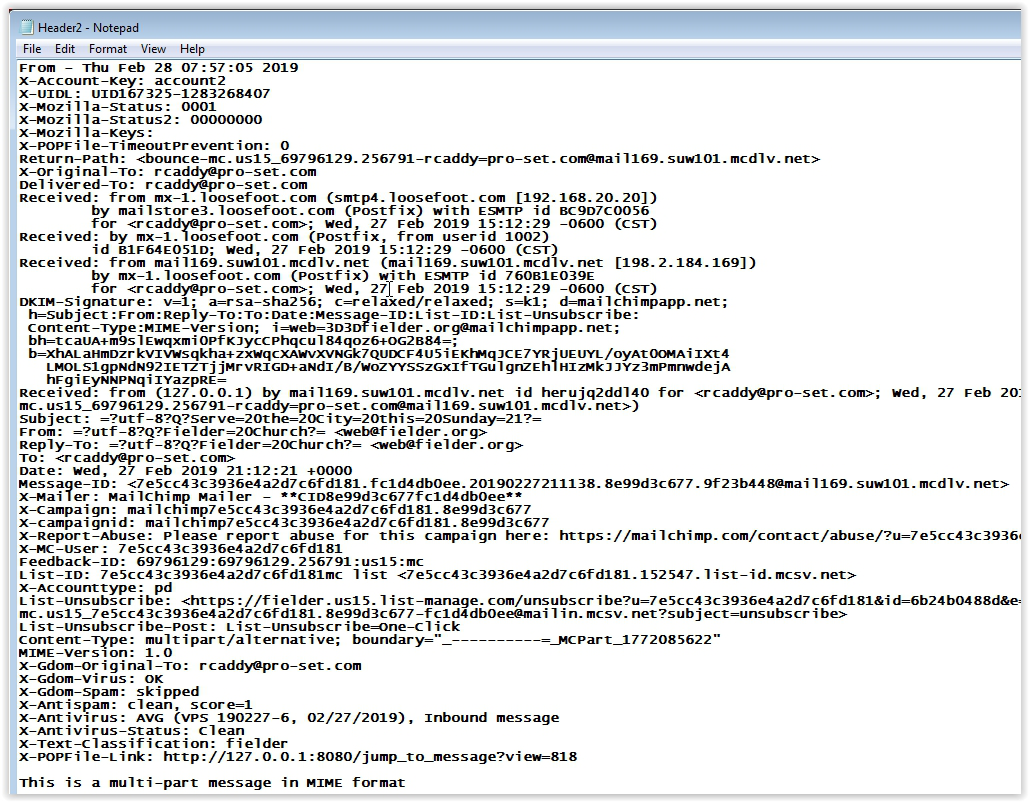
I use Popfile to classify my email to then be filtered by Message filters in Thunderbird to be moved to various subfolders. I have multiple filters using Popfile and almost all of the messages are filtered correctly. I'm using a property called X-Text-Classification which Popfile inserts into the header as its classification that should be acted upon. See attached example. I have attached 3 screenshots. Filters is of the 2 filters that are being used in this example. The top image is matched to Header1and does not move to the appropriate subfolder. The bottom image is matched to Header2 and does move.
Any thoughts are appreciated.
All Replies (4)
I don't see any obvious difference between the two headers that would make one filter work but not the other. The To: header is slightly different, which suggests the filters have been defined for different accounts (filters are account-specific). Open Tools/Message Filters and check that the filters are defined for the correct account and account folder. Otherwise, enable the filter log and see if anything points to a solution.
Thanks for your suggestion, I'll let you know what I find.
I see what you are talking about, but if the filter is using X-Text-Classification as my filter key would it matter if the To is different. At a second glance I see a few other things that are slightly different in the headers. Also, I checked a couple of other email headers that are being filtered correctly and their To is also different. Thanks again for your response.
If the filter log doesn't suggest anything amiss, you could examine the msgFilterRules.dat file in a text editor. There is a dat file for each account.