


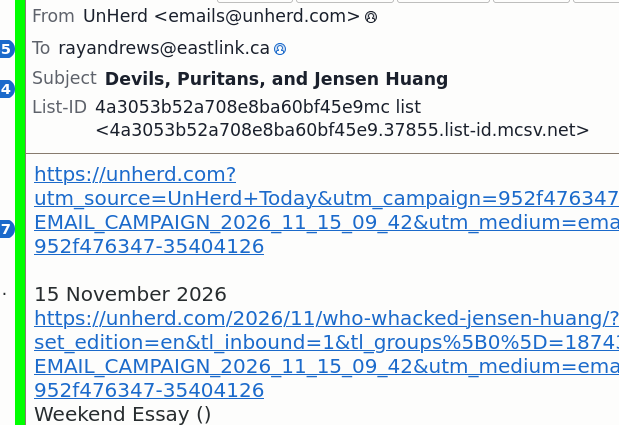
email links (images etc.) no longer show, I see only URLs.

It happened yesterday some time. System backup from last week is fine, everything shows, so it's not something in the emails themselves and not hardware. Is something broken or did I accidentally change some setting?
모든 댓글 (6)
try this: click view>message body as>original HTML
선택된 해결법
Pancake > View > only offers me 'Toolbars' 'Layout' 'Folders' So often I'm trying to follow instructions on what to click, and I don't see what I'm supposed to see :-(
But:
- More > Message Body As > Tick 'Original HTML' ... and it's fixed :-) Dunno how that ever got changed.
Thanks David.
You're welcome,. I was referring to use of the menu bar. And you're right, the menu options aren't the same.
Ah! Right you are, that works too. It bothers me greatly that in the 'icon' age, it is next to impossible to talk anyone thru these things with any rigor. "Click the icon that looks sorta like an axe ...". If I ran the universe there's be a button that would turn every clickable thing on the screen into an ID number and you'd say: "Click 13 > 87 > 43 > 15."
BTW how do I change 'chosen solution' to yours? You might edit it to say 'on the menu bar' and 'View' with a capital ... I'd have caught it then.
Not to worry. The good news is you marked it resolved so it gets retired. That is appreciated. If I ran the universe, the two menus would be the same. Having one 'almost' the same routinely causes confusion. All the best to you. :)