


I changed to windows 11.

I changed to windows 11. I received a notice that I still have windows 10. I just wanted to let you know about my change to windows 11. You don't have to respond to this. Doug
글쓴이 Sebastian Becker 수정일시
선택된 해결법
This question was still appropriate as it was likely about a Mozilla Account message about using Firefox on Windows 10. We get this question every so often about why is Firefox on Windows 11 showing as if they have Windows 10.
tomtausz said
I changed to windows 11. I received a notice that I still have windows 10. I just wanted to let you know about my change to windows 11. You don't have to respond to this. Doug
The issue is Windows 11 is basically based on the same NT 10.0 as Windows 10.0 is so web browser UserAgents including with Firefox will show NT 10.0 in the UA's.
For example Firefox 160.0 on Windows 10 and 11 correcly shows as Mozilla/5.0 (Windows NT 10.0; Win64; x64; rv:160.0) Gecko/20100101 Firefox/160.0
Perhaps when Microsoft actually makes a new version of Windows they will base it on a new NT like they did with previous versions of Windows like they did with 7, 8, 8.1 for example as mentioned in https://en.wikipedia.org/wiki/Windows_NT#Releases
There is no NT 11.0 so I suggest you do not modify your Firefox UA as it will just make it more unique and easier to track in fingerprinting.
모든 댓글 (4)
Hi, don't take it personally, there is a longstanding practice for Firefox browsers running on Windows 11 to say they are running on Windows 10. Unless sites start caring about differences between the two operating systems when serving web pages, it will probably stay that way for quite a while.
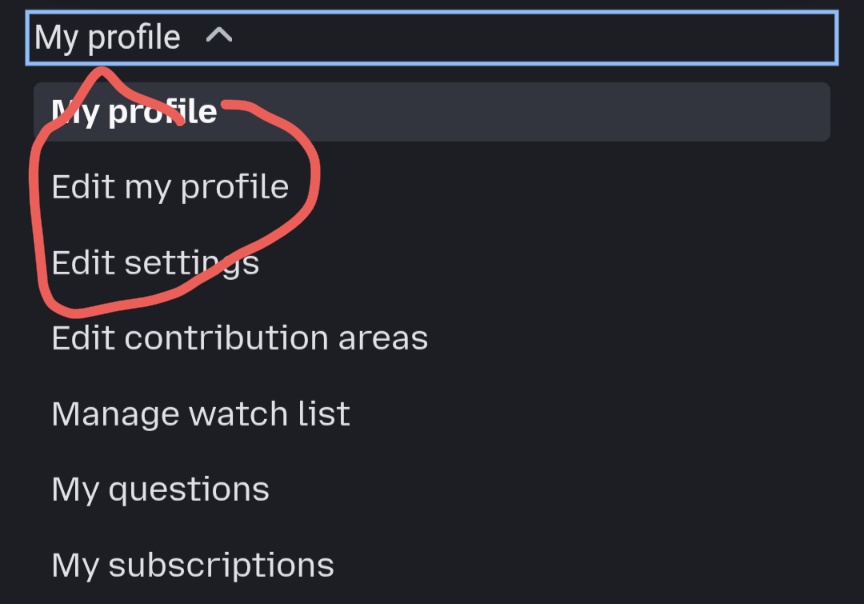
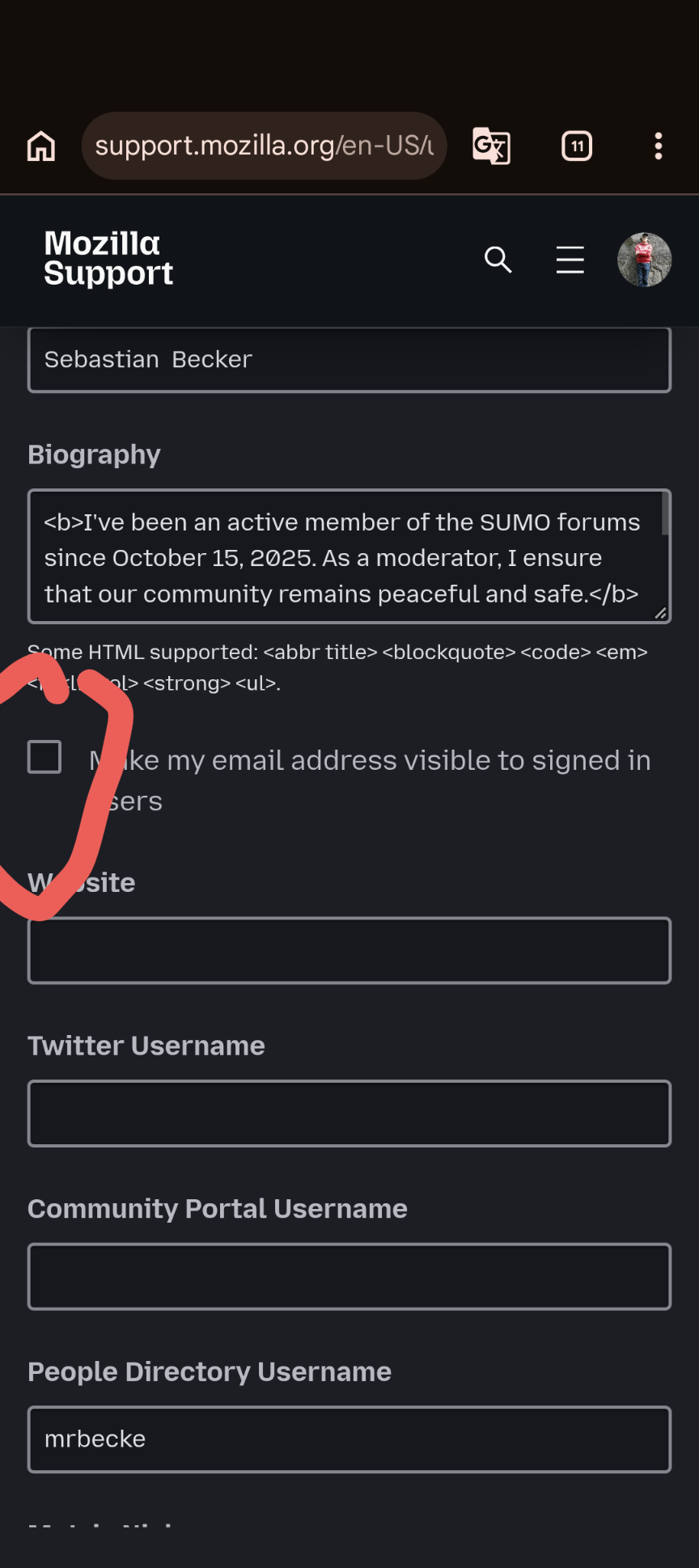
Hello tomtausz, Please note that posting personal email addresses in public forum threads is strictly prohibited for privacy and security reasons. If you want your email address to be visible to signed-in users, you can configure it securely through your profile settings instead: 1. Click on your profile icon in the top right corner. 2. Go to Edit my profile. 3. Enable the option "Make my email address visible to signed in users". Best regards, Sebastian Becker
글쓴이 Sebastian Becker 수정일시
Hi tomtausz,
This forum is intended to help users with Mozilla products, such as Firefox. Your question appears to be outside the scope of our support forum, so as a moderator, I’m going to lock the thread and mark it as off-topic. Please see Mozilla Support rules and guidelines for more information.
If you believe this was a mistake, feel free to submit a new question with additional details.
선택된 해결법
This question was still appropriate as it was likely about a Mozilla Account message about using Firefox on Windows 10. We get this question every so often about why is Firefox on Windows 11 showing as if they have Windows 10.
tomtausz said
I changed to windows 11. I received a notice that I still have windows 10. I just wanted to let you know about my change to windows 11. You don't have to respond to this. Doug
The issue is Windows 11 is basically based on the same NT 10.0 as Windows 10.0 is so web browser UserAgents including with Firefox will show NT 10.0 in the UA's.
For example Firefox 160.0 on Windows 10 and 11 correcly shows as Mozilla/5.0 (Windows NT 10.0; Win64; x64; rv:160.0) Gecko/20100101 Firefox/160.0
Perhaps when Microsoft actually makes a new version of Windows they will base it on a new NT like they did with previous versions of Windows like they did with 7, 8, 8.1 for example as mentioned in https://en.wikipedia.org/wiki/Windows_NT#Releases
There is no NT 11.0 so I suggest you do not modify your Firefox UA as it will just make it more unique and easier to track in fingerprinting.