How can I make downloads and uploads both default to the Downloads folder?

I would like to configure my Firefox to always prompt me where to save files. I've enabled this setting, but I'd also like the file picker to always default to my Downloads directory, ignoring where the last place I uploaded or downloaded a file to/from was.
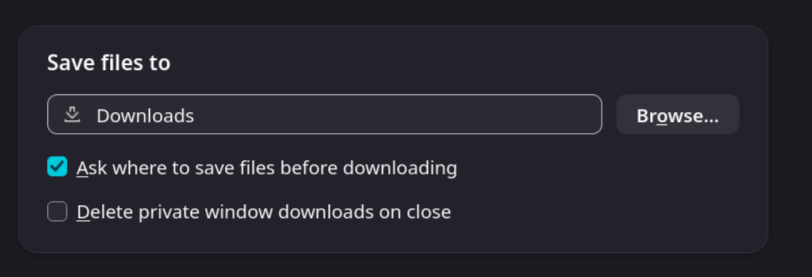
I currently have my file download settings configured to use the Downloads folder and to always "Ask where to save files before downloading". However, when I download files from some websites, seemingly depending on the website, the file picker may decide to default to my Desktop folder or some random folder in my Documents that I accessed recently, rather than my Downloads folder.
I always want to be prompted with the option to save files in another folder. However, I always want the default option to be my Downloads folder. As far as I'm aware, this was the default behavior in versions 158 and below.
In addition, when uploading files, I'd like the file picker, once again, to default to my Downloads directory.
Currently, whenever a download or upload picker is opened, it seems kind of random what place the picker opens to. On this website, the upload image picker "Browse" on the form I'm filling out to create this question goes to my Desktop. Another website's upload file picker goes to my Downloads. Downloading a file from that website goes to my Desktop. Saving an image from this form page goes to my Downloads. I want all of these pickers to open my Downloads folder without exception.
Is there a way I can configure this behavior in about:config, or do I have to open a Bugzilla report about it?
모든 댓글 (1)
Here's a screenshot of my current download settings. As I read the options, it implies that it should default to the Downloads folder (or else what would be the point of selecting a folder?) but ask me if I want to pick another place.