


AOL OAuth2 authentication fails

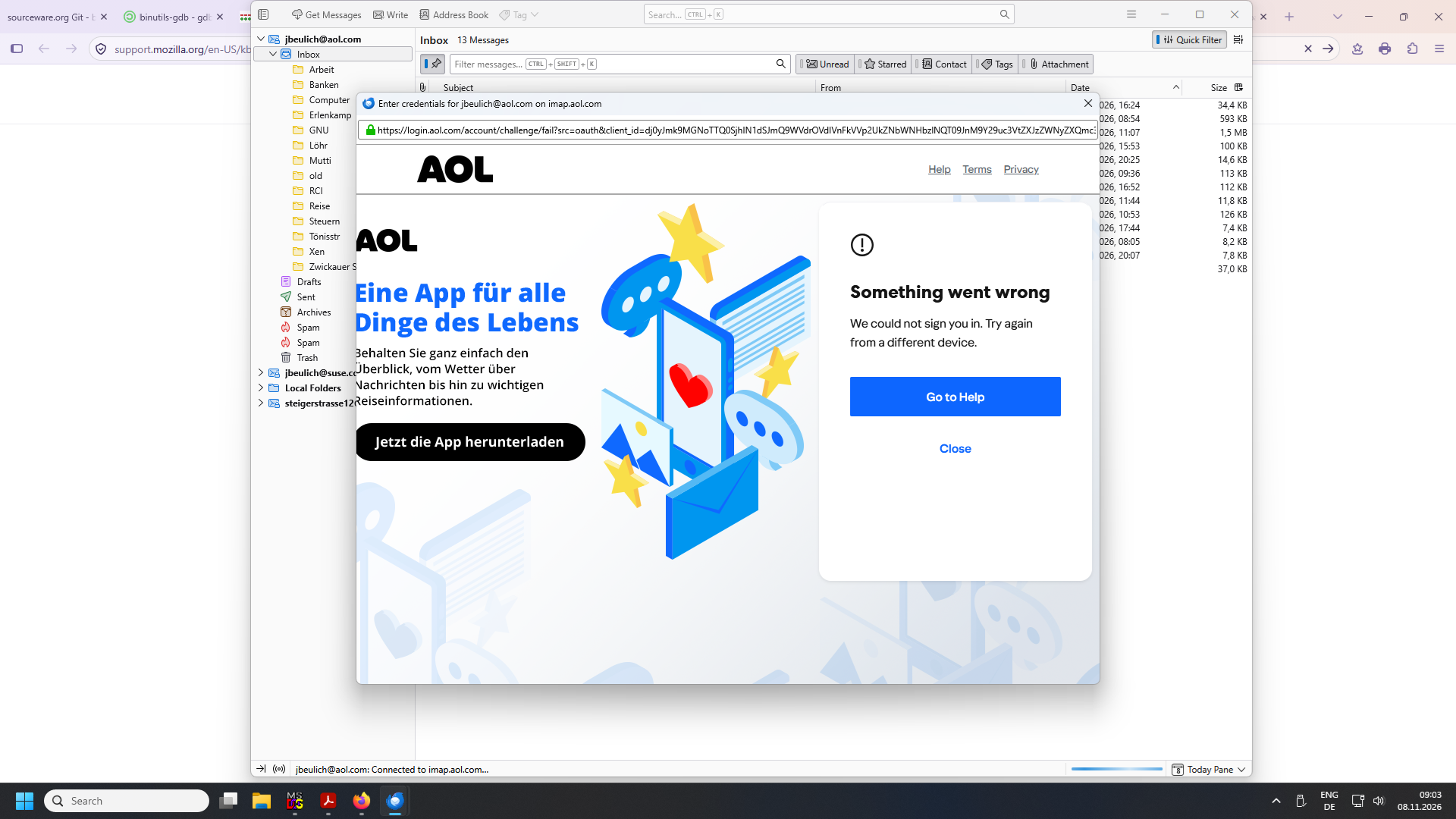
After upgrading from the previous ESR series (140.17.0esr) I can no longer access my mailbox, due to the OAuth2 authentication process failing.
As to items on https://support.mozilla.org/en-US/kb/thunderbird-and-yahoo: 1, 2, 4, and 5 I have double- and triple-checked. 3 is unclear to me: I'm unaware of anything hidden, yet at the same time I would have expected the site to ask me for a 2nd verification step (e.g. sending a numeric token to my mobile phone) after having entered my password. Whether that step isn't shown or whether the failure (see attached picture) occurs ahead of this I cannot tell.
Needless to say that this occurs at about the worst of all possible times, where I will need my private email much more because of soon losing my business one.
모든 댓글 (6)

Are cookies allowed in Thunderbird? Are you running a local web server, or any other service listening on TCP port 80? If so, turn it off. Are you using a VPN? If so, turn it off.
If 2-step authentication is turned on, I'd suggest to use an authenticator app as the second step. It's way more reliable than text message or email, and also more secure.
글쓴이 christ1 수정일시
Cookies are enabled ("Accept cookies from sites" is enabled). No local web server, no VPN. As to an authenticator app - that would require a smartphone aiui, which I don't possess.
Please confirm whether 2FA is turned on for your AOL account, and if so, which method (text, email, etc.) is being used.
Forgot about that: Don't use an app password, OAuth2 requires the main account password.
글쓴이 christ1 수정일시
I didn't turn on 2FA manually. When signing in from e.g. unusual locations, for quite some time I've been offered a choice between email (to another account), a text message to my mobile phone, or I forget what the 3rd option is. During the OAuth2 process, however, things don't get that far - the error appears right after entering the password.
See if this topic helps. It doesn't offer a definitive solution though. https://support.mozilla.org/en-US/questions/1610309
Yeah, the usePrivateBrowser thing I had found elsewhere, but it didn't make a difference here.