


Region setting on the web browser will not remain as selected.

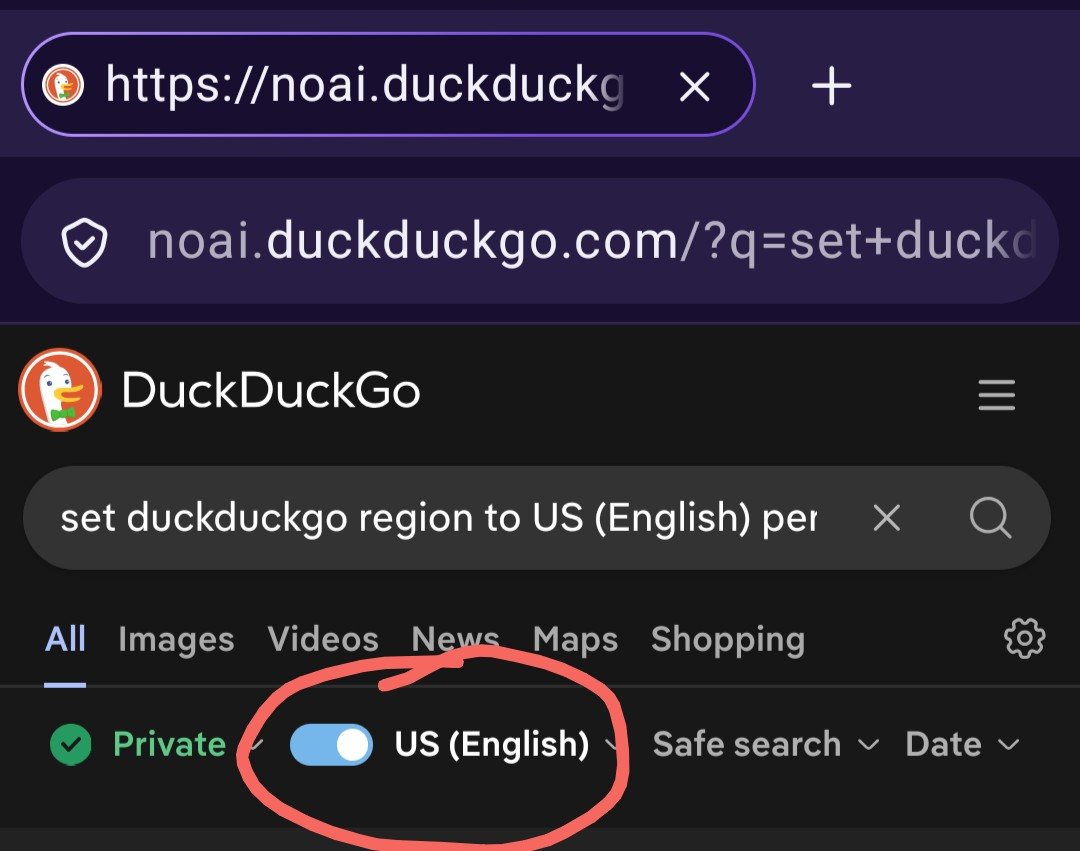
The region settings keep changing spontaneously. I am an American service member and routinely travel from the 'States to Japan where I have orders to a Naval Base. When I am in Japan, the regional settings (please see the image) keep switching to Japan, forcing me to manually change it.
How can I get this to stop? I don't speak Japanese, I have no use for Japan-based search results, and yet I can't get it to stop, even by taping on the selector switch and clearing it before re-selecting US (English).
Is this a bug? Because if it's not, it's a ridiculous pain.
모든 댓글 (1)

Hi there,
Does this only affect DuckDuckGo for you? Are you using the same browser at both places? Are you sure, you are not doing anything special with your cookies in the browser?
Based on the picture, you are using private browsing there, so no wonder that in that case the toggle will not be on, as that setting is stored in a cookie.
Regards, Balázs