


Windows 10 reached EOS (end of support) on October 14, 2025. If you are on Windows 10, see this article.

Mozilla 도움말 검색

고객 지원 사기를 피하세요. 저희는 여러분께 절대로 전화를 걸거나 문자를 보내거나 개인 정보를 공유하도록 요청하지 않습니다. "악용 사례 신고"옵션을 사용하여 의심스러운 활동을 신고해 주세요.

자세히 살펴보기
Open

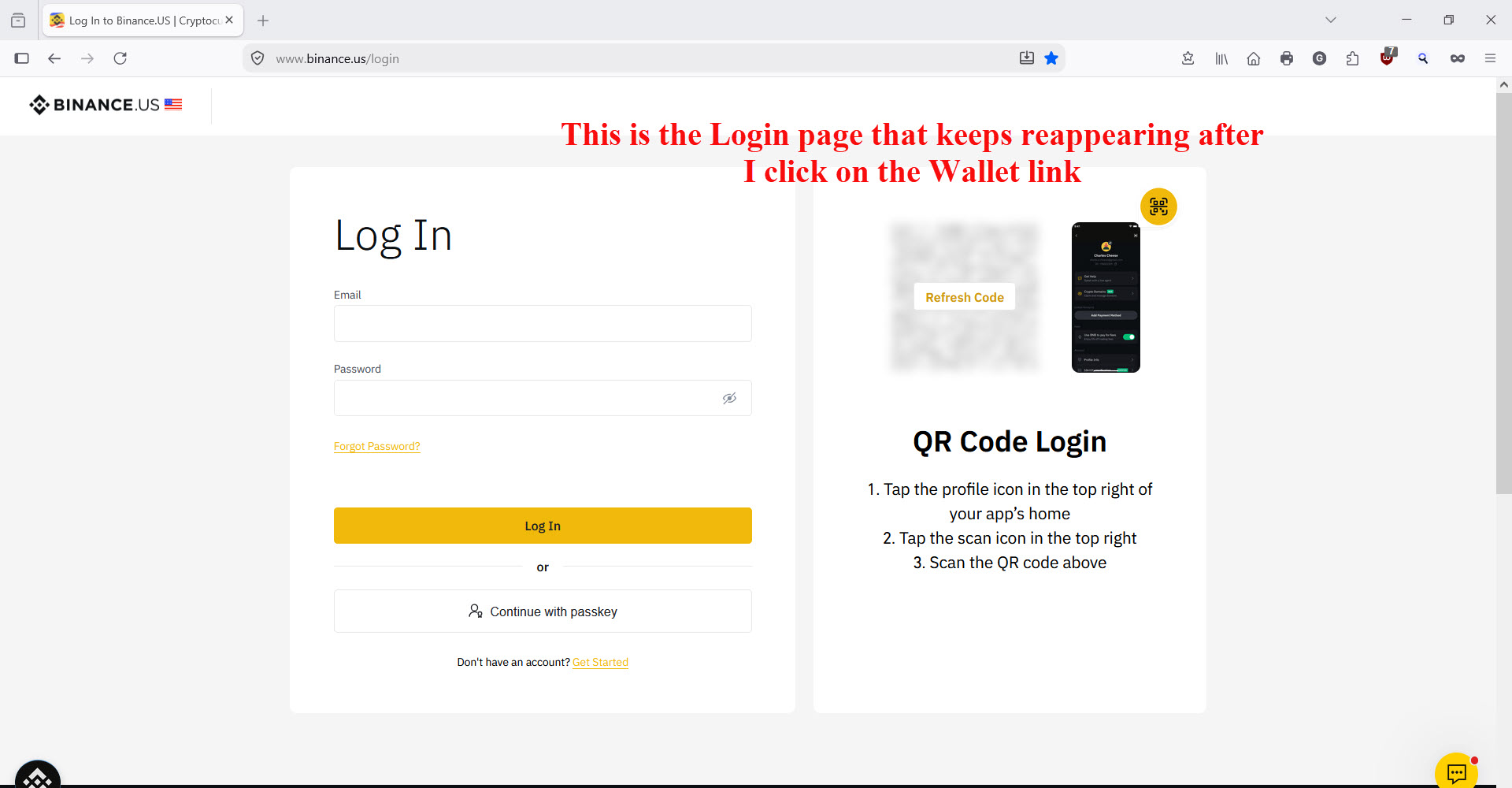
Firefox version 154 requires a second login after logging into Binance.US and a link to another page on the Binance.US website is clicked.

G Capelo

Firefox version 154 requires a second login after logging into Binance.US and a link to another page on the Binance.US website is clicked.

For example, upon logging in to Binance.US then clicking on the “Wallet” link in the dashboard, the Login credentials window pops up again requesting me to log in a second time. However, after entering the login username and password that second time and clicking the OK button, the webpage blinks and clears the username and password fields and refused to let me in. No matter how many ties I re-enter the login credentials, I cannot get to the Wallet page. Clicking the REFRESH arrow usually takes me back to my dashboard where I m still logged in to my account.

Other browsers do not give me this trouble.

Here is what I have done in attempt to troubleshoot this problem: 1) Turned off uBlock Origin 2) I turned off all popup blockers 3) I reset all cookies and cleared all other history, forms, etc. 4) Operated Firefox in Troubleshooting Mode 5) Refreshed Firefox 6) Uninstalled then reinstalled ver 154 and created a new profile from scratch.

None of the above steps changed anything in the Binance.US website behavior.

As a last result, I uninstalled ver 154, installed ver 153 and created a new profile for that version. The Binance.US website worked perfectly with the new profile. I next downloaded and installed my saved Firefox profile from the Mozilla backup service and everything continued to work as it should.

My next step was to take the working profile I had in ver 153 and perform an update to ver 154 from the Mozilla website. As soon as I completed that update, the Binance.US problem reappeared.

My conclusion at this time: I have returned to the previous version and will not be making any updates.

Binance.US is the only website where I have experienced this problem so far.

Any help would be appreciated.
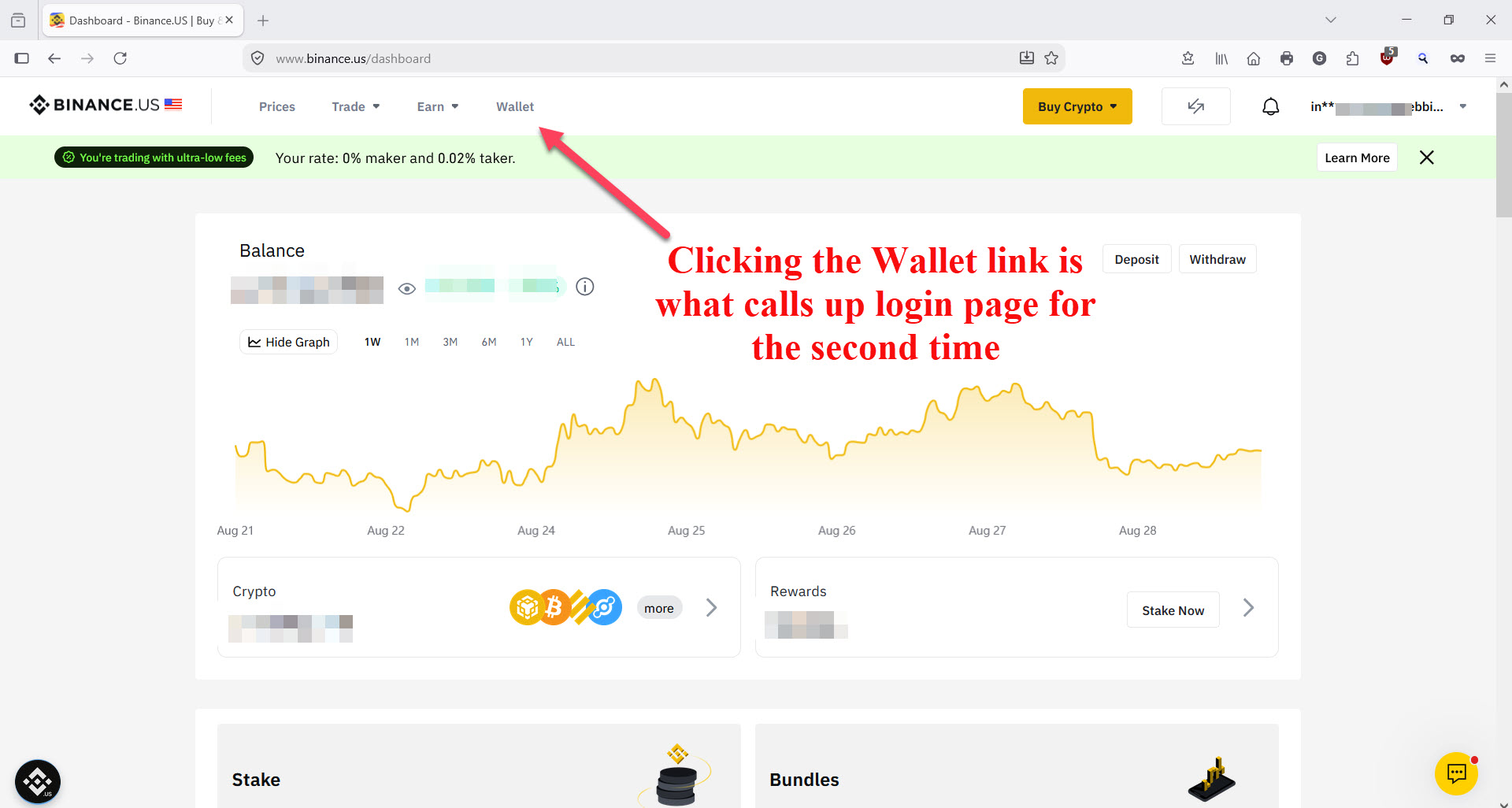
Firefox version 154 requires a second login after logging into Binance.US and a link to another page on the Binance.US website is clicked. For example, upon logging in to Binance.US then clicking on the “Wallet” link in the dashboard, the Login credentials window pops up again requesting me to log in a second time. However, after entering the login username and password that second time and clicking the OK button, the webpage blinks and clears the username and password fields and refused to let me in. No matter how many ties I re-enter the login credentials, I cannot get to the Wallet page. Clicking the REFRESH arrow usually takes me back to my dashboard where I m still logged in to my account. Other browsers do not give me this trouble. Here is what I have done in attempt to troubleshoot this problem: 1) Turned off uBlock Origin 2) I turned off all popup blockers 3) I reset all cookies and cleared all other history, forms, etc. 4) Operated Firefox in Troubleshooting Mode 5) Refreshed Firefox 6) Uninstalled then reinstalled ver 154 and created a new profile from scratch. None of the above steps changed anything in the Binance.US website behavior. As a last result, I uninstalled ver 154, installed ver 153 and created a new profile for that version. The Binance.US website worked perfectly with the new profile. I next downloaded and installed my saved Firefox profile from the Mozilla backup service and everything continued to work as it should. My next step was to take the working profile I had in ver 153 and perform an update to ver 154 from the Mozilla website. As soon as I completed that update, the Binance.US problem reappeared. My conclusion at this time: I have returned to the previous version and will not be making any updates. Binance.US is the only website where I have experienced this problem so far. Any help would be appreciated.
첨부된 스크린샷

모든 댓글 (1)

You may find that 154 disables Cross site cookies which can stop third party confirmation.

You can try a temp relief under the Cookies options

질문하기

글에 답글을 달기 위해서는 계정으로 로그인해야만 합니다. 계정이 아직 없다면 새로운 질문을 올려주세요.