


Ballooning On Mac 12.7..6

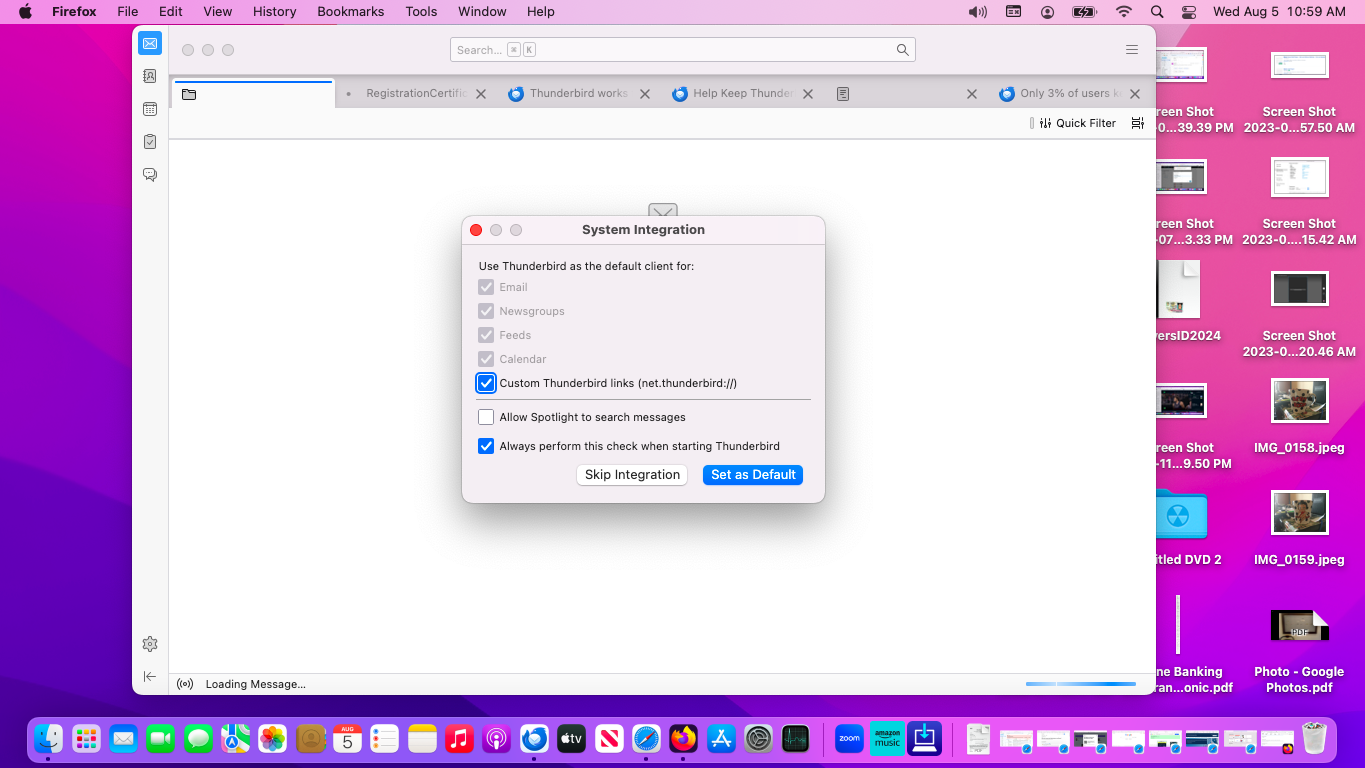
I have had Thunderbird from the time I acquired my Mac computer. This week it started to do something new. After a restart I opened Thunderbird. A box came up that says across the top System Integration. The cursor balloons, and hasn't stopped for the time I powered the computer, as least fifteen minutes. You know how the program icons are in a dock across the bottom. With other browsers open, hitting the Thunderbird icon doesn't bring its window into the forefront. This needs either a reset, or possibly a backup first. Is there a quicker way to fix this? Thanks in advance. I am not using a VPN; but I also have Thunderbird on my Windows 11. You might have seen a more recent thread on that installation. I included a screenshot. It was easier here to do that than on the Windows 11. On the Mac, I just had to use Activity Monitor to close out of Thunderbird in order to get its version.
모든 댓글 (5)
Which version of Thunderbird are you using? If because of the turning beach ball it is impossible to find the version via the menu Thunderbird > About Thunderbird, open Application folder in Finder window, select Thunderbird.app and look up the version on the right pane. Now try to run Thunderbird in "troubleshoot mode': hold down the Alt (Option) key whilst launching Thunderbird...
I thought that this site required that before the original post, 153.0.3, 64-Bit.
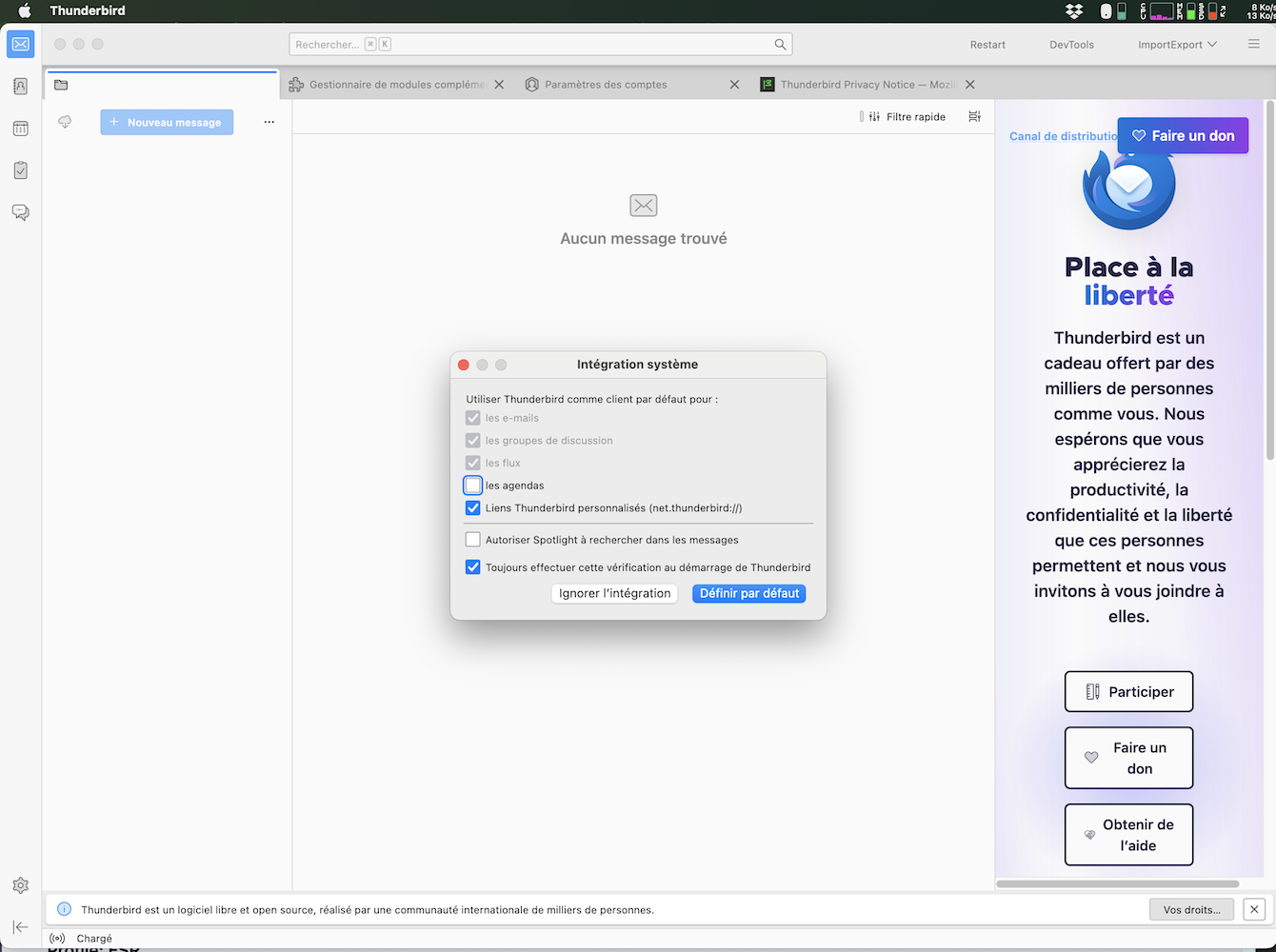
I think that your problem is a corrupt prefs.js file in your Thunderbird (TB) profile. In the startup window in your screen shot there are no accounts and no folders displayed in the folder pane on the left. This typically happens when the prefs.js gets damaged because of Thunderbird or computer crashes or power failure. When this happens TB renames the damaged prefs.js file in prefs-1.js (or invalidprefs.js) and creates a new virgin prefs.js file containing only default settings but no account settings.
I can reproduce your TB startup page by removing the prefs.js file from my TB profile folder, then starting TB (see image).
To verify whether my supposition is correct please start TB, go to Help > Troubleshooting information > Profile Folder > Open in Finder, then exit TB. In the profile folder search for the prefs.js file and look up its size (6 to 7 kB?). Then search for a much bigger prefs-1.js (or prefs-x.js) file with a recent time stamp.
I clicked on Show In Finder and looked through the files. There is one pref.js file, a normal looking name, that is 16 KB according to the File Info. Without clicking on any subfolders, there were no files with either pref-1.js or pref-x.js names. Upon Finder opening, there were two Profiles. I clicked on the one already highlighted.
Thank you. Obviously your prefs.js file is not the culprit. Its size of 16 kB corresponds to a profile with two or three email accounts, and there is no prefs-1.js file. Did you test Thunderbird in 'troubleshoot mode' as I asked in my first reply? So which is the result of this test?