


Problem in Updating Thunderbird V17.0.9 to most current

I have changed the website hosting company from my previous one to scalahosting.com, which in turn appears to be using grok.viawebhost.com as their mailserver.
I was a user of Eudora 7.1 for many years, but because of this change of hosting company, the Eudora email program would not connect to the Scalahosting site.
Thus I was forced to change to Thunderbird. After reading several webposting on this matter, I found and uploaded V17.0.9 and proceeded to convert the Eudora email, filters and addresses to the Thunderbird format.
This was not an easy task, and even with Google's AI assistance, I had to restart several times, but as of today - mid-Jun I have now completed the task of cleaning up all the email, installing the correct headers, etc that allows the Thunderbird program to open and correctly display all of those email without any problems.
I further cleaned up and corrected all of the Eudora filters to the TB format and now have those filters in TB to be able to be installed and correctly are accepted by the TB program.
Like wise with the contact addressee that were in the Eudora NNdbase.nnt file were cleaned up and correctly installed in the TB program.
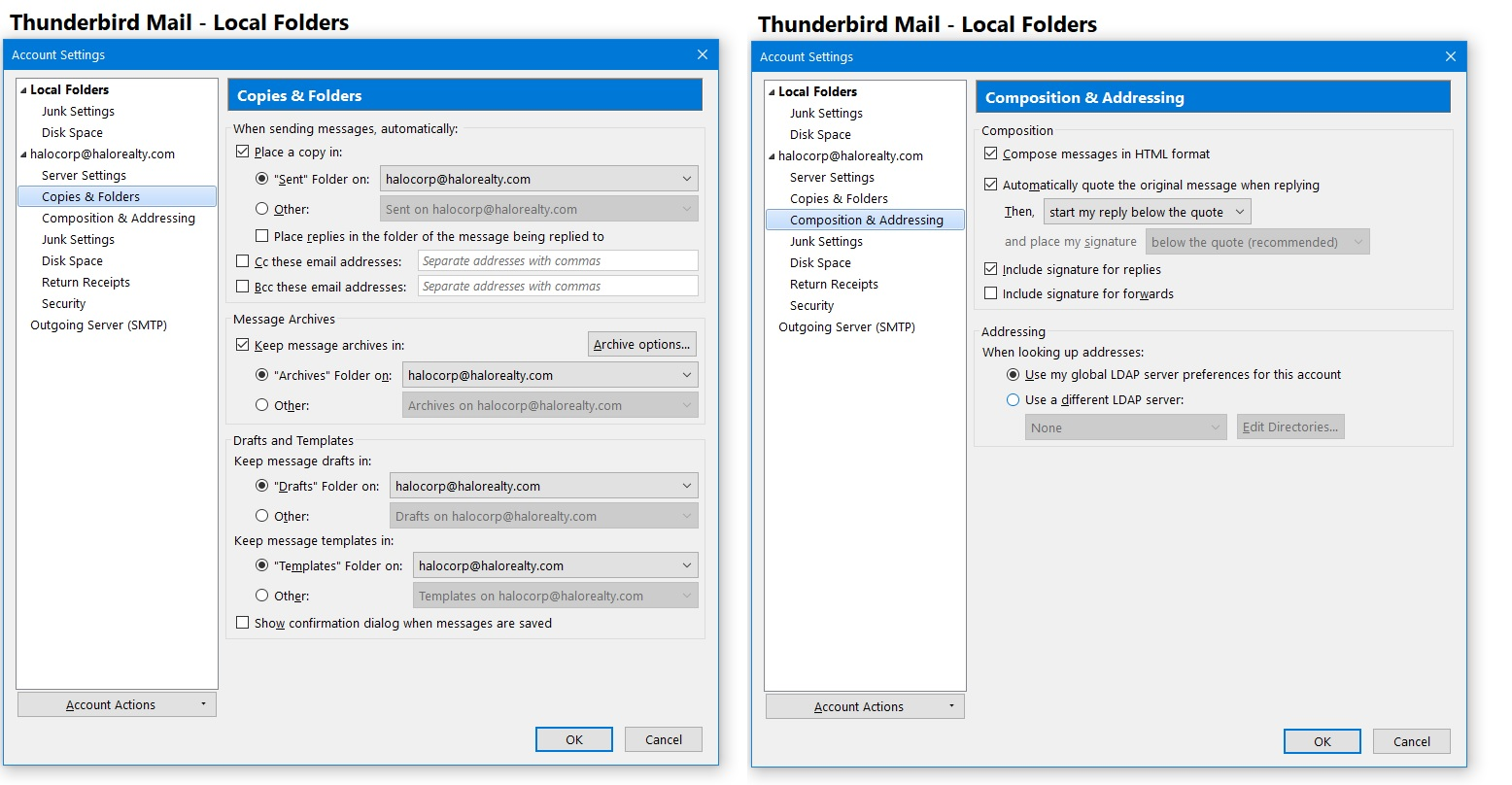
However, the current status of the TB program is that it does not seem to be able to connect to the Scala Webhosting email site at grok.viawebhost.com. Enclosed is a pic of the supposed correct set up for the STMP at Port 465.
The other Port info from Scala is: POP3 - 995 (SSL) IMAP - 993 (SSL)
But I am not sure what else I need to do to correctly set up this older version so that I can start the collection process of the most recent emails sitting in the mailserver.
Further, it was suggested that I need to update the TB V17.0.9 to the most recent V151 by following the below sequence of updates:
According to Mozilla Support Documentation, this is the exact, official sequence to migrate safely from a legacy version:
Step 1: Run V24.8.0 (32-bit) (This updates the raw database schema out of V17. Upgrades the raw Mbox structures.)
Step 2: Run V45.8.0 (32-bit) (Stabilizes the folder indexing schema.)
Step 3: Run V52.9.1 (32-bit) (The final 32-bit staging version.60.9.1 (64-bit). Migrates the architecture to 64-bit processing.)
Step 4: Run V60.9.1 (This is the critical gatekeeper version required to unlock modern automatic profile conversion).
Step 5: Run V78.14 (This shifts the mail indexing formats).
Step 6: Run V102.15.1 (This modernizes the folder structure configurations).
Step 7: Final jump to V151.0.1 (Updates the background engine to current web standards).
I am looking any advice or suggestions from the Community that can assist me in completing this conversion to the TB program and get it fully functional so I can connect to the Scala Hosting mailserver.
Many thanks in advance for your assistance.
/s/ James T Saint
모든 댓글 (4)
In addition for additional information, I am using the WIN 10 OS with Norton Antivirus installed as well as the Norton VPN in use at all times.
I have no idea what you Eudora filters have to do with things. But they are of no assistance when it comes to connecting any account to anything.
I have issues with the whole use of AI, Googles as well. It is good for current things but for older items like Eudora it tends to find one post online and expand on it rather than regurgitate anything actually factual it assumes the factual nature of what it has and expounds on that as if it is gospel.
So to your story. What is the email domain? The grokhosting address is most likely because the domain has not propagated in DNS correctly/fully as yet. a Quick lookup of what is in DNS will clarify a number of things https://intodns.com/
You can follow the migration protocol you posted as the safest approach. It contains a number of watershed points that are required. But at some point you may well need to manually re-specify the profile to be used (profile per install is still something of mess despite the assurances from the developers) and a manual conversion to a 64bit build may also be required. That one can often trigger the profile loss.
Personally I would only jump to the ESR version, not release. I am still not confident of the release versions 4 weekly updates. I value stability over bleeding edge features.
Matt,
Thank you for your reply.
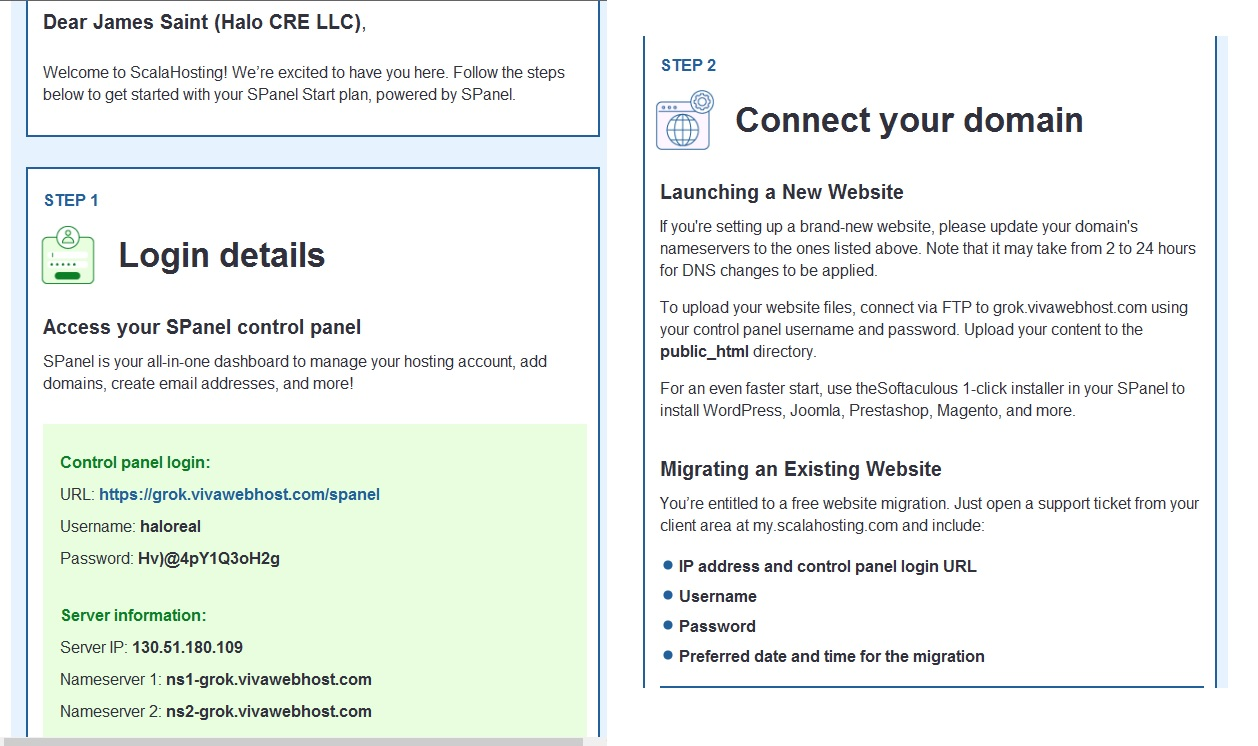
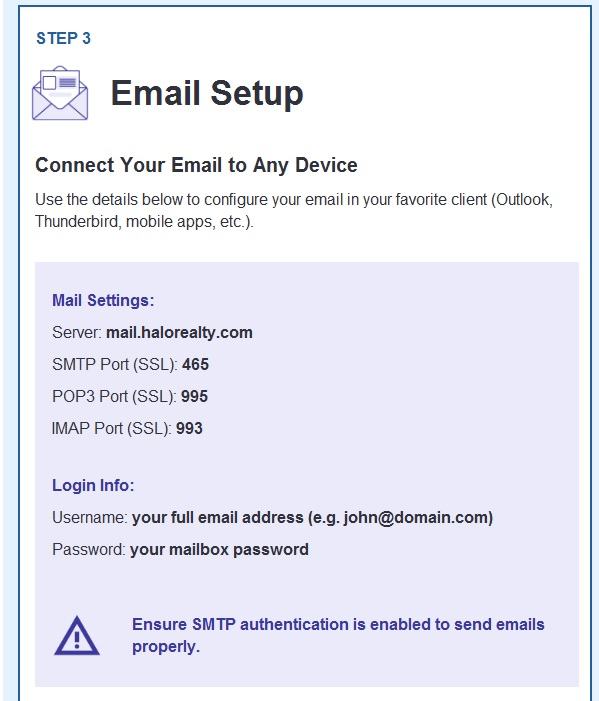
Enclosed are the instructions I received from Scala Hosting, as well as my current setting is the TB V17.0.9.
I have tried using both the grok.vivawebhost.com and the mail.halorealty.com, but both do not seem to do anything.
Any suggestions to help resolve this situation?
Thank you. /s/ James T Saint, CCIM
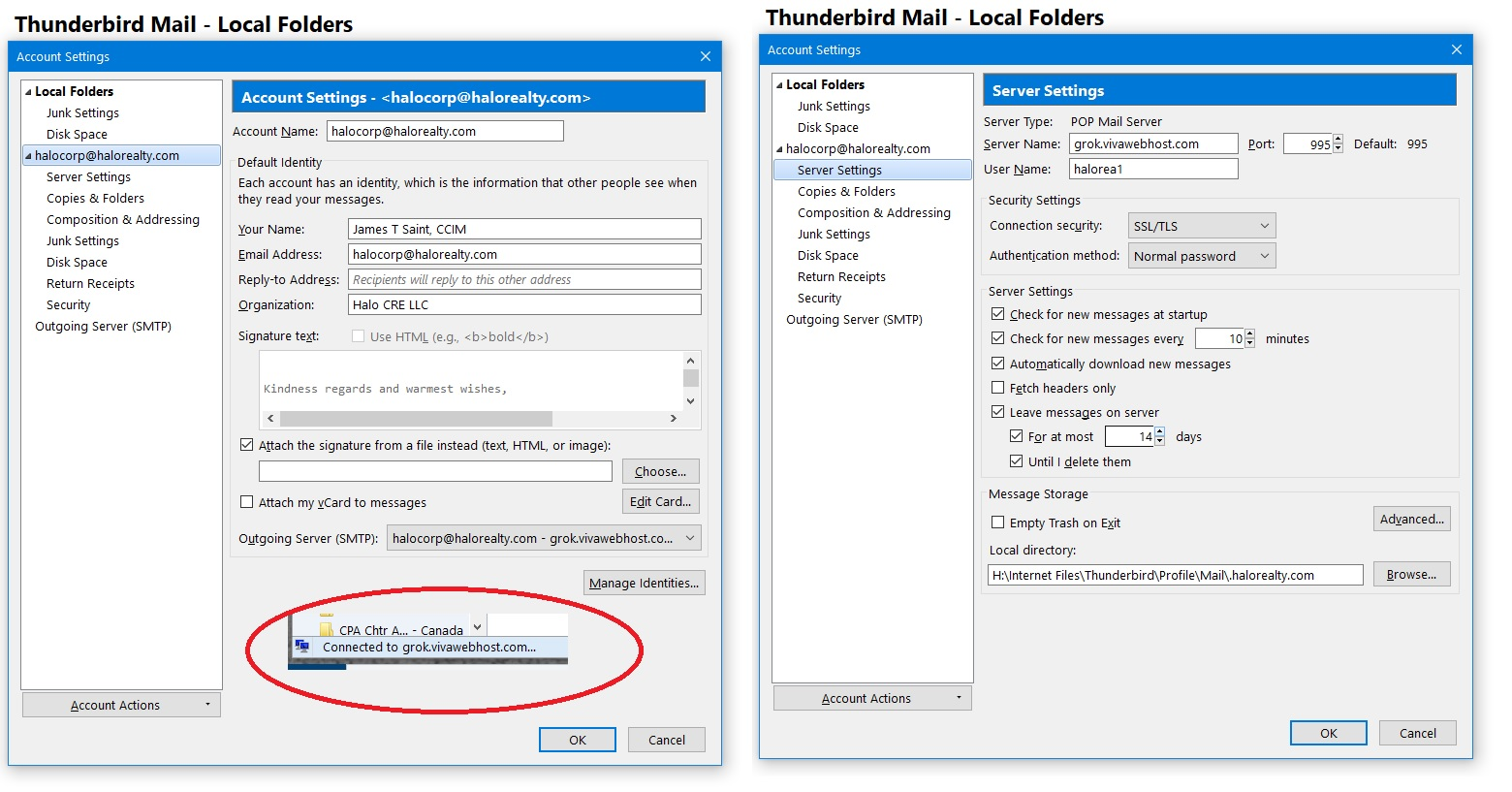
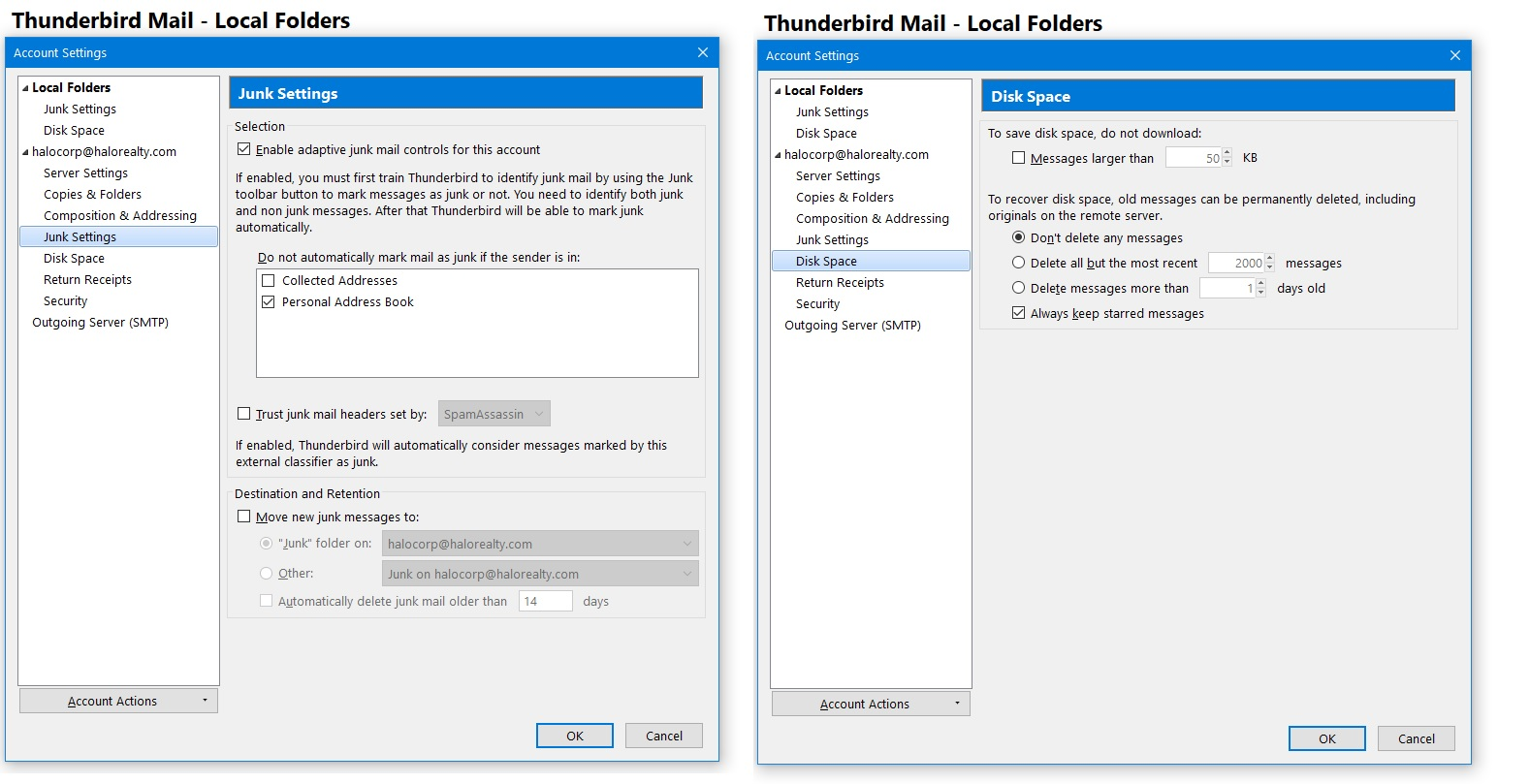
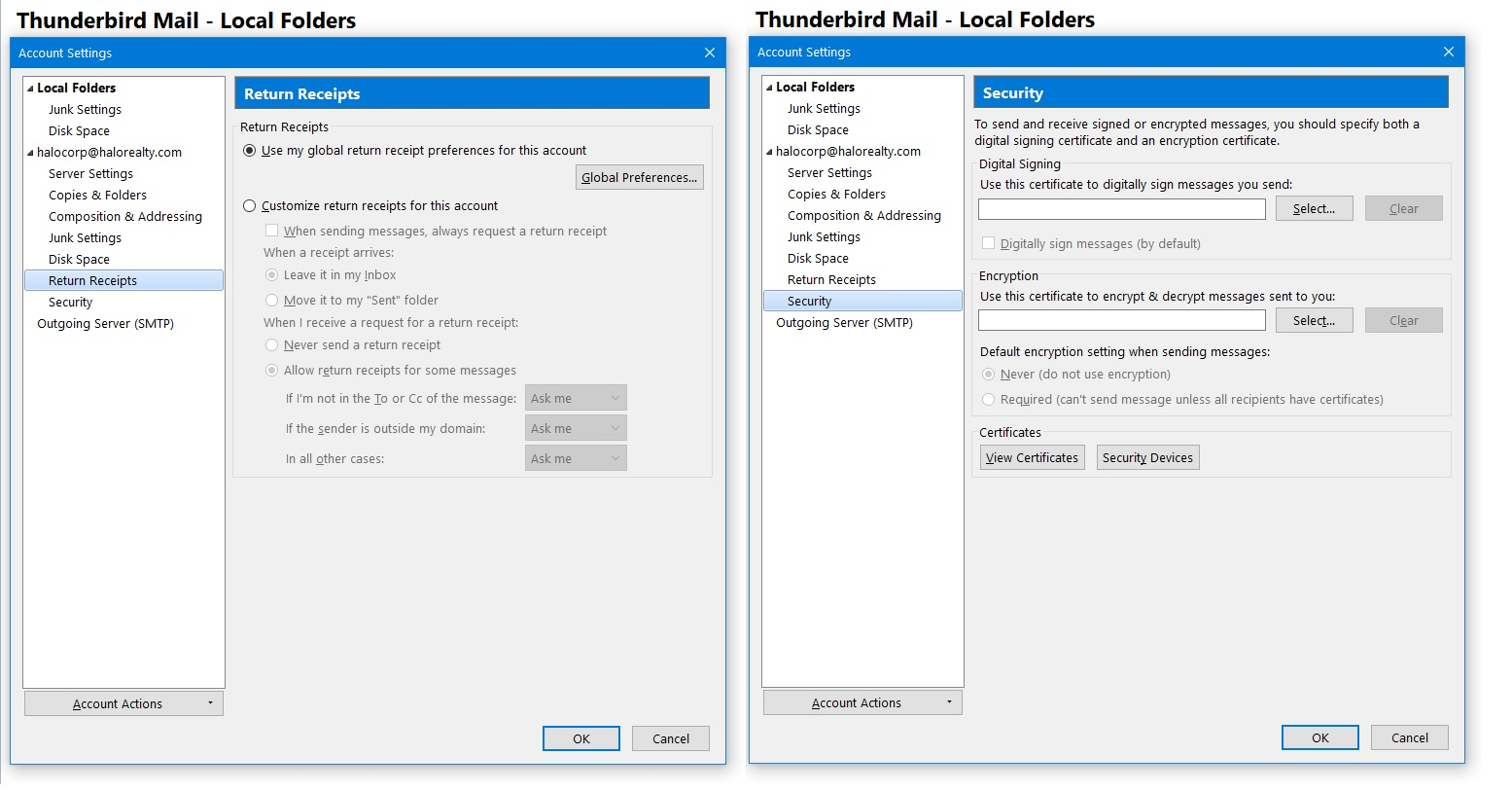
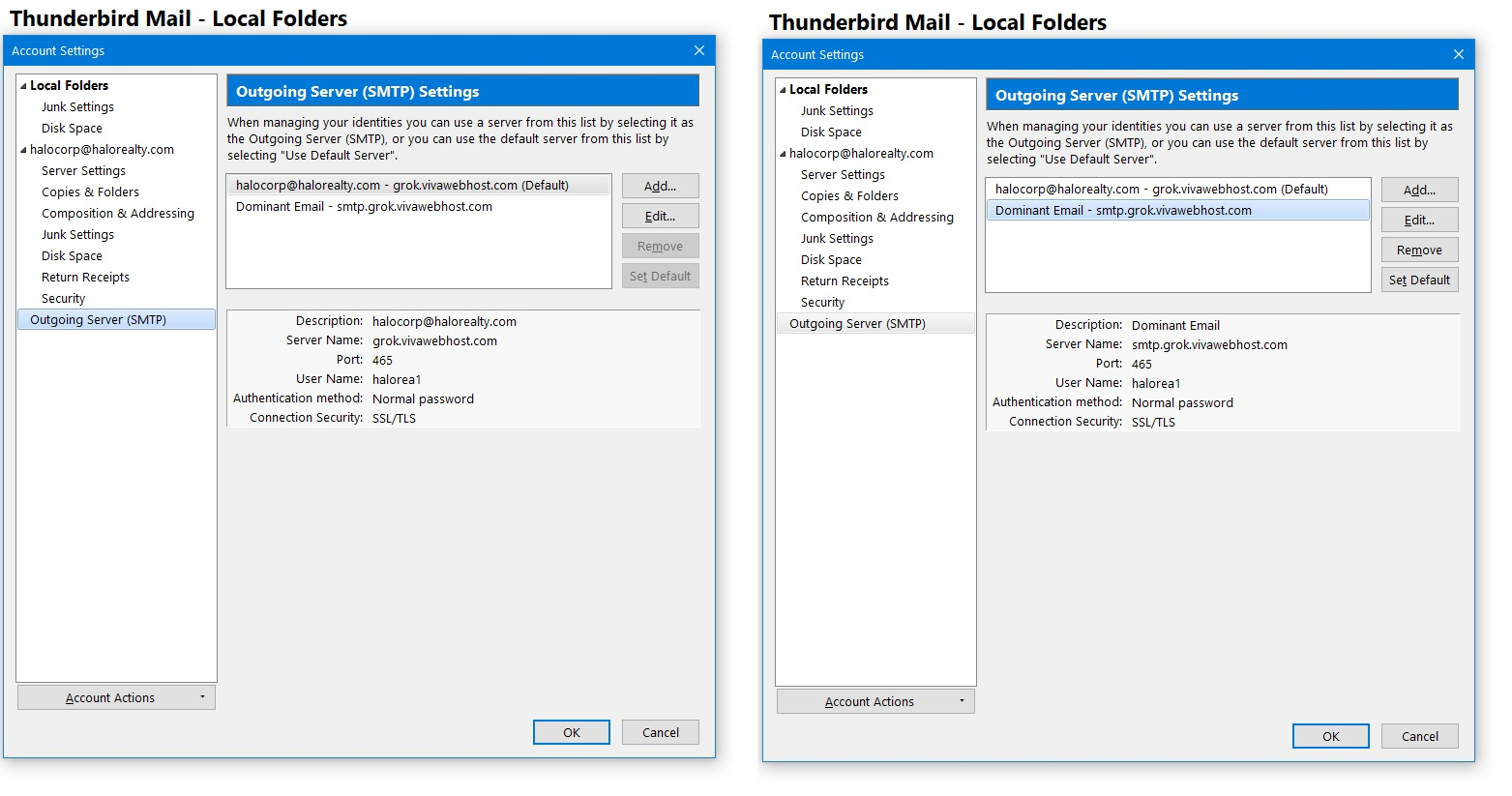
https://intodns.com/halorealty.com
This check gives the authorized mail exchanger for the domain as haloreality.com so no mail server that preforms reverse DNS checks on mail (alost all of them for the last decade or so) will accept mail from grok.viawebhost.com so this value must be wrong as the server name
Your provider gave you these settings.
In your initial posting you stated "Scala Webhosting email site at grok.viawebhost.com. Enclosed is a pic of the supposed correct set up for the STMP at Port 465".
Clearly the server name you have in there is not the server name your provider gave you Mail,haloreality.com So there is no way it can work.
Mail server settings is not a guessing game, although occasionally using best guess settings can work as most providers offer a number of less secure fall back settings, the ones they ask you to use they have test to work. If they are not working for you, the issue is usually not with either the provider or the mail client software but other external issues like routers and antivirus products. SO before doing anything else change the account settings to those your mail provider asks you to use.
.POP Server: mail,haloreality.com POP Port: 995 Connection security: SSL/TLS
SMTP Server: Mail,haloreality.com SMTP Port : 465 Connection security SSL/TLS
In both cases the connection authentication method would be normal password in the absence of any special instructions from the provider.
Note the provider makes a point of the user name being your email address and the password being your mailbox password. Those settings do not use the email address as the user name. SO you need to correct that. next make siure when oyu are s=asked that the password you offer is the mailbox password, not the host cpanel password. While you might have them set to the same value, they are not the same thing.
Once you have these setting report back the exact error messages you receive and we can look at other issues, but there is nothing to be gained until you start with the providers offered settings.