


I need real HELP connecting gmx to Thunderbird or any other email client

1) Firstly, I posted earlier because I needed to add a second app-specific password to my account. What I discovered was that my Account Settings tab had disappeared. I got a response from someone that I had to change my email password, and it would reappear. IT DIDN'T. So I've changed my password and I still have no access to my Account Settings! What do I do? I really don't understand why, if I could log in with my old password, what the point is to change the password to correct the Account Settings problem. I need HELP!
2) I need HELP getting either Thunderbird (my normal email client) connected or change to a new email client that will actually work. The problem is that Thunderbird for some reason can't connect even with an app-specific password! I have been struggling with this for more than two days and there is NO HELP from GMX that solves the problem. And it's not just GMX, there's no help from Thunderbird. My sole source of help has been to post queries on the internet and follow what AI tells me which has been only part right. At least it's something. But now I can't even change my account settings!!!!
Can somebody PLEASE help me? [edited email from community support forum]
글쓴이 Wayne Mery 수정일시
모든 댓글 (8)

It doesn't really help to repeat post. It would have been easier for you and other users to follow the matter if it was kept in one place.
Anyway, your settings in Thunderbird for every account are always accessible in several ways.
- Through the main menu: in Windows (press Alt or F10 to show the menu bar if not already showing,) <Tools | Account Settings>
- Through the hamburger menu toward the right
- Right-click on any account name in the left-hand accounts list and choose Settings.
You can change your password in the Saved Passwords vault <Tools | Settings | Privacy & Security | Passwords>. You can also delete the entire password entry, in which case you should later be presented with a new "please enter your password" box.
You might want to review these three help articles I found on the GMX web site. One discusses how to turn POP and IMAP access to your GMX account (you might have already done this), the next talks about "app passwords" and the last is about the actual server settings for you to review:
Activate or deactivate POP3 and IMAP: To use 3rd party email applications, you need to activate POP3/IMAP sync in your GMX settings.
https://support.gmx.com/pop-imap/toggle.html
How do I set up application-specific-passwords? - You can create application-specific passwords for using external email programs via POP3/IMAP or integrating your GMX calendar/address book (using CalDav or CardDav) in an external program.
https://support.gmx.com/security/2fa/application-specific-passwords.html
https://support.gmx.com/pop-imap/imap/server.html
IMAP Server Settings
Here you can find the relevant information for the server data to synchronize your GMX mailbox with a third party application.
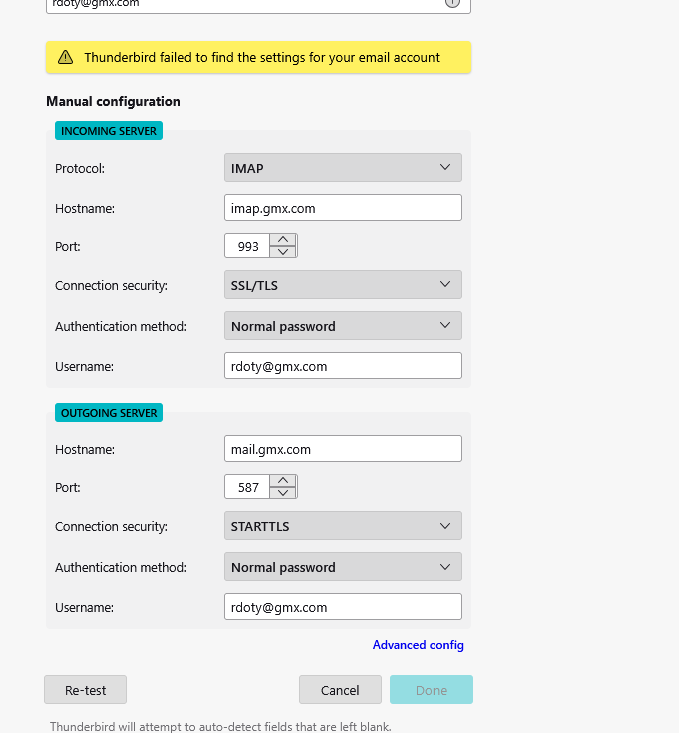
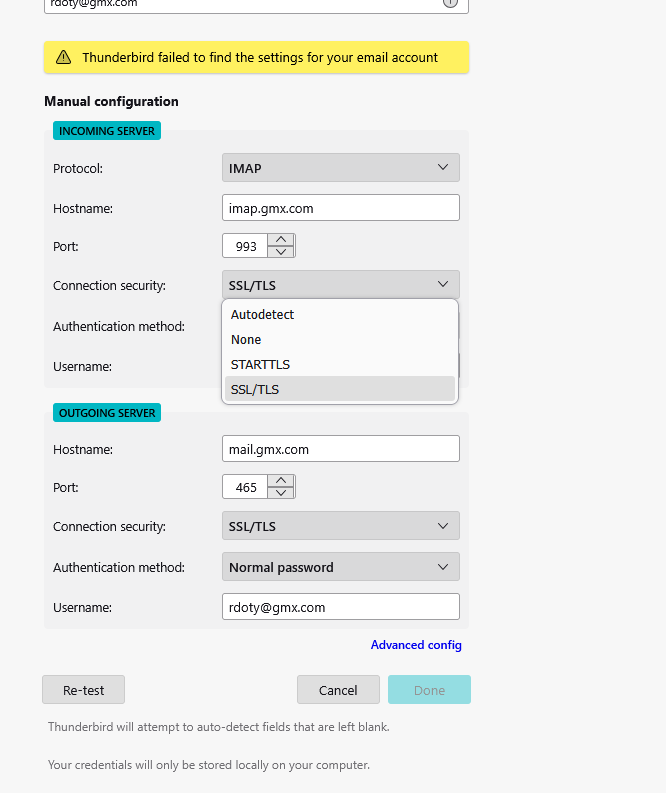
Incoming (IMAP) Server: imap.gmx.com Port: 993 Encrytion: SSL or encryption
Outgoing (SMTP) Server: mail.gmx.com Port: 587 Encryption: STARTTLS
Outgoing (SMTP) Server: mail.gmx.com Port: 465 Encryption: SSL/TLS
Please note: You can only use a TLS protocol if your email program uses TLS versions 1.2 or 1.3. For security reasons, we no longer support the older TLS versions 1.0 and 1.1.
Info: If a connection via port 993 is not possible, you can try port 143. Please note that this connection is not encrypted by default. You can achieve encryption via port 143 by activating STARTTLS in your email program (e.g. Thunderbird, Outlook or Apple Mail) and using a valid SSL/TLS certificate.
Lin, I greatly appreciate your reply. I only posted on a second category because I thought it was more appropriate. I'm not sure you actually understand my dilemma. First - I DO NOT have the Account Settings tab.
There is no "Tools" selection, there is no hamburger menu,
there is no Main menu,
Alt and F10 do nothing and in the upper left corner where my account should be listed there is a green bar with "Compose Email", not my email account The only selection available is Settings at the bottom of the list showing how many emails.
Regarding the three help articles: I know how to activate/deactivate Pop3 and IMAP. I was not aware of the POP3/IMAP sync. I know how to set app-specific passwords and did so for Thunderbird I know how to set the IMAP and SMTP server settings. I wasn't aware of the STARTTLS for port 587 Thank you for the TLS and port info
At the time that I lost my Account Settings menu I was having difficulty getting the SMTP configured so that it would show up in the Passwords listing. When I began this nightmare there were settings for I believe two other email accounts and I decided to delete those so that they didn't confuse anything. I can add those later once I get a connection to Thunderbird - or an alternate email client. Somewhere along the line I may have inadvertently deleted the SMTP listing and I needed to replace it.
This whole debacle began with the belief that Thunderbird could only be configured under OAuth2, which I now believe is untrue. Thoughts?
I was actually attempting to set up with an email client called Mailspring, which other users claimed was easier. Thoughts?
Again, thanks for the response. I hope to solve this with your assistance.
Please show us some screen shots. I've ever seen Thunderbird look the way you describe.
Lin, Here are some screenshots. It's obvious that Tbird has the IMAP and SMTP settings, at least available. Note that I tried two different SMTP ports but neither works, also the pull down menu for authentication does not have an encryption option.
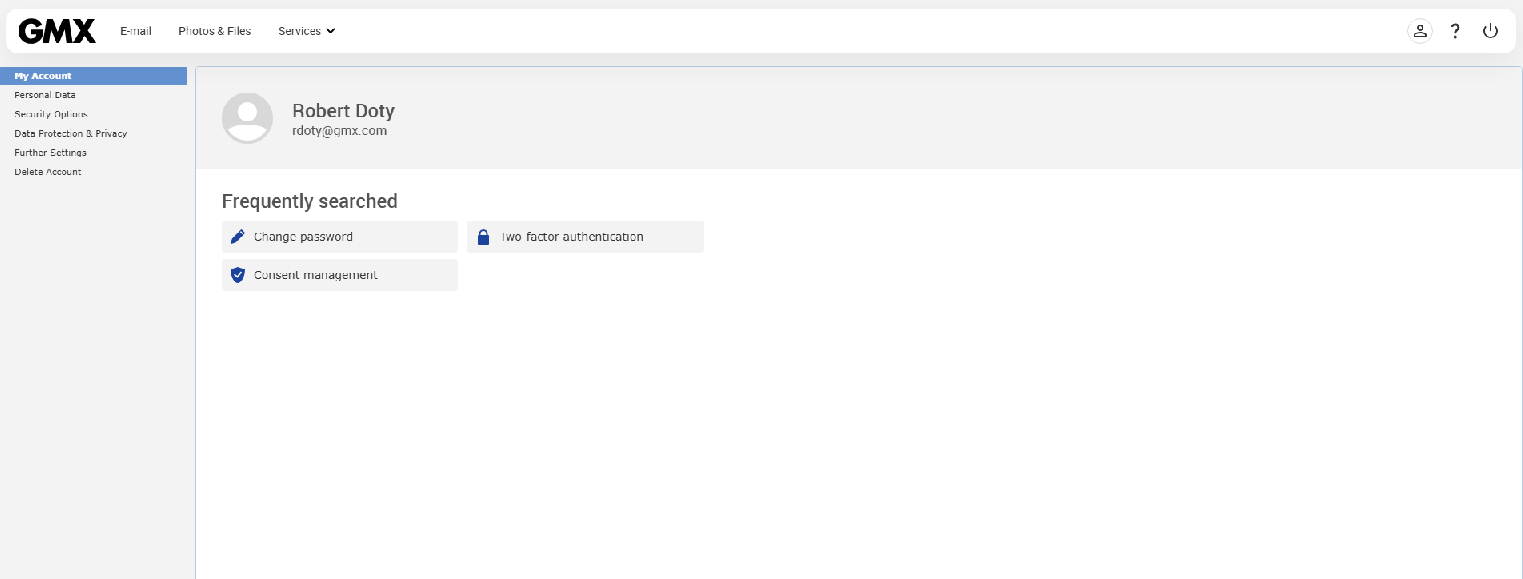
I also included a screen shot of my GMX login - notice that there is no Account Settings tab. What can I do to restore that because without it I can't make any changes to accommodate Tbird or any other client!!
You don't know how much I appreciate your help.
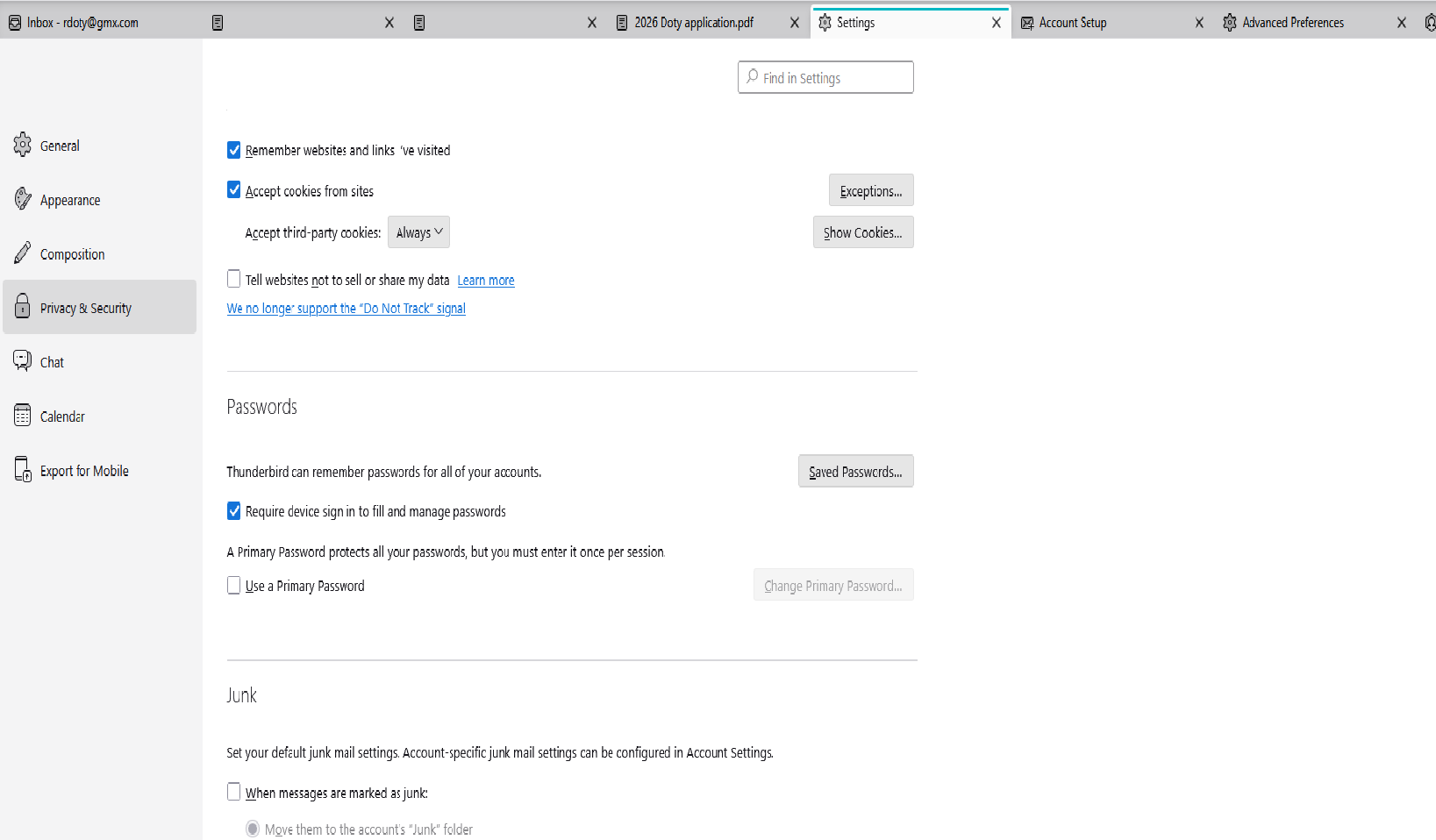
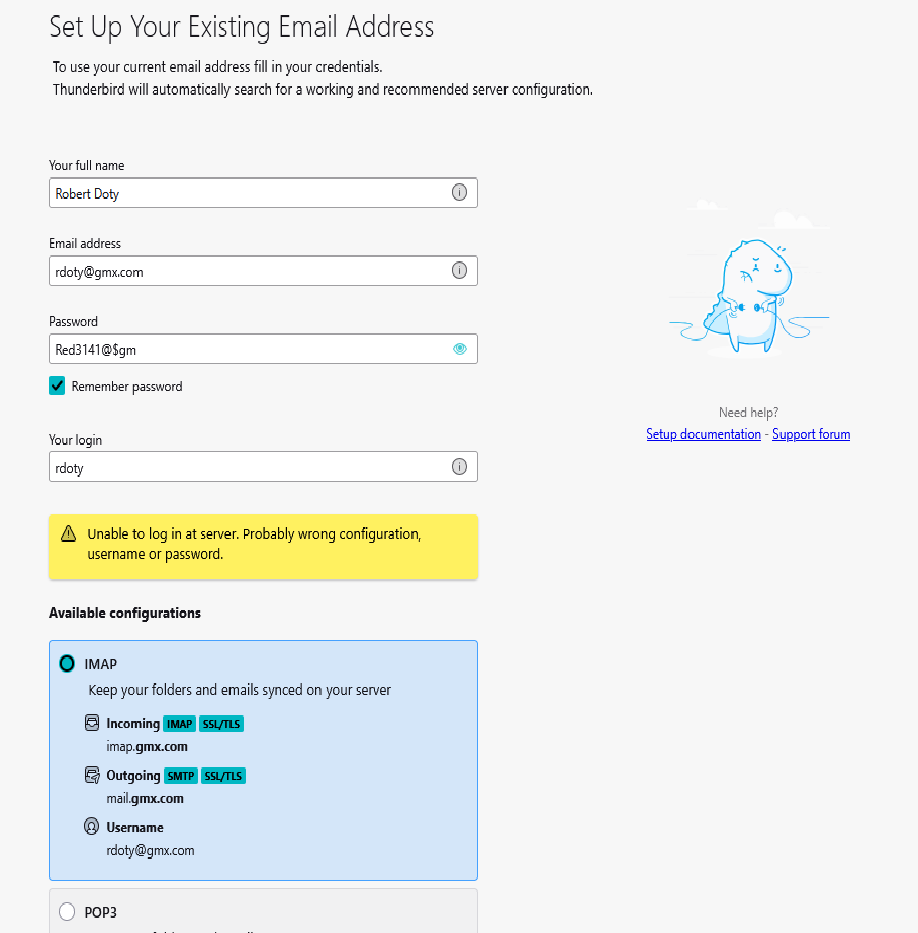
NUMBER ONE - REDACT YOUR PASSWORD FROM THAT SCREEN SHOT ASAP - THAT'S A SERIOUS SECURITY BREACH!!
- 2 - I have no knowledge of GMX's user interface, and that's really beyond the scope of this forum. If you can't find a setting there you'll have to ask them. Maybe they have their own help desk or user forum?
- 3 - Your settings look OK, although I reference an alternate SMTP setting. Have you tried that one?
- 4 - I find GMX's instructions to be poorly worded and contradictory. I find mentions of two-factor authentication and app passwords, but it's vague how to use them. It's unclear whether you need one or the other or both.
A trick I recently learned about Outlook that maybe applies to your situation? I was trying to re-set up an already existing account in Thunderbird. Normally, Microsoft sends you a verification code and Thunderbird pops up a box for you to enter the code, but it wasn't coming up for me. It seemed to be using a prior verification, now invalid, and was giving me "unable to log in" errors similar to yours. I discovered that I needed delete the microsoft/outlook password lines in Saved Passwords, *AND* also delete the saved cookies for microsoft, outlook, and live (all Microsoft domains.) Only then did the verification box show up. So, if that's part of your problem, delete that GMX information and you should get a fresh chance to verify your account when you next try to receive or send mail.
Otherwise, I have no more suggestions, but I'll keep it in mind.
Lin I believe there is a problem on the GMX end. My Android email client, Edison Email, can not connect either. I have input all the correct IMAP and SMTP info plus the correct password and have tried both 587/STARTTTLS and 465 SSL/TLS. The only other information it asks for is an optional SMTP password, which I suspect would be an app-specific PW.
Tried Outlook as well!! Failed
Lin, Sorry about all the emails.... I was under the impression you were the GMX help desk/user forum. Any pointers on how to contact someone?
I've been seeing other complaints about off-and-on-again, otherwise unexplainable problems with GMX, so you may be right that they are having issues on their end. Hopefully things will settle down soon.