


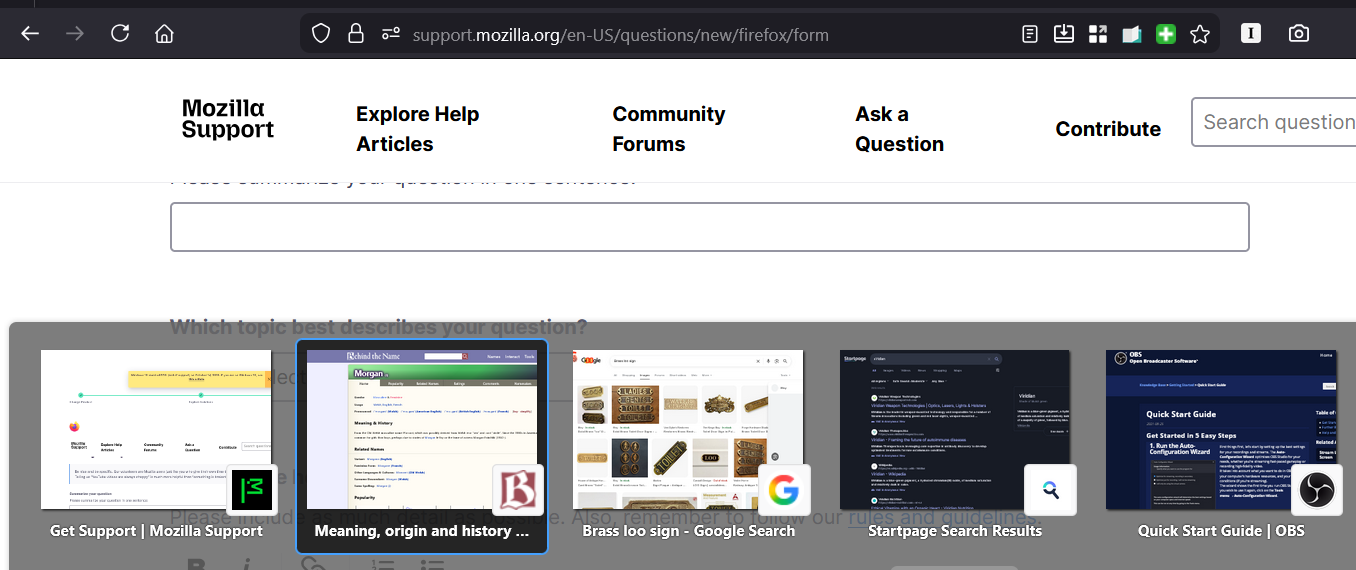
Is there a new keyboard shortcut to move through tabs? Ctrl+tab now scrolls previews only.
It used to be that when I clicked ctrl+tab in the browser it would move through my tabs. Now, instead of moving to the next tab, it pops up a thumbnail preview and scrolls through those, instead. This is not useful to me. Is there any way to either revert the behavior or is there a new keyboard shortcut to quickly move to the next tab?
선택된 해결법
You can disable this feature via Settings -> General -> Tabs, remove tick:
- Ctrl+Tab cycles through tabs in recently used order
There are two browser.ctrlTab prefs in about:config that control this feature. browser.ctrlTab.recentlyUsedOrder browser.ctrlTab.sortByRecentlyUsed You can set sortByRecentlyUsed to false to disable the previews.
문맥에 따라 이 답변을 읽어주세요 👍 1모든 댓글 (2)
선택된 해결법
You can disable this feature via Settings -> General -> Tabs, remove tick:
- Ctrl+Tab cycles through tabs in recently used order
There are two browser.ctrlTab prefs in about:config that control this feature. browser.ctrlTab.recentlyUsedOrder browser.ctrlTab.sortByRecentlyUsed You can set sortByRecentlyUsed to false to disable the previews.
Thank you, Cor-el. I had thought that "cycles through tabs in recently used order" meant cycling through them in the tab bar in consecutive order, or the order I'd opened them. Had no idea that would affect the preview pop up. Cheers.