


pinned tabs deleted when powering down pc

I had about 15 pinned tabs - unloaded - that I was saving for a research project. I shut my PC down and when powered up for the next session - all the pinned tabs were gone. I never thought to record the tabs via screen shot or something.
Is this normal - what are the limits of pinned tabs ? Do they expire in a day ? When the PC powers down ? When Firefox updates ?
Exactly what are the limits or boundaries for pinned tabs ?
모든 댓글 (7)
They don't expire, but if the PC shuts down suddenly or there's a power outage, a lot of data could be lost: your tabs, session, passwords, bookmarks, browser history, and so on.
Nope - they expire all right. PC shut down normally - pinned tabs gone when powered back up

What do you have Firefox doing when closed? see screenshot I always have my pinned tabs on startup.
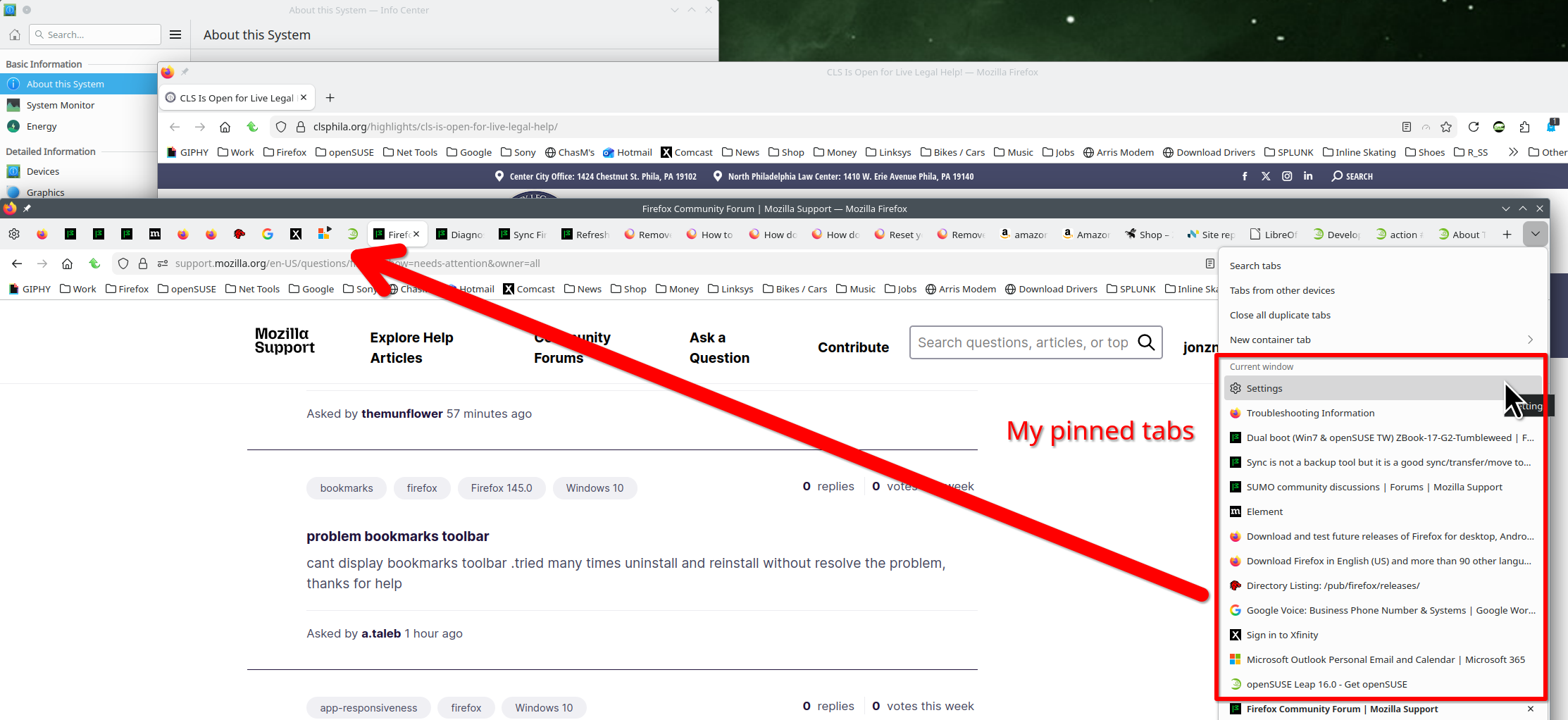
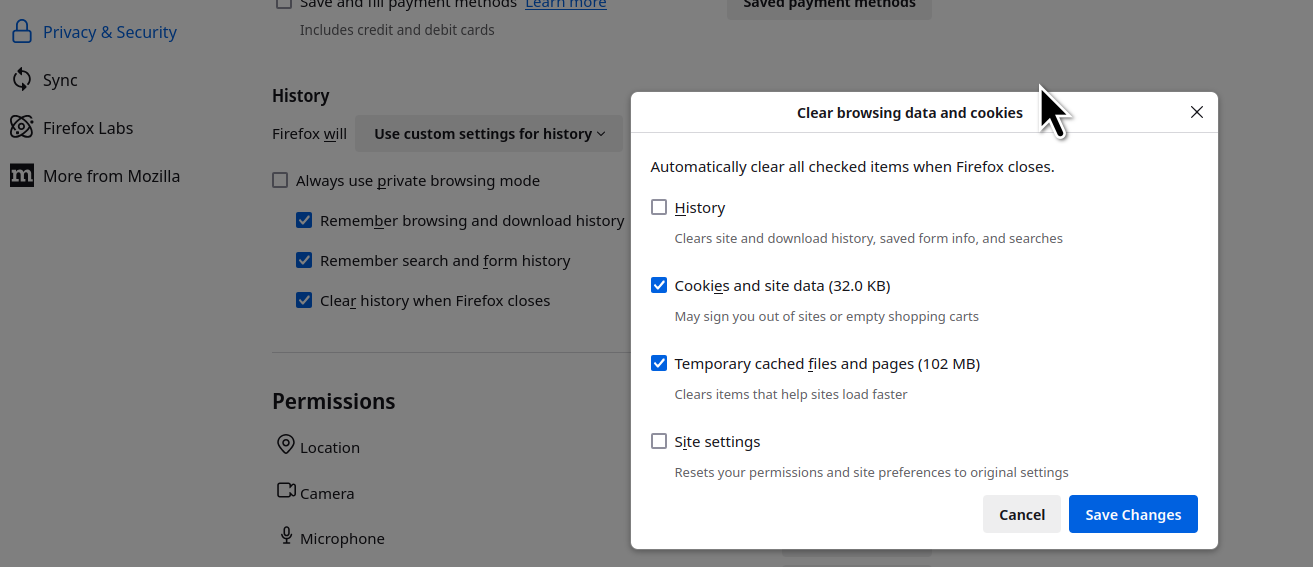
Thanks John, but I had my pinned tabs just like yours - and they were un-loaded.
Note that pinned tabs are stored as part of session data in the profile folder, so it sounds that you lost this data. Did you close (Exit/Quit) Firefox properly before powering down as that is safest? Also selecting to restore tabs helps against losing session data. Using private windows also can cause issues when closing Firefox.
Thank you @Cor-el ... but no - I did not Exit/Quit Firefox before I powered down properly using the Windows Shut down control.
This action of Exit/Quit Firefox is new to me. If that is the glitch, I'll make sure to Exit/Quit from now on.
Even if I shut down the PC without Exit/Quit Firefox, isn't it presumed that the pinned tabs won't be lost ?? By way of comparison for Chrome - the pinned tabs never go away unless I close them one by one.

i have the solution switch browsers!! This has happened to me so many times and even when being extraordinarily careful - pinned tabs and session work gone!! So switching browsers permanently!