


The website does not respond to requests from the desktop version.
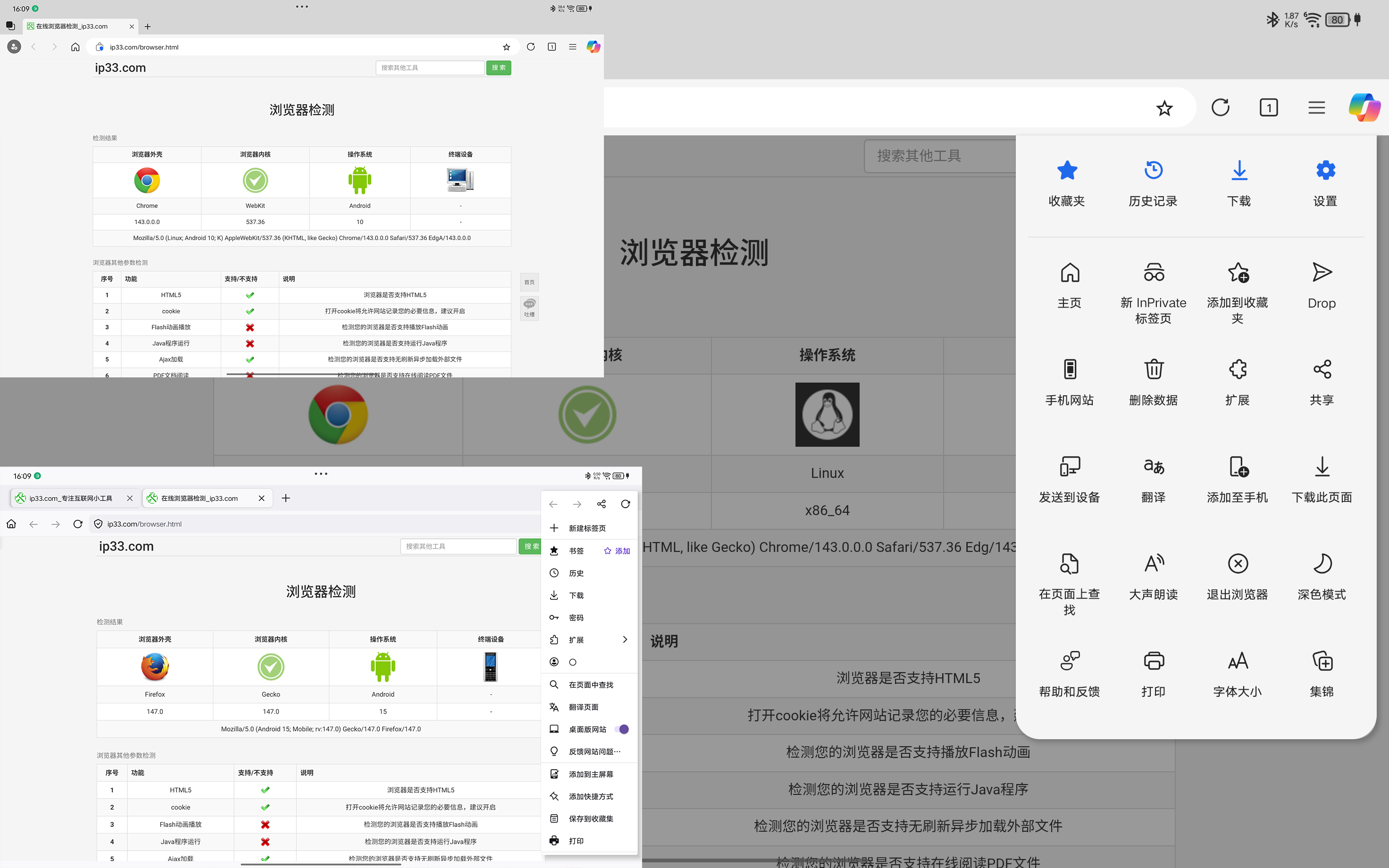
Hi developers, I'm running Firefox on an Android tablet and ran into an issue. When I enable the desktop version of the browser, accessing websites (like searching on Baidu) fails to load the desktop version. I compared Edge browser with Firefox and found through website UserAgent detection that when Edge runs desktop websites, it switches UserAgent to Linux, while Firefox maintains Android UserAgent for desktop sites. This causes some websites to ignore network requests and load mobile versions. To resolve this, we need to disable and re-enable desktop website access first, which may allow the site to respond to desktop requests.
Can I adjust the settings to switch to the desktop version of the website? I don't want to switch to another browser.
These text are from translation.
firefox android 147.0.1
모든 댓글 (4)
I now understand why desktop web pages still appear as mobile versions when accessed through browsers after enabling the 'Always request desktop version' setting. When this setting is enabled, the browser detects these websites as using the UA [Mozilla/5.0 (Android 15; Mobile; rv:147.0) Gecko/147.0 Firefox/147.0]. However, when the desktop version is re-enabled via the quick access menu, the websites switch to the UA [Mozilla/5.0 (X11; Linux x86_64; rv:147.0) Gecko/20100101 Firefox/147.0], prompting the browser to serve the desktop version. From translator

Hi,
I’ve noticed the same behavior on Firefox for Android. When “Request Desktop Site” is enabled, some websites still detect the browser as Android because the UserAgent doesn’t fully switch like it does in Edge. As a result, the site either loads the mobile version again or doesn’t respond properly.
At the moment, Firefox on Android doesn’t completely change the UserAgent to a desktop OS by default. That’s likely why certain sites behave differently. You can try installing a User-Agent switcher add-on (if supported on your version) to manually force a desktop UserAgent. Another thing to try is clearing site data for that specific website and then reloading it with desktop mode enabled.
It would definitely be helpful if Firefox offered a proper desktop UserAgent option like other browsers do.
Hope this helps a bit.