


taskbar previews multiple blank listings

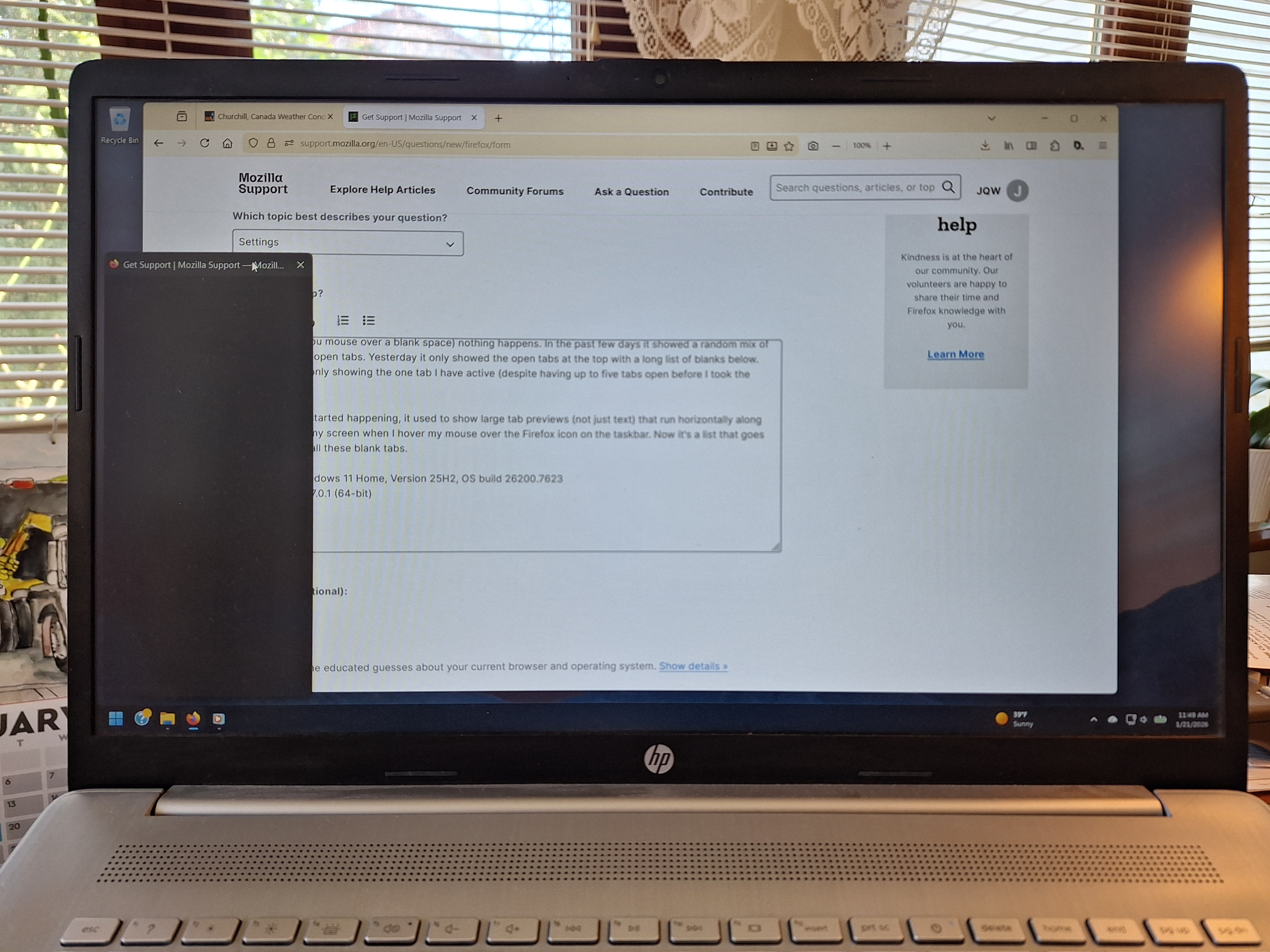
Three days ago this started happening. When I mouse over the Firefox icon on my task bar, I get a long vertical list of open tabs, the majority of which are blank. When you try to click the X (that appears on the right side of the list when you mouse over a blank space) nothing happens. In the past few days it showed a random mix of blank tabs and open tabs. Yesterday it only showed the open tabs at the top with a long list of blanks below. And today it's only showing the one tab I have active (despite having up to five tabs open before I took the picture).
Before this all started happening, it used to show large tab previews (not just text) that run horizontally along the bottom of my screen when I hover my mouse over the Firefox icon on the taskbar. Now it's just a list that goes vertically with all these blank tabs.
How to return things to normal? (tab previews horizontally without blanks)
I'm running Windows 11 Home, Version 25H2, OS build 26200.7623 and Firefox: 147.0.1 (64-bit)
Thank you, John
선택된 해결법
I’ve seen this after recent Windows or Firefox updates. A full reboot plus resetting the taskbar thumbnail settings usually brings back the horizontal previews.
문맥에 따라 이 답변을 읽어주세요 👍 1모든 댓글 (1)
You are right! I just did a Windows reboot and it resolved itself. I thought it was a Firefox issue, and not a Windows issue so I had been starting and restarting Firefox and messing with the config settings. And Windows actually did do an update this week but I thought this issue was occurring before the update (and self-boot) so I didn't think another Windows reboot would work. But smh, yes, always try rebooting first when troubleshooting. Thanks!
글쓴이 JQW 수정일시