Search bar suggestions from my history still showing

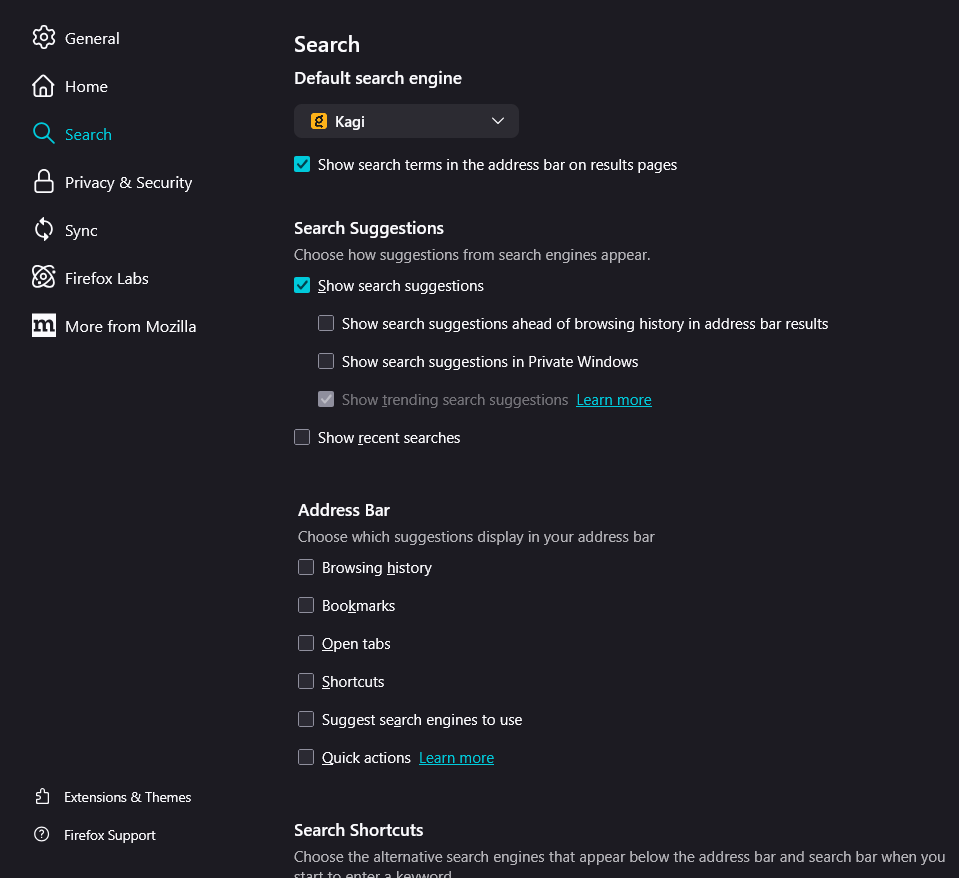
So, I configured the suggestions in the search bar so that nothing from my history/previous searches is displayed (see attached image with current settings). However, suggestions from my past searches still continue to appear. I would like only the autocomplete suggestions from my search engine to appear (I'm using Kagi). I already tried to delete my browsing history (Crtl + Shift + Delete - Everything, browsing and download history), it deleted everything but my past searches... Can somebody help me?
Thanks! attachments: (search suggestions settings, search suggestions appearing now)
So, I configured the suggestions in the search bar so that nothing from my history/previous searches is displayed (see attached image with current settings). However, suggestions from my past searches still continue to appear. I would like only the autocomplete suggestions from my search engine to appear (I'm using Kagi).
I already tried to delete my browsing history (Crtl + Shift + Delete - Everything, browsing and download history), it deleted everything but my past searches...
Can somebody help me?
Thanks!
attachments: (search suggestions settings, search suggestions appearing now)