Windows 10 reached EOS (end of support) on October 14, 2025. If you are on Windows 10, see this article.

Mozilla 도움말 검색

고객 지원 사기를 피하세요. 저희는 여러분께 절대로 전화를 걸거나 문자를 보내거나 개인 정보를 공유하도록 요청하지 않습니다. "악용 사례 신고"옵션을 사용하여 의심스러운 활동을 신고해 주세요.

자세히 살펴보기
Solved 보존

Made Account recovery key - Now I have to sign in on the browser.. But have to make new profile every time

Nico replied
Nico

I just wanted create Account recovery key to keep my account more secure. So I did that + updated my password.

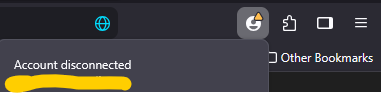
Now when I open the browser, it says account disconnected and that I need to create a new profile. I did that, but it started syncing from old chrome account with old extensions, bookmarks etc. Plus bookmarks from my phone.

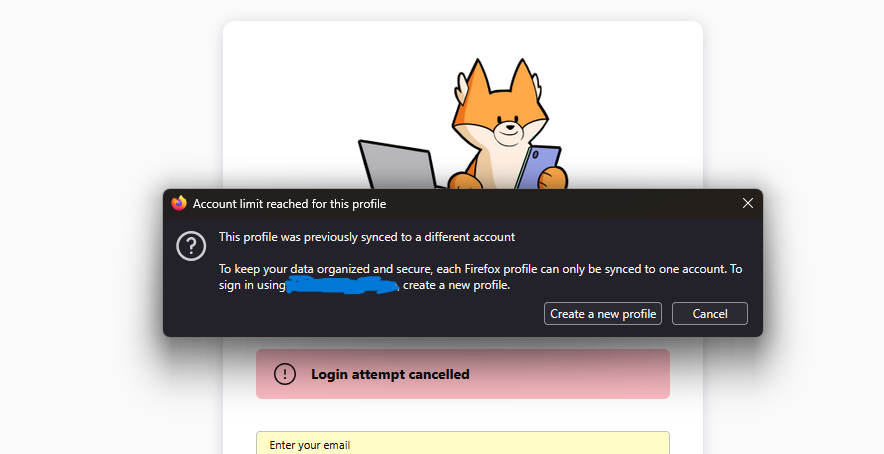
I try to sign in and create new profile with the original profile settings that I want. But it keeps saying "This profile was previously synced to a different account". And now that I saved the bookmarks and made a third, fourth profile. Those don't work as it wants me to sign in. Only the 2nd profile that Firefox made me create which has the old extensions, bookmarks etc. It is missing a lot. So now I am just stuck in create profile loop. And cant use the one I want because I wanted more security? Do I need to uninstall and install again, would that help? I wish there was someone to talk to help me. I just want to use my original profile that I used earlier today to update the security settings.

I just wanted create Account recovery key to keep my account more secure. So I did that + updated my password. Now when I open the browser, it says account disconnected and that I need to create a new profile. I did that, but it started syncing from old chrome account with old extensions, bookmarks etc. Plus bookmarks from my phone. I try to sign in and create new profile with the original profile settings that I want. But it keeps saying "This profile was previously synced to a different account". And now that I saved the bookmarks and made a third, fourth profile. Those don't work as it wants me to sign in. Only the 2nd profile that Firefox made me create which has the old extensions, bookmarks etc. It is missing a lot. So now I am just stuck in create profile loop. And cant use the one I want because I wanted more security? Do I need to uninstall and install again, would that help? I wish there was someone to talk to help me. I just want to use my original profile that I used earlier today to update the security settings.

모든 댓글 (1)

선택된 해결법

Here are two images of what Firefox browser keeps saying