


Umlauts are not displayed in German Thunderbird

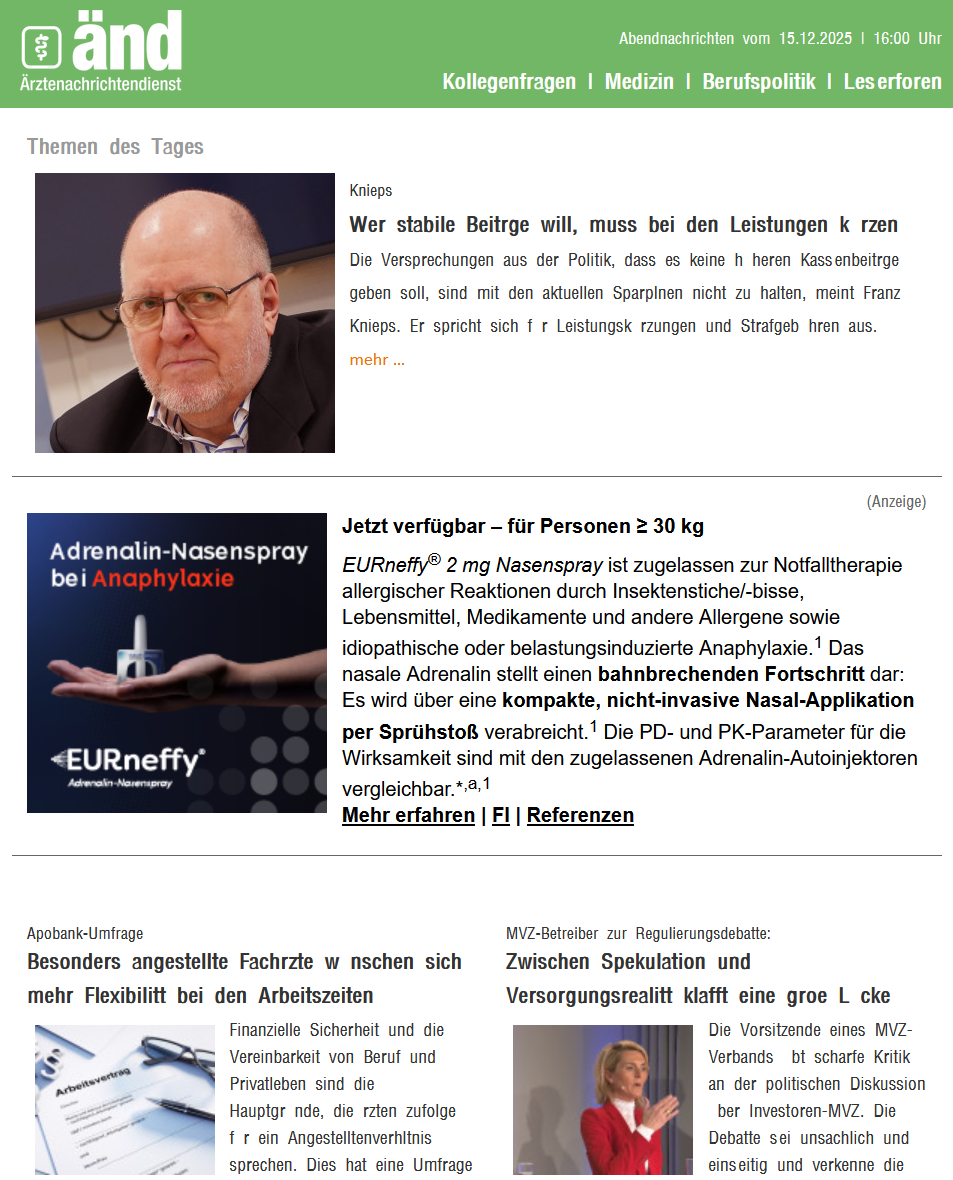
As you can see in the screenshot, the umlauts are missing in many emails. Unfortunately, the corresponding fonts can no longer be set in Thunderbird; I use version 140.6.0esr (32-bit). Where can I set that ä, ö, ü, ß (...) are displayed normally? Greetings from Berlin, Markus
선택된 해결법
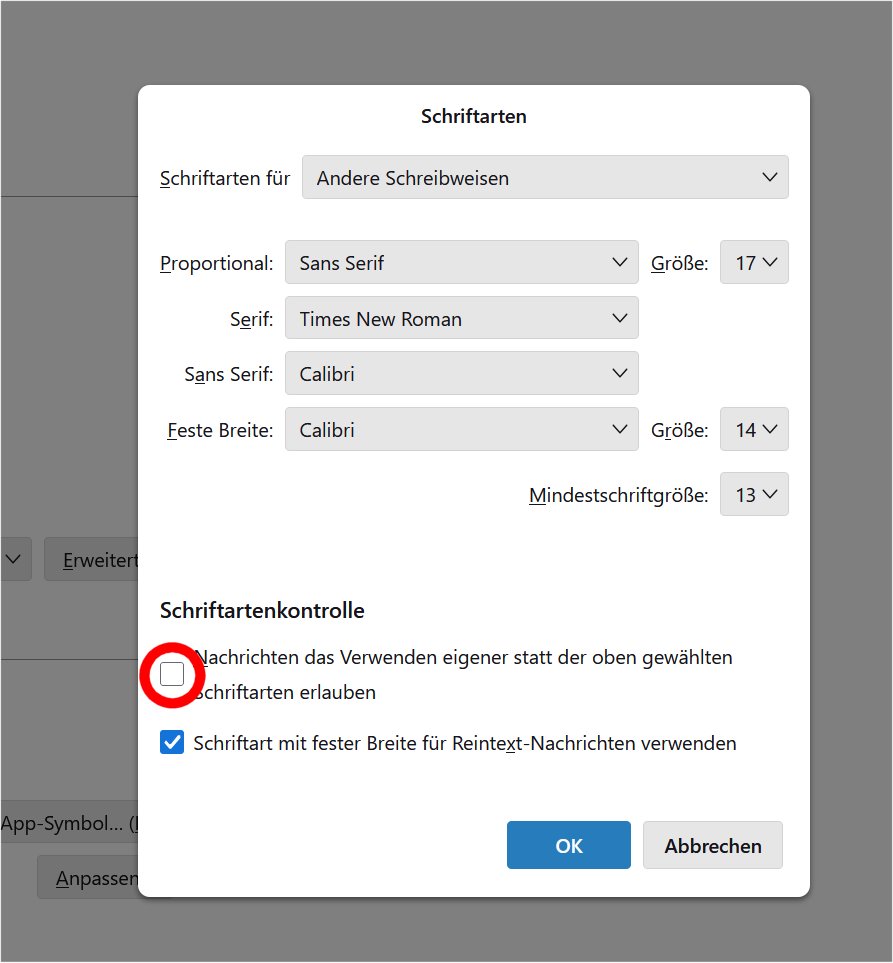
Many thanks to Mapensi! After a lot of tries and a 90-min TeamViewer-meeting we found the simple solution to show the hidden umlauts. Just uncheck this box and everything works fine:
글쓴이 post550 수정일시
모든 댓글 (22)
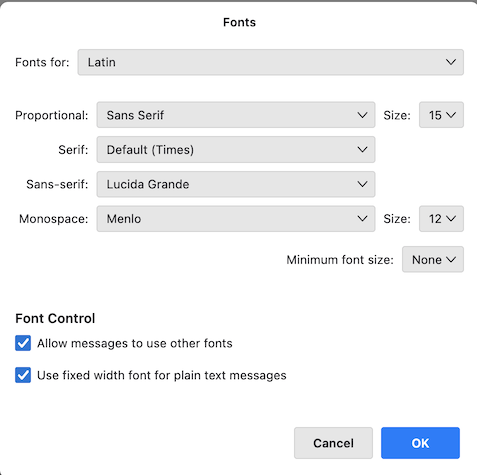
I just verified in a new Thunderbird profile. My new image shows the default (original) font settings in my macOS version of Thunderbird. You could give them a try...
선택된 해결법
Many thanks to Mapensi! After a lot of tries and a 90-min TeamViewer-meeting we found the simple solution to show the hidden umlauts. Just uncheck this box and everything works fine:
글쓴이 post550 수정일시