


Request for Step-by-Step Instructions: Junk/Spam Folder Missing for One Account Only

Hello,
I need assistance with a very specific Thunderbird issue.
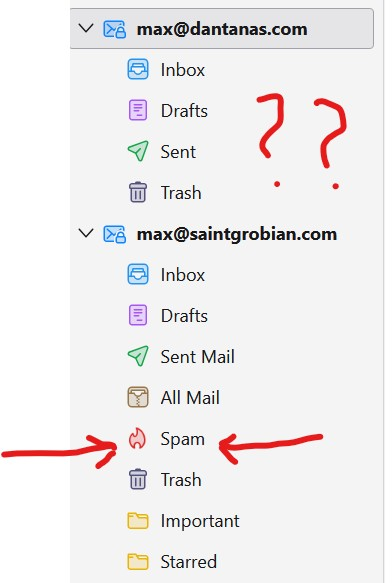
I use Thunderbird with multiple email accounts. Every one of them has a functioning Junk/Spam folder except for one: my Google Workspace account max@dantanas.com
. This is the only account where Thunderbird refuses to create or recognize a Junk/Spam folder, and the option to assign one is disabled.
I am not looking for general explanations about IMAP, Gmail, filters, server policies, or Thunderbird’s junk logic. I need a concrete, step-by-step procedure that results in:
A visible, usable Junk/Spam folder for max@dantanas.com
inside Thunderbird.
Thunderbird recognizing that folder as the Junk folder.
The Junk settings becoming available so the account can move spam to that folder like all my other accounts do.
To be clear:
All my other accounts in Thunderbird already have functional Junk/Spam folders.
The problem is isolated to this one account.
I need an exact sequence of steps that I can follow to fix it, not abstract descriptions or background information.
Please provide a direct, step-by-step set of actions that will enable Thunderbird to create or use a Junk/Spam folder for this account.
Thank you, Max Makowski max@cape-co.co max@luck.fish
선택된 해결법
This discussion began here:
모든 댓글 (8)
If you right-click on max@dant... in your picture, Subscribe, is there a Spam entry in the list of folders to subscribe?
This is what I see.
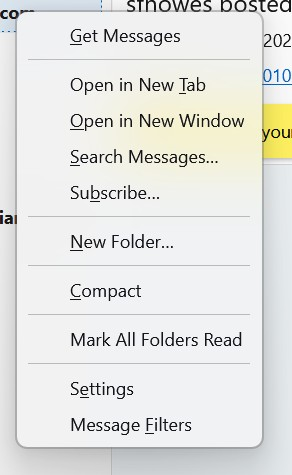
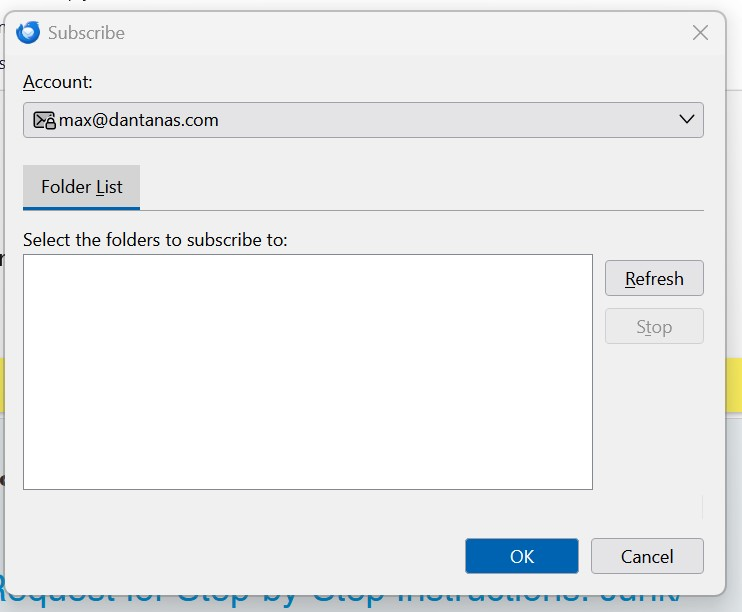
Select Subscribe... and see if the next window is like the attached picture.
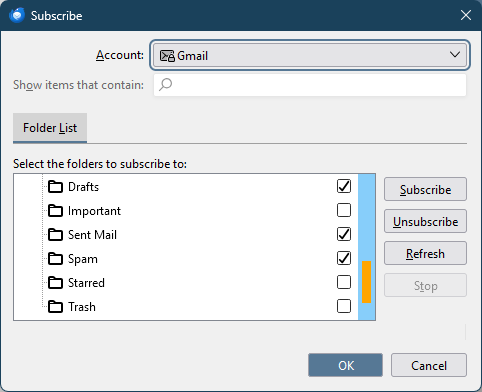
This is the next window.
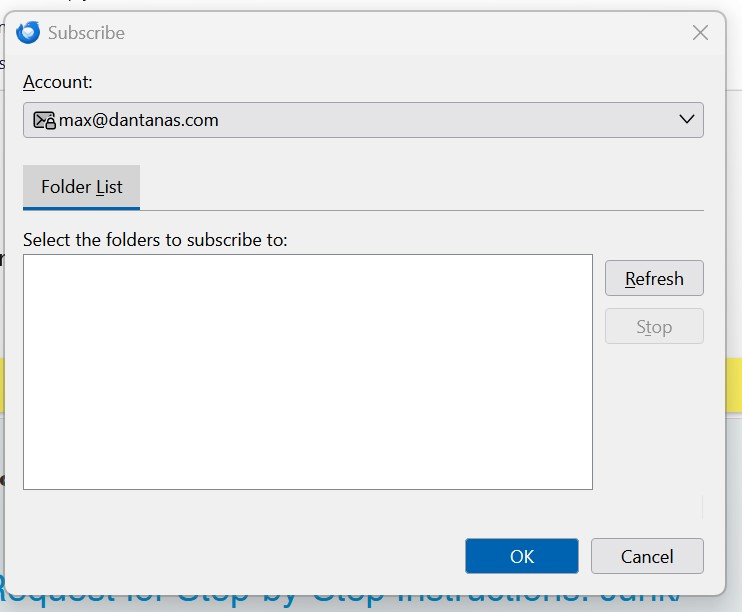
This is the image I get after I press subscribe.
With consumer gmail accounts, IMAP can be enabled or disabled for each folder, in the webmail settings (Settings/Labels). Open your account in webmail and see if there is a similar setting.
Meaning going to gmail and look for this.
선택된 해결법
This discussion began here: