


Disable Google Lens Context Menu
This is both a settings issue, and a privacy and security issue. I want to disable the google lens context menu item to protect my security and privacy from constant AI monitoring. I've almost accidentally clicked the new option before and I don't want to send photos or images to google's AI unless I specifically intend to do so.
I feel like Mozilla is interfering with people's privacy more and more, taking away features from their users, adding features we don't want, butting in and telling us how our browsers should work. This is starting to become absurd. Now you've added AI into the browser that can control how your tabs are displayed and named even, a setting I found while trying to disable Google Lens.
There's a couple other settings I need to figure out how to disable too, such as the context menu of translate and the ChatGPT context menu items. I just removed ChatGPT and a new AI chat bot option appeared. Just wow. What the hell Mozilla. Is your intention to just turn your browser into one big spyware?
Give me the option to disable all of this stuff you keep adding. I have a policy thats supposed to disable your auto updates too but YOU disabled that as well allowing you to install all this malware/spyware into my machine without my authorization.
모든 댓글 (12)
Hello
About, Google Lens. Take a look at https://connect.mozilla.org/t5/discussions/new-in-firefox-desktop-only-visual-search/m-p/106449 the preference, browser.search.visualSearch.featureGate.
About the preference, browser.translations.select.enable. Take a look at https://connect.mozilla.org/t5/discussions/translate-button-not-visible-in-right-click-menu/m-p/84929/highlight/true#M32480
Vas said
I have a policy thats supposed to disable your auto updates too but YOU disabled that as well
About, Firefox policy, DisableAppUpdate, it works. https://support.mozilla.org/en-US/questions/1543786#answer-1775592
글쓴이 Agent virtuel 수정일시
Thanks, I did the first two so far. Found the studies and deleted them. I got the Enterprise Policy Generator too. Though I already made a policy for the updates which apparently didn't work, so I'll try this tool now.
Hello
On-device AI models in Firefox. https://support.mozilla.org/en-US/kb/on-device-models
https://connect.mozilla.org/t5/discussions/ai/m-p/107900/highlight/true#M41576
Agent virtuel said
About, Firefox policy, DisableAppUpdate, it works. https://support.mozilla.org/en-US/questions/1543786#answer-1775592
Nope, sorry, it failed again. I still got a restart firefox to keep using screen when I loaded a new tab today. This is almost a weekly basis because they no longer even ask to update, they just force install in the background molesting my hard drive with their software updates against my consent, no matter how often I try and stop it. I scream "no Mozilla, no please stop!" and they keep molesting my computer. :| Thats how I choose to describe it.

I understand your concern completely. Many users feel the same way when new integrations appear without a clear opt-out path. The Google Lens and AI context options are part of a recent UI experiment in some Firefox builds. You can turn them off manually for now by editing a few settings: In the address bar, type about:config and press Enter. Accept the warning. Search for browser.ml.chat.enabled and browser.ml.chat.provider set them to false or leave them empty. Also search for browser.ml.lens.contextMenu and set it to false (if it exists in your build). After that, restart Firefox and the Lens/AI items should disappear from your right-click menu.
Hello
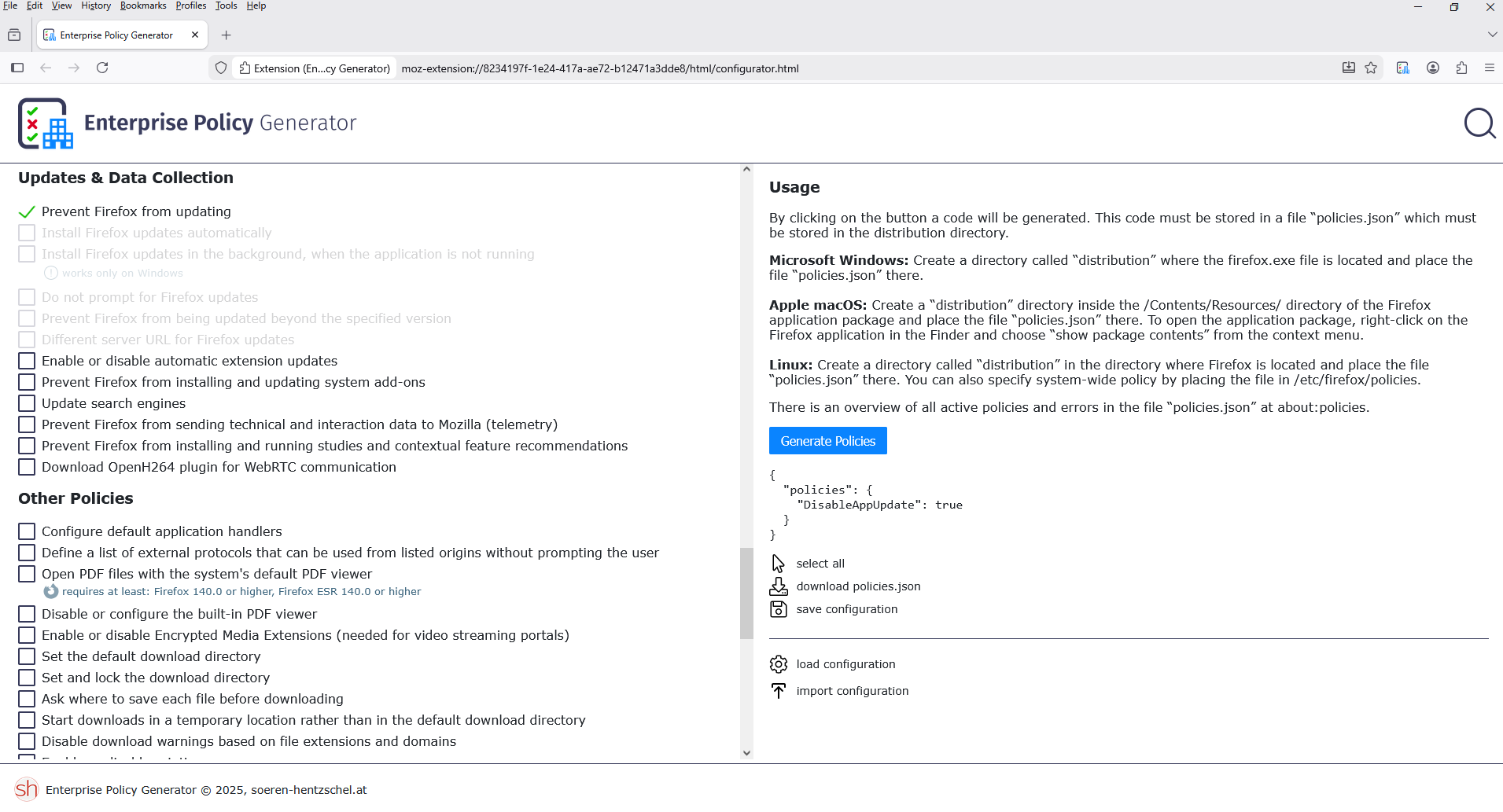
With the help of Enterprise Policy Generator. https://addons.mozilla.org/firefox/addon/enterprise-policy-generator
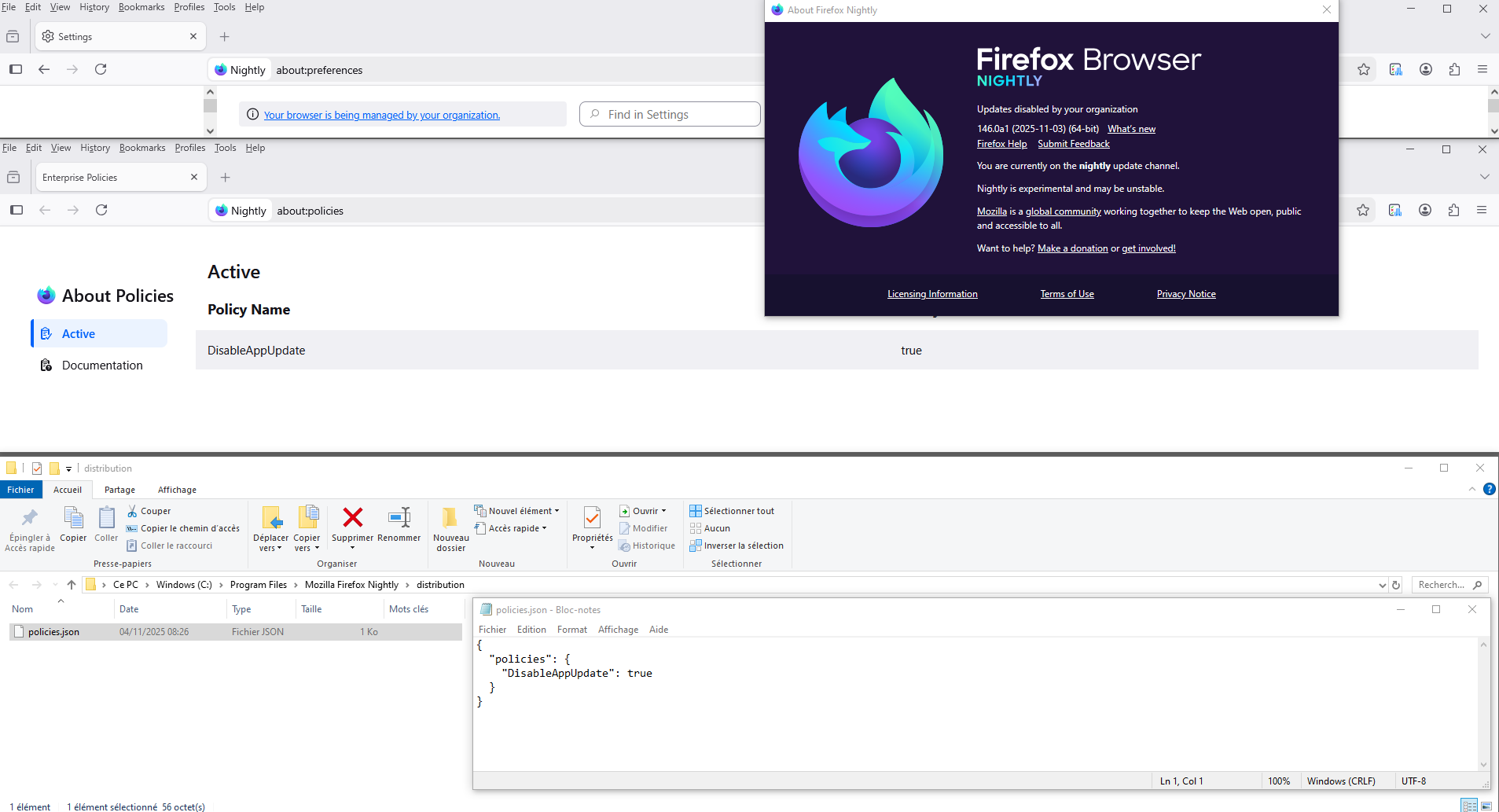
{ "policies": { "DisableAppUpdate": true } }
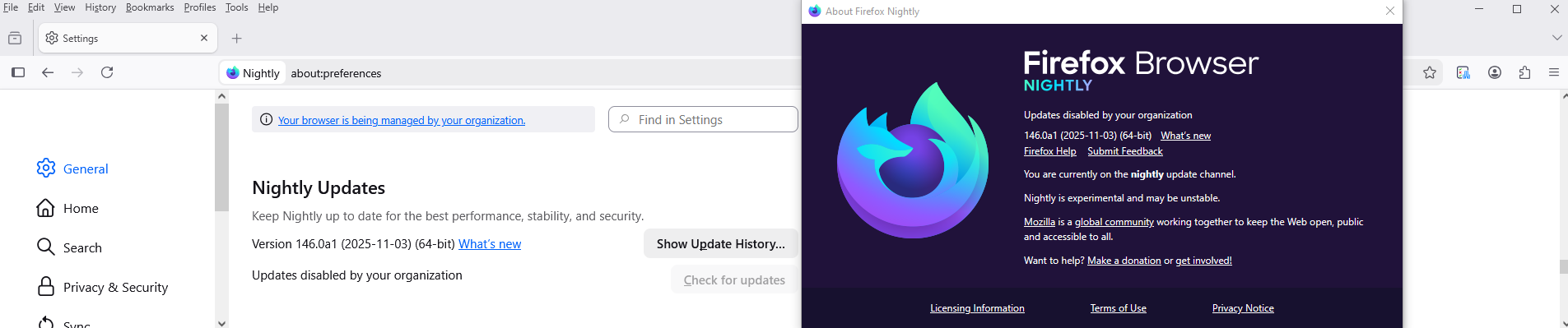
I checked, policies.json, and it works. Updates disabled by your organization. Your browser is being managed by your organization.
글쓴이 Agent virtuel 수정일시
Vas.
Enable background updates on Firefox for Windows when Firefox is not running. https://support.mozilla.org/en-US/kb/enable-background-updates-firefox-windows
Maybe? https://connect.mozilla.org/t5/ideas/get-rid-of-the-quot-restart-required-quot-in-firefox/idc-p/95019/highlight/true#M50277 https://connect.mozilla.org/t5/ideas/option-to-disable-update-reminders/idc-p/47735/highlight/true#M27788 take a look at the Mozilla in your Windows Task Scheduler library.
Agent virtuel said
Hello With the help of Enterprise Policy Generator. https://addons.mozilla.org/firefox/addon/enterprise-policy-generator
Yes, thats what I used from one of your links. I used that to generate the policy. It did not work unfortunately.
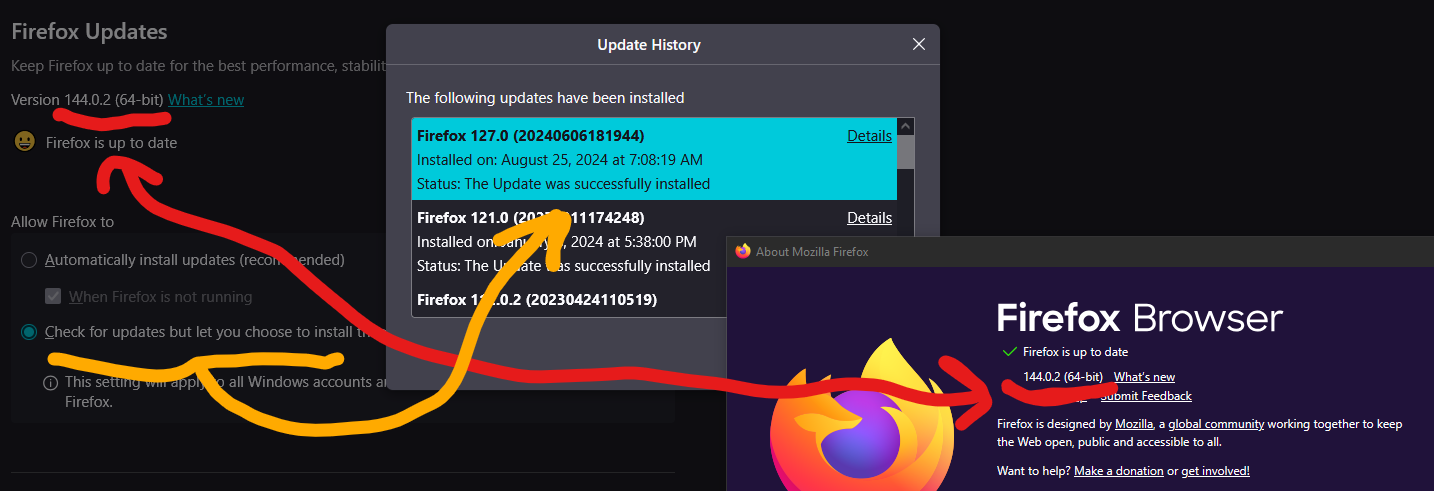
In fact this image shows Firefox lies about its own settings. Even lies in its fake update history showing that my version is way after the latest "last update" shown in their history.
EDIT: Maintenance service removed.
글쓴이 Vas 수정일시
Use the Troubleshooting Information page to help fix Firefox issues https://support.mozilla.org/en-US/kb/use-troubleshooting-information-page-fix-firefox
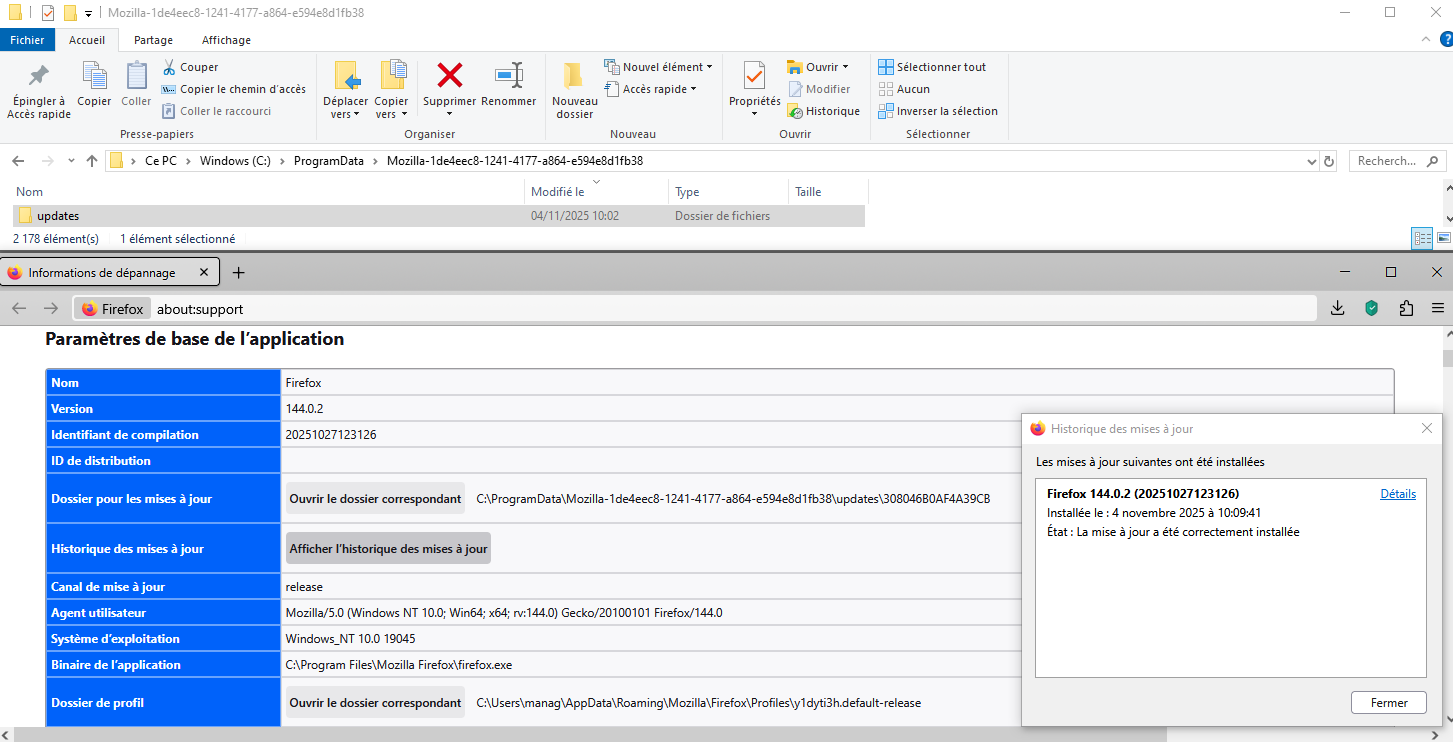
About, your screenshot, list of Update History, apparently is not up to date.
Go to
Update Folder: Shows the path to the folder containing the files update-config.json, updates.xml, active-update.xml (if an update was downloaded but not yet applied) and the updates subfolder. Clicking Open Folder will take you to the update folder.
And, stop Firefox.
And, delete your folder, updates. And, restart Firefox, a new folder updates is created, and wait the next update.
About, your, Windows Task Scheduler, have you take look.
글쓴이 Agent virtuel 수정일시
About
Vas said
Agent virtuel said
HelloYes, thats what I used from one of your links. I used that to generate the policy. It did not work unfortunately.With the help of Enterprise Policy Generator. https://addons.mozilla.org/firefox/addon/enterprise-policy-generator
Can you describe exactly what you did? or try again.
A illutration https://www.youtube.com/embed/wiWZOm_UX30
About, updates.
By way of illustration.
I deleted, my folder, updates I restarted Firefox. Today, i performed the updates Firefox 144.0 to Firefox 144.0.2.
Result below.
글쓴이 Agent virtuel 수정일시