Windows 10 reached EOS (end of support) on October 14, 2025. If you are on Windows 10, see this article.

Mozilla 도움말 검색

고객 지원 사기를 피하세요. 저희는 여러분께 절대로 전화를 걸거나 문자를 보내거나 개인 정보를 공유하도록 요청하지 않습니다. "악용 사례 신고"옵션을 사용하여 의심스러운 활동을 신고해 주세요.

자세히 살펴보기
보존

Disable session restore does not work

SuMo Bot replied
kilian.liss

I would like to disable automatic session restore completely. When I restart my PC, crashes or anything like that, I do not want Firefox to restore my previously opened tabs or windows. When I open firefox after a system reboot / crash, I want to only open my default home page. Only if I manually click History > Restore Previous Session should firefox ever restore my session, otherwise never restore my sessions.

I tried unchecking Settings > Startup > Open previous windows and tabs, and also tried following this article: https://support.mozilla.org/en-US/questions/1182594

My sessions still restores after my computer restarts or crashes.

Why do I want this? When I reboot my computer, I want a clean slate to start from scratch, not the dozens of pages (and other software) I had open from my previous session.

I am running linux mint btw.

I would like to disable automatic session restore completely. When I restart my PC, crashes or anything like that, I do not want Firefox to restore my previously opened tabs or windows. When I open firefox after a system reboot / crash, I want to only open my default home page. Only if I manually click ''History > Restore Previous Session ''should firefox ever restore my session, otherwise never restore my sessions. I tried unchecking ''Settings > Startup > Open previous windows and tabs'', and also tried following this article: https://support.mozilla.org/en-US/questions/1182594 My sessions still restores after my computer restarts or crashes. Why do I want this? When I reboot my computer, I want a clean slate to start from scratch, not the dozens of pages (and other software) I had open from my previous session. I am running linux mint btw.

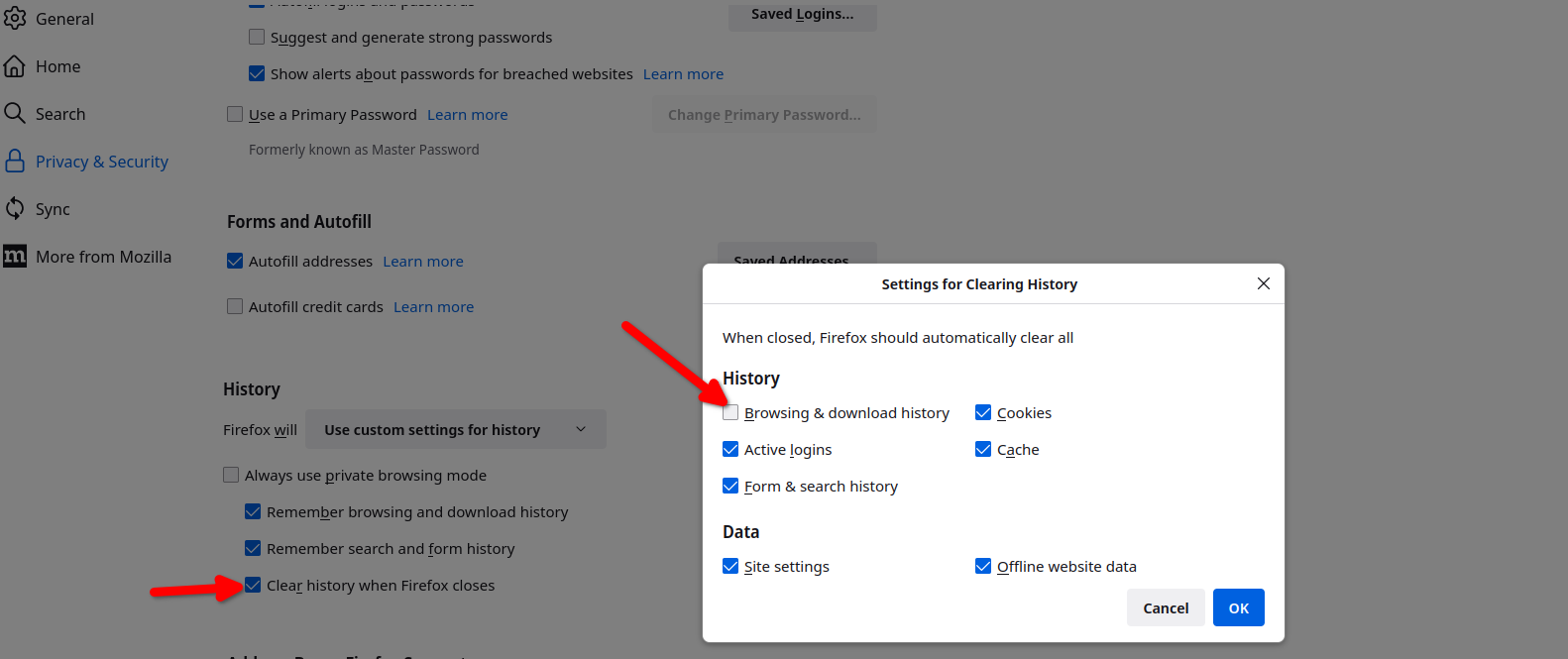
첨부된 스크린샷

모든 댓글 (1)

You can also set Firefox to not remember browser history. see screenshot