


Cursor color

The cursor in Thunderbird is difficult to see when composing emails. My Windows settings have not been customized. All the online articles suggest changing Windows cursor or mouse settings, and although that does change things for Windows, it does not affect the cursor size or color in Thunderbird. Are there any ways to make the cursor darker so it's easier to see?
모든 댓글 (3)
I think your best bet is to customize the Windows cursor setting, as the cursor is a Windows property. For example, mine is set to change to a dark color when background is light, and white when background is dark.
선택된 해결법
http://forums.mozillazine.org/viewtopic.php?p=11579129#p11579129
Open Settings/General/Config. editor, type in ui.caretWidth, at the bottom, select Number, click the + icon, and give it a value, restart TB. The picture shows a value of 10.
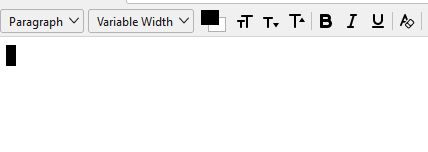
Thank you, David & sfhowes, for the quick responses; I greatly appreciate it. sfhowes, your suggestion worked perfectly. Many thanks!