


Unified "Archive", "Junk", "Sent" in "Local Folders"

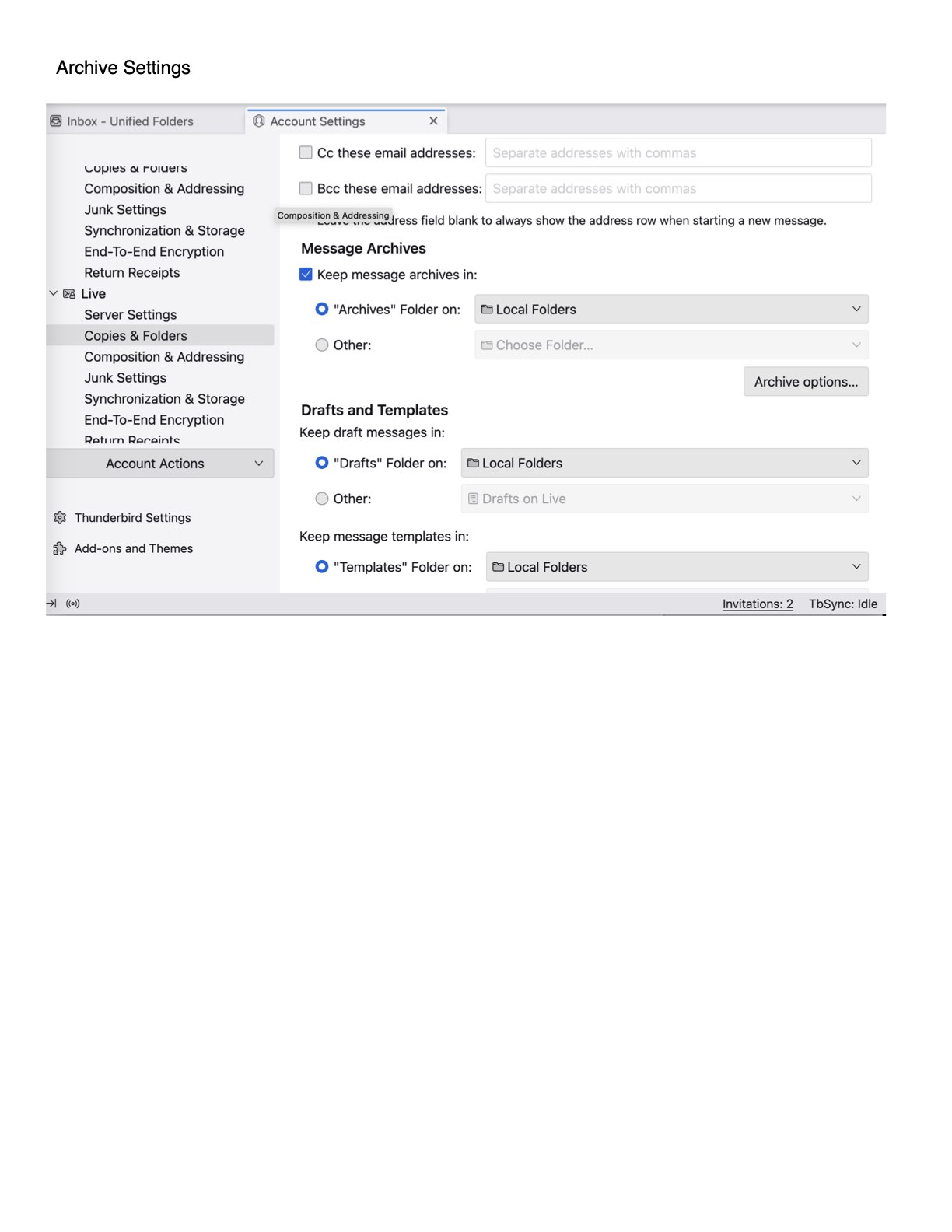
recently I learned how to point all accounts "archive" and "junk" and "Sent" to "local folders". But, Thunderbird continues to isolate archived messages into a separate subfolder within each of my several email account(s) - I work with a unified inbox and prefer unified "Junk" and unified "Archive" and unified "Sent"... How do I do teach Thunderbird to start using the intended folder structure ?
모든 댓글 (4)
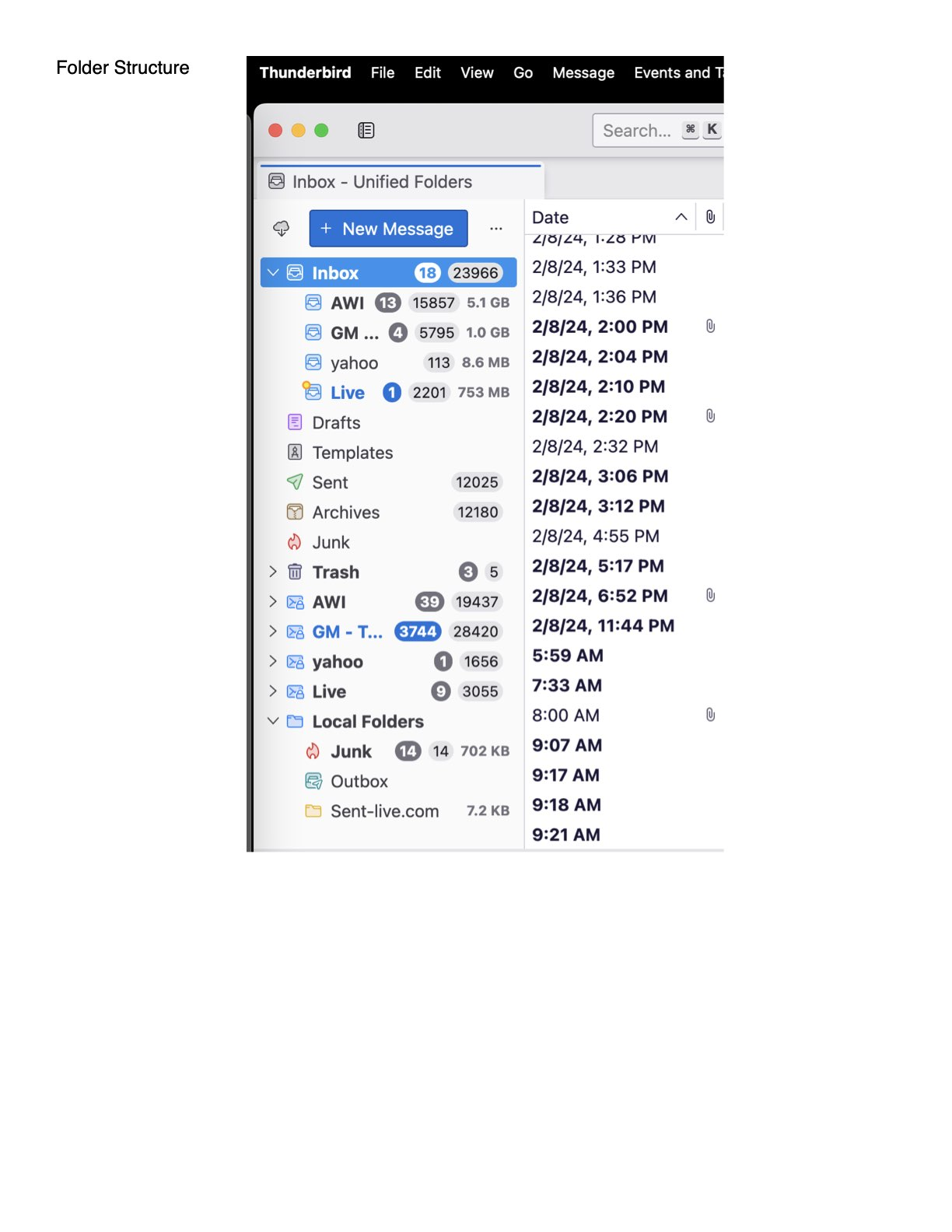
It may help to post explicitly where messages are being archived, as there is no unified set of folders, just a configuration that allows them to be viewed as one. Also, please post screenshot of one of your archive settings to confirm the setting for our info. Thank you.
Hi, Thank you for your courtesy to respond, much appreciated. Attached screenshots - Overall Folder Structure and Archive Settings... Inbox is unified - GREAT ! - unified is exactly what I wanted...that's why I moved (and donated) to thunderbird away from Outlook. But, folders other than Inbox are not unified. I am trying to unify Drafts, Templates, Trash, Junk, Archive, Sent etc.,,, into Local Folders e.g. LocalFolders/Junk,,,rather than have GM/Junk, Yahoo/Junk, Live/Junk etc. My preferences stem from experience with Outlook since 1995... If I am approaching this incorrectly in the Thunderbird environment I welcome advice.
- highlight each unified folder, rightclick and select properties, and then select choose. By sending everything to local folders, you are removing the unique identity of each. I suggest resetting the folders to remain within their accounts and see if that serves you better.

Hi @ted31
did you get your problem solved ?...