


Why do I have to mark junk as not junk and then junk again to move it to junk?

So it was happening in my previous version (60.9.1) and now is in 91.6. Emails come in and are marked junk, this is 95+% of the time done correctly. But the emails remain there in my inbox marked as junk. I move them to the junk folder by group selecting them, clicking Not junk and then clicking the same Junk button again to move them.
Surely there is a way that they can go straight to the junk folder without this crazy workaround toggle?
글쓴이 boardtc 수정일시
선택된 해결법
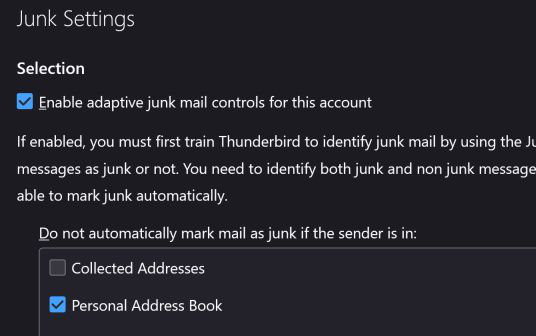
Scroll down from where that screenshot is.
모든 댓글 (4)
What are your settings in tools>account settings>Junk Settings? You need to specify whether junk messages are automatically moved.
It is interesting that the default values cause this problem. In my version Account Settings is not under tools but at the top and shows the default values show. What should I do?
글쓴이 boardtc 수정일시
선택된 해결법
Scroll down from where that screenshot is.
Yes! Under destination and retention, I had to check the box Move new junk message to: Works great! Should be on by default!