


Force redirect to HTTPS in new release to site with no security certificate

After the latest release of Firefox, it is automatically forcing https on our site EquestrianCoach.com. We do not have a security certificate at this time (yes I know we need one and we are working on it). Therefore we get a "Warning: Potential Security Risk Ahead" page and no one can access the site. Even if you manually try to take out the "s" it directs right back to https. I heard Firefox does this if it detects a SSL, but again, we do not have one or never did for this site. I see other sites with no ssl work fine. Is there a work around to not have Firefox do this? All the legacy Firefox browsers work fine on our site. It was just with the last release it somehow seems to think we have one and force redirects. And to clarify, it isn't just on one computer. All members who have the new Firefox have this issue. Thank you for any assistance! It is greatly appreciated!
모든 댓글 (3)

See if any of these links help you; https://support.mozilla.org/en-US/search?q=HTTPS
I never visited the site before and if I enable HTTPS-Only mode (HTTPS-Only Mode in Firefox), I get a custom warning related to that feature:

But you get a different one?
Did your site ever support HTTPS for any subdomain? What I mean is, for example, you have
- http: for www.example.com
- https: for admin.example.com
Sometimes a particular subdomain (admin) sets a flag to ONLY allow secure connections and Firefox applies that to all subdomains (both admin and www) causing connection problems.
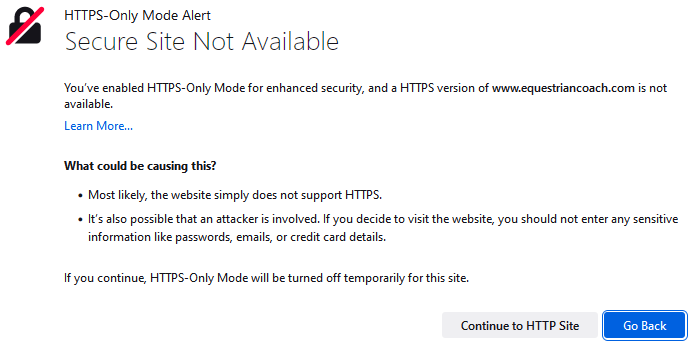
If you have enabled HTTPS-Only then click the padlock and select HTTPS-Only Mode: 'Off'.
This question has been locked because the original author has deleted their account. While you can no longer post new replies, the existing content remains available for reference.