


Add microphone prompt not available in Google translate or on any website and cannot allow microphone even in Page Info

Basically whenever I click the microphone option in Google Translate it says "Voice Input isn't supported by my Browser" I have no idea why this is happening. I have tried every troubleshooting technique along with refreshed my Entire browser while I was about to uninstall and reinstall it.
I have also changed it from the Page Info page by clicking Ctrl + i and changing it from Permissions, didn't work.
Please help, Btw this is happening only in Google Translate, Google Search. And not in Google Meet or Youtube for some reason.
선택된 해결법
Did you see this?
문맥에 따라 이 답변을 읽어주세요 👍 1모든 댓글 (4)
선택된 해결법
Did you see this?
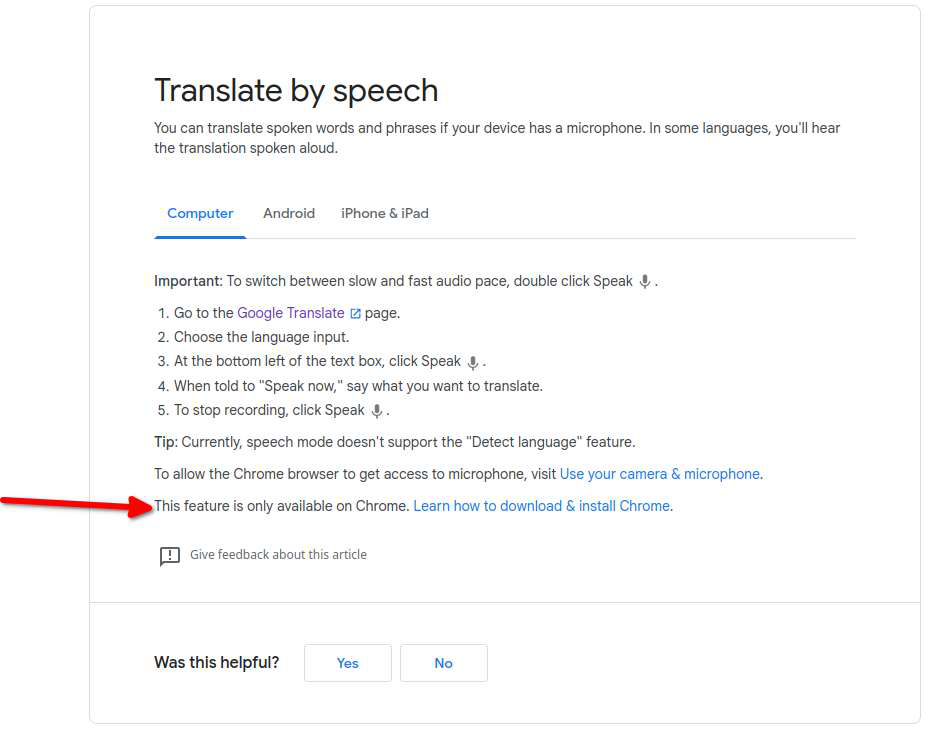
My apologies, I see that I have embarrassed myself once again on the internet. Thank you
Oh stop it... Because you asked the question we both learned something new. ;-))
This question has been locked because the original author has deleted their account. While you can no longer post new replies, the existing content remains available for reference.