


dictionary

There are misspelled words in the dictionary used by Thunderbird. Two questions similar to mine were answered by the suggestion of selecting Write, then options / spelling, then edit Personal Dictionary. When I followed these instructions, I found that my Personal Dictionary did not contain the misspelled words which were being accepted by whatever dictionary was being used. E.G., if I misspelled the word "just " as "jsut", this was accepted. Is there another dictionary which needs to be corrected?
선택된 해결법
From TB Tools/Add-ons/Extensions, click the gear icon next to Search, Install add-on from file, select the downloaded xpi file.
모든 댓글 (8)
Personal Dictionary is for adding (correctly spelled) words that aren't in the spelling dictionary. Which dictionary did not flag jsut as misspelled?
Re: "Which dictionary did not flag jsut as misspelled" - it looks like the only dictionary being used is the Personal Dictionary. See att.
No other dictionaries referenced. Maybe a version problem?
In the attached picture, you can see that the EN-US dictionary flags jsut as misspelled. Is there a dictionary defined in Options/Composition/Spelling/Language? The EN-US spellchecker can be installed from here.
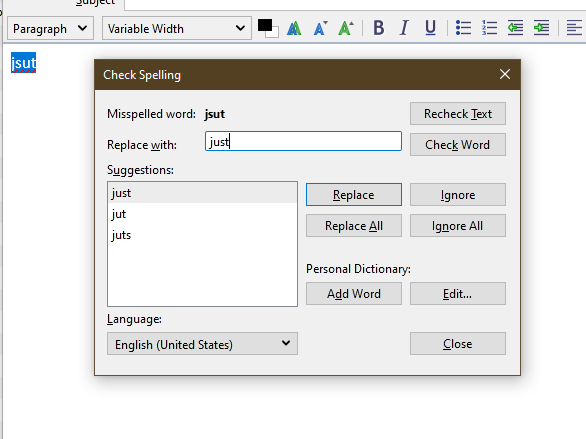
Thanks for the info. I will install the EN-US spellchecker
I don't seem to have a "composition" option as an option. (See att.)
Choose Tools/Options from the main window (or the Write window).
Ahh. Tools/Options. :)
No dictionary listed - but there is the option "Download more dictionaries".
That ought to do it. Thanks.
I downloaded the dictionary.
Not sure of next step. I don't think Thunderbird knows it's available.
The Add-ons page, where I downloaded it from, said: "Installing a dictionary add-on will add a new language option to your Thunderbird spell-checker"
It looks like I need to do more.
선택된 해결법
From TB Tools/Add-ons/Extensions, click the gear icon next to Search, Install add-on from file, select the downloaded xpi file.
This question has been locked because the original author has deleted their account. While you can no longer post new replies, the existing content remains available for reference.