

이 쓰레드는 보존되었습니다.
만약 도움이 필요하시면 새로운 질문을 올려주세요.

보존
Auty Fill
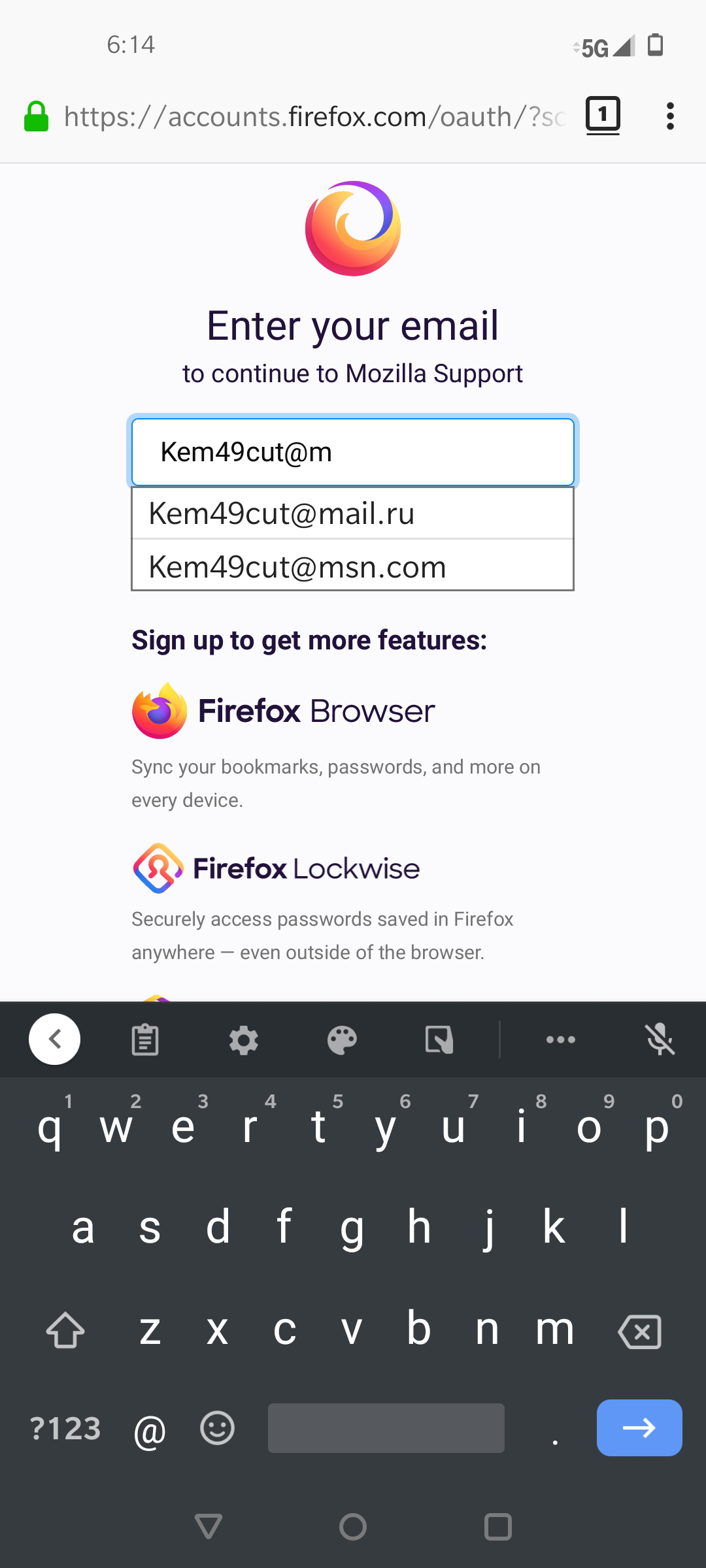
I have done everything I can to make myself private using all options available to me. I don't save anything. I go to a site where I login and I enter a couple of letters and there is my info popping up. Even to login to support stuff came up. I was spoofed on Facebook and now I have no more friends from around the world. My ID was taken. Please I need to feel safe. Any help would be greatly appreciated. Thank you you time. This makes me feel like someone else is in my account or something.
One other thing. I tried to use LassPass, set up my account and did the add on and no icon would appear so I can't use it. Another thing I just don't understand.
I have done everything I can to make myself private using all options available to me. I don't save anything. I go to a site where I login and I enter a couple of letters and there is my info popping up. Even to login to support stuff came up. I was spoofed on Facebook and now I have no more friends from around the world. My ID was taken. Please I need to feel safe. Any help would be greatly appreciated. Thank you you time. This makes me feel like someone else is in my account or something.
One other thing. I tried to use LassPass, set up my account and did the add on and no icon would appear so I can't use it. Another thing I just don't understand.
모든 댓글 (1)
You can look at the formautofill prefs on the about:config page.
extensions.formautofill.available = "on"
   https://wiki.mozilla.org/Firefox/Features/Form_Autofill
   http://www.ghacks.net/2017/05/24/firefoxs-new-form-autofill-is-awesome/