


Using 'recent:....' as From leads to quoted signs
Hello,
My email is i.spectorsky@gmail.com, and I use recent: i.spectorsky@gmail.com in order to get sent mails back to inbox folder. It works perfectly till now, but not more than a couple days ago sending composed message leads to error message that From address is invalid. Really, Thunderbird inserts quotation signs in my address and try to send mail to address something like "recent:i.spectorsky"@gmail.com. When I delete quotations, mail can be sent. So, why this problem appears, and how to get rid of it?
Thanks in advance
선택된 해결법
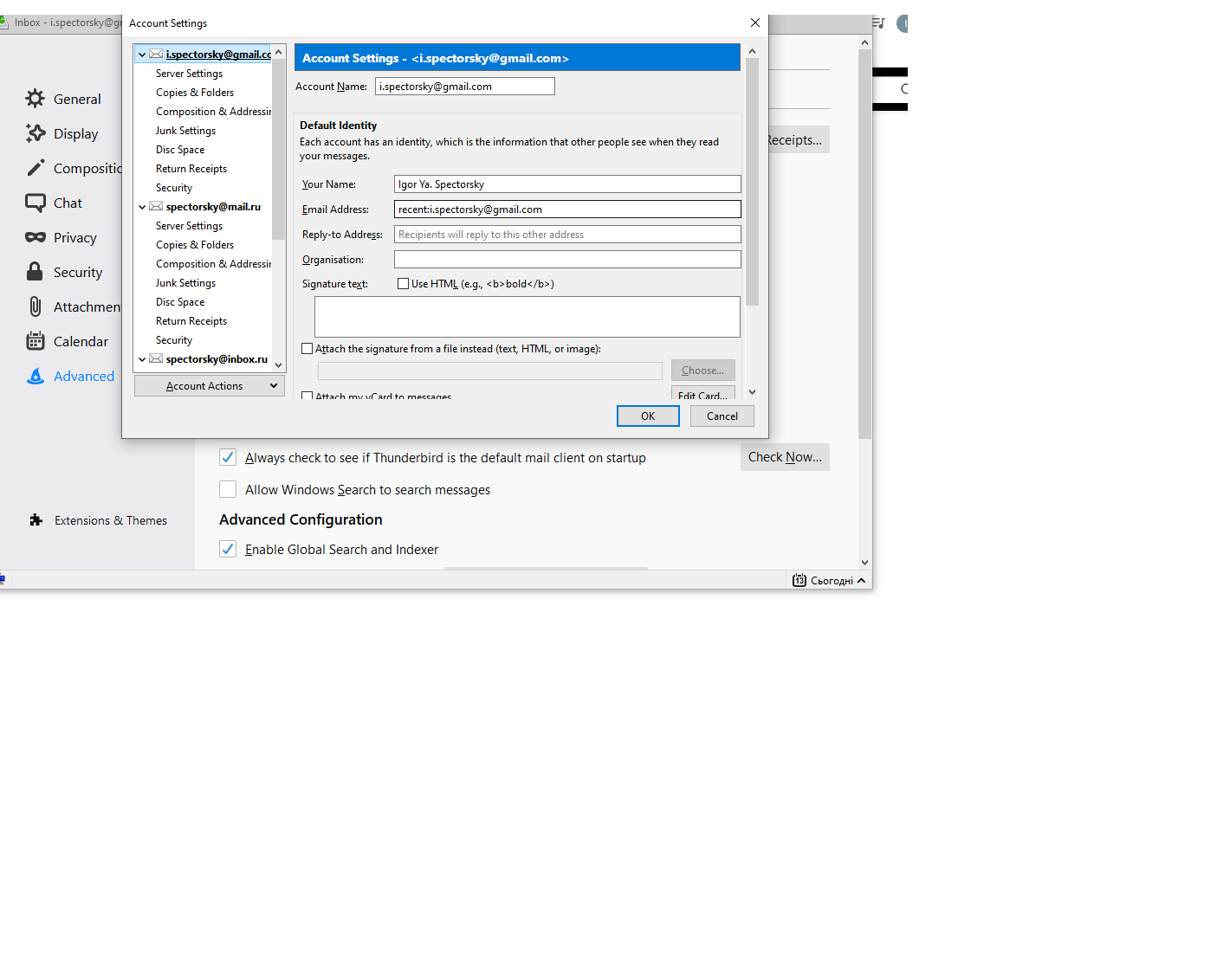
Remove recent: from the Email Address and enter it before the User Name in Server Settings, as explained in the link.
모든 댓글 (4)
Did you add recent: to the Email Address or the User Name?
https://support.mozilla.org/en-US/questions/1284345#answer-1305416
To email address. Here is printscreen of account settings.
선택된 해결법
Remove recent: from the Email Address and enter it before the User Name in Server Settings, as explained in the link.
Many thanks, it works! I thought that there are two ways to set the same parameter....