


My bookmark library in Firefox will not display.

It was working earlier this morning. But not it will not display. The bookmarks seem to be there when I hit the bookmark tab.
But when I hit the bookmark toollbar, which would normally bring up my library of bookmarks, nothing happens.
I am trying to delete a bookmark from the library, which is now impossible, because the library won't display.
모든 댓글 (2)
Ok, so the library display issue resolved itself for me somehow.
But when i now go to the library, and try to delete a bookmark, something new happens. It doesn't delete the bookmark, but instead, at the bottom of the page, additional bookmark detail shows
Name, location and tags.
So I now can't seem to find anyway to delete this particular bookmark.
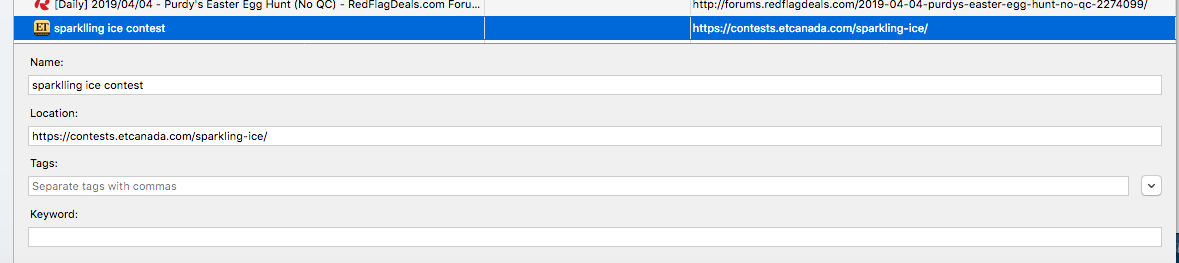
Found a work-around, although i am not sure why I can't just delete the bookmark from library
The bookmark in question is no longer an available webpage. It defaults back to the sites homepage.
In the detail at the bottom of the page, I was able to edit in the homepage url to replace the bookmark url.
Then, I was able to go back to bookmarks (without going into library), and remove the bookmark.
But this seems like a needless step. I just want to do what it did before. Go into the library, find the bookmark in question, hit delete, and have it removed.