

이 쓰레드는 보존되었습니다.
만약 도움이 필요하시면 새로운 질문을 올려주세요.

보존
Where is permissions tab?

I'm trying to block popups. I go to 'privacy and security' under options, as directed by FF, but 'permissions', the tab needed to block popups, is nowhere to be found. I've confirmed I have the latest version.
I'm trying to block popups. I go to 'privacy and security' under options, as directed by FF, but 'permissions', the tab needed to block popups, is nowhere to be found. I've confirmed I have the latest version.
모든 댓글 (3)
It's simple! Look at the screenshot...
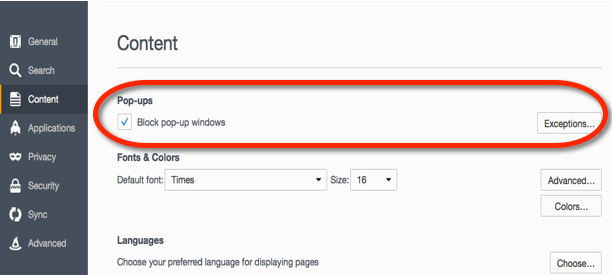
In the current Firefox release it is on "Options/Preferences -> Privacy & Security".
- Options/Preferences -> Privacy & Security -> Permissions
Hi mamumber, on this site, you usually can find the original poster's Firefox version in the "Question Details" section to the right of the question. Then you can tailor your screenshots or directions accordingly.
(It seems your screenshot is from Firefox 55 or earlier.)