


Remove Old Messages from accounts list - Thunderbird

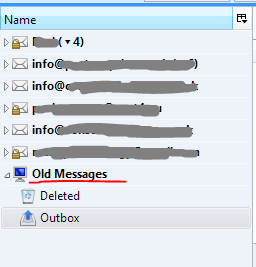
I would like to remove Old Messages from the accounts list. It is not an account as such but has been there for years and clutters my accounts list. I cannot find any way to remove it.
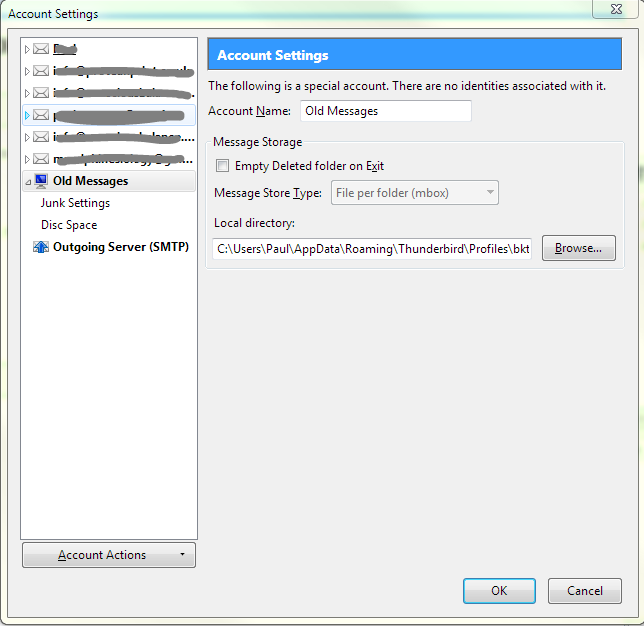
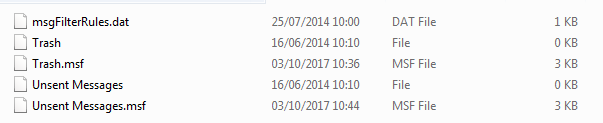
Clicking on the "account" brings up the usual controls but Delete is greyed out. This "account" settings available. Also if I go to the location of the profile in Roaming\Thunderbird\Profiles.... the folder connected to it is called "Local Folders and there are just some mfs files in there all less then 3kb in size. Deleting "Local Folders" and restarting Thunderbird doesn't solve this as the folder reappears.
Any idea on how to remove this?
TIA Oscar
Thunderbird 52.3.0 (32-bit)
Extensions installed Auto Resize Image Lightning Manually Sort Folders QuickFolders ThreadVis
Windows 7 64bit
선택된 해결법
This looks like a renamed 'Local Folders' account. That account can't be removed. http://kb.mozillazine.org/Local_Folders
문맥에 따라 이 답변을 읽어주세요 👍 1모든 댓글 (2)

선택된 해결법
This looks like a renamed 'Local Folders' account. That account can't be removed. http://kb.mozillazine.org/Local_Folders
Thank you.
I knew there was something about this somewhere, but I couldn't find it. I'll read the article when time allows and decide on course of action.