


HELP - Browser content becomes blank after minimising+opening window?

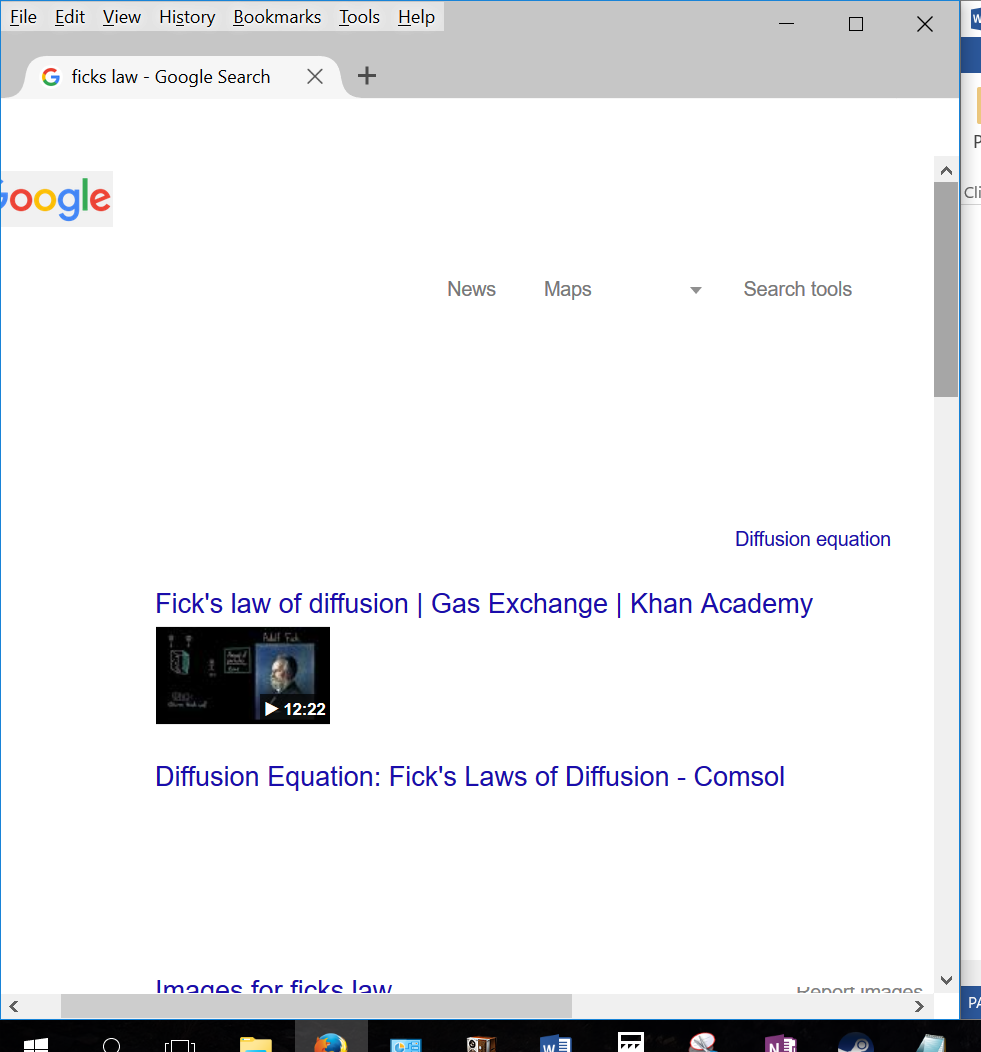
This has happened very frequently ever since I installed Firefox 45.0 on my new laptop. (Using WIndows 10) After minimising a window and reopening it, often all the content on the page will just be blank white. This includes the tabs, toolbars, searchbars etc: all blank. Only when moving the cursor over the blank spaces does content begin to load/display. Another temporary solution I've found is to re-adjust and maximise the window. This is a very annoying issue and I'm not sure what the cause of the problem is. Any help would be appreciated!
모든 댓글 (2)
Here is an example of what is happening:

That could be a problem with hardware acceleration in Firefox.
You can try to disable hardware acceleration in Firefox.
- Tools > Options > Advanced > General > Browsing: "Use hardware acceleration when available"
You need to close and restart Firefox after toggling this setting.
You can check if there is an update for your graphics display driver and check for hardware acceleration related issues.