


How do I disable browser.feeds.handler so nothing shows when I click on "Bookmarks" regardless of the webiste I am on

I do not want to see "Subscribe to This Page" when I tab to save a bookmark regardless of the website I am on. What do I change the the value to in about:config - browser.feeds.handler - so it never shows when saving a bookmark or how do I remove it all together.
I do not want to see "Subscribe to This Page" when I tab to save a bookmark regardless of the website I am on. What do I change the the value to in about:config - browser.feeds.handler - so it never shows when saving a bookmark or how do I remove it all together.
ჩასწორების თარიღი: , ავტორი: Deekin_224
ყველა პასუხი (2)
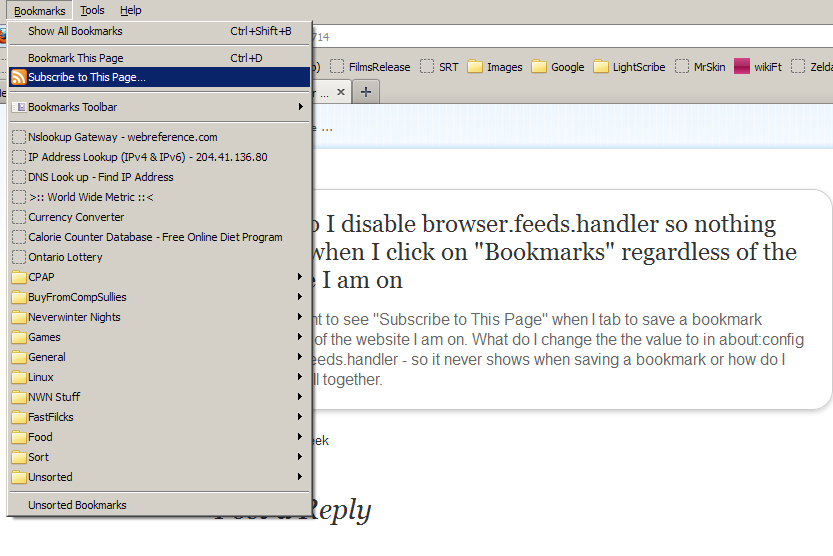
This is what I want to remove.
Thanks.
Add code to the userChrome.css file below the default @namespace line.
The customization files userChrome.css (interface) and userContent.css (websites) are located in the chrome folder in the user profile folder.
You can use this button to go to the Firefox profile folder:
- Help > Troubleshooting Information > Profile Directory: Open Containing Folder
(you can leave out the code for places where you still want to see that menu item)
@namespace url("http://www.mozilla.org/keymaster/gatekeeper/there.is.only.xul"); /* only needed once */

#subscribeToPageMenuitem,
#subscribeToPageMenupopup,

#BMB_subscribeToPageMenuitem,
#BMB_subscribeToPageMenupopup, #BMB_subscribeToPageMenupopup+menuseparator,

#appmenu_subscribeToPage,
#appmenu_subscribeToPageMenu
#appmenu_subscribeToPageMenupopup, #appmenu_subscribeToPageMenupopup+menuseparator
{ display:none!important; }