


After updateing to a new version of Thunderbird my old profile has disappeared

Where can I find my old thunderbird profile? It is not in ...Appdata/Roaming/thunderbird/profiles.
ყველა პასუხი (5)
Did you install from the Microsoft store? Look in Users\username\AppData\Local\packages\MozillaThunderbird.MZLA_h5892qc0xkpca\LocalCache\Roaming\Thunderbird\
If it's there, I suggest reinstalling from the thunderbird.net site and transfering the profile.
I installed from thunderbird.net. It is not where you suggested. Any other ideas please.
can you do a screenprint of the appdata\roaming\thunderbird\profiles folder?? Also, a screenprint of the contents of appdata\roaming\thunderbird\profiles.ini will be helpful. Thanks.
Requested screen shots added below. Cheers
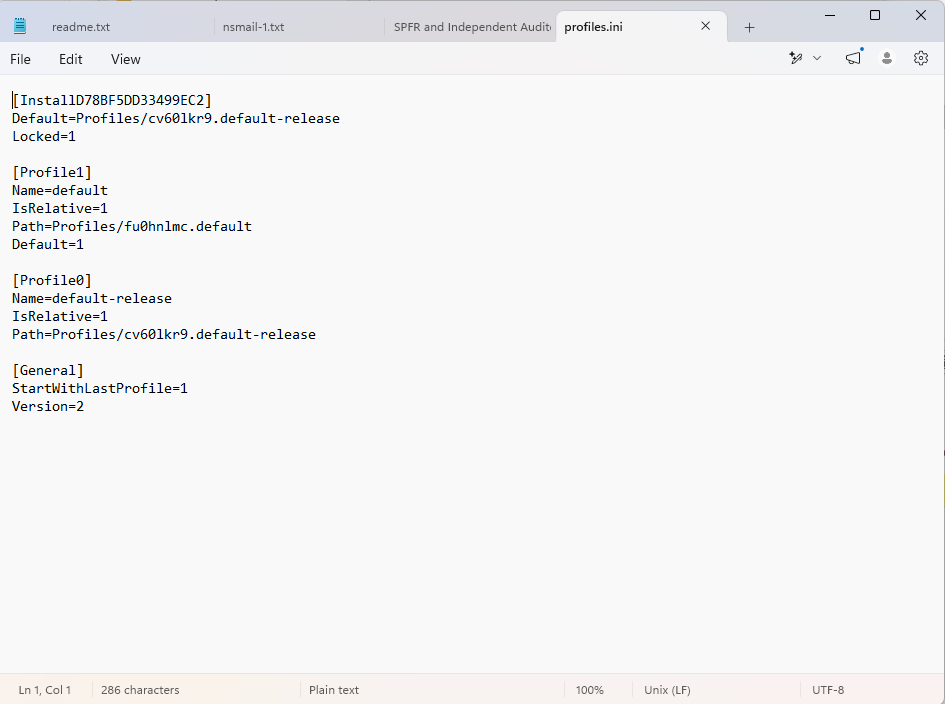
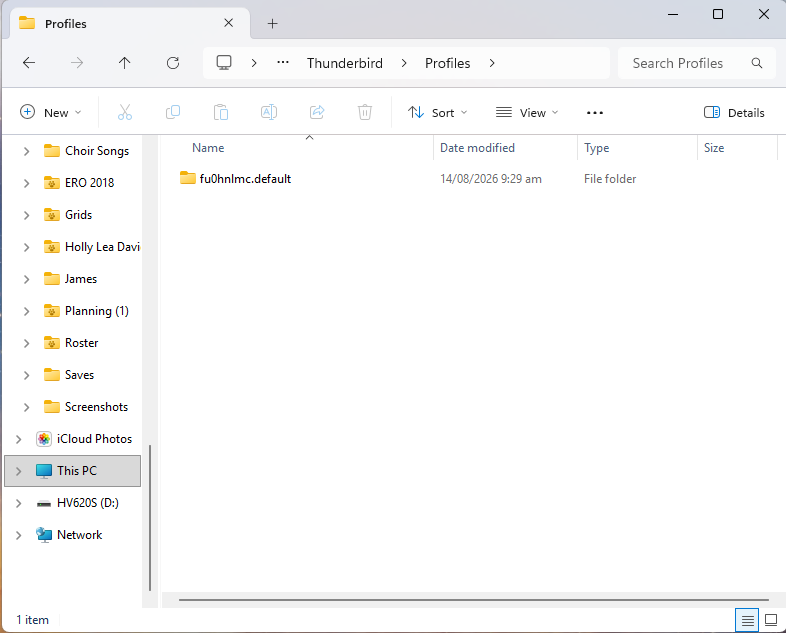
The profile.ini indicates there is only one profile and it is set to default. There is no indication of a missing profile. I am clueless on what may have happened.