


firefox isn't re-opening tabs despite the setting being enabled
Recently Mint upgraded my FF to v147 - possibly relevant, possibly not. There's no post mentioning anyone having this issue on the Mint forum though.
In my Settings, "Open previous windows and tabs" is definitely enabled, but it doesn't happen. I only get my homepage custom URLs.
I went into troubleshooting mode and FF then behaves.
So I figured the issue must be with an extension - but I disabled all my extensions, and it doesn't help. Only going full troubleshooting mode fixes it.
What do I do next please?
ყველა პასუხი (9)
Probably your privacy settings or the long time session restore issue. What do you have Firefox set to do when closed. see screenshots
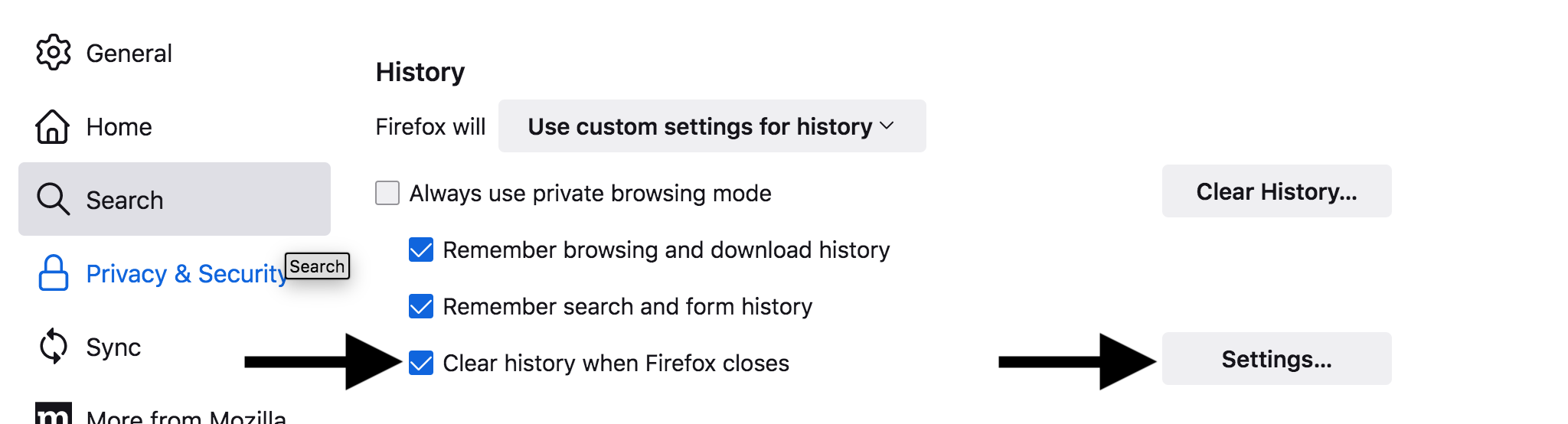
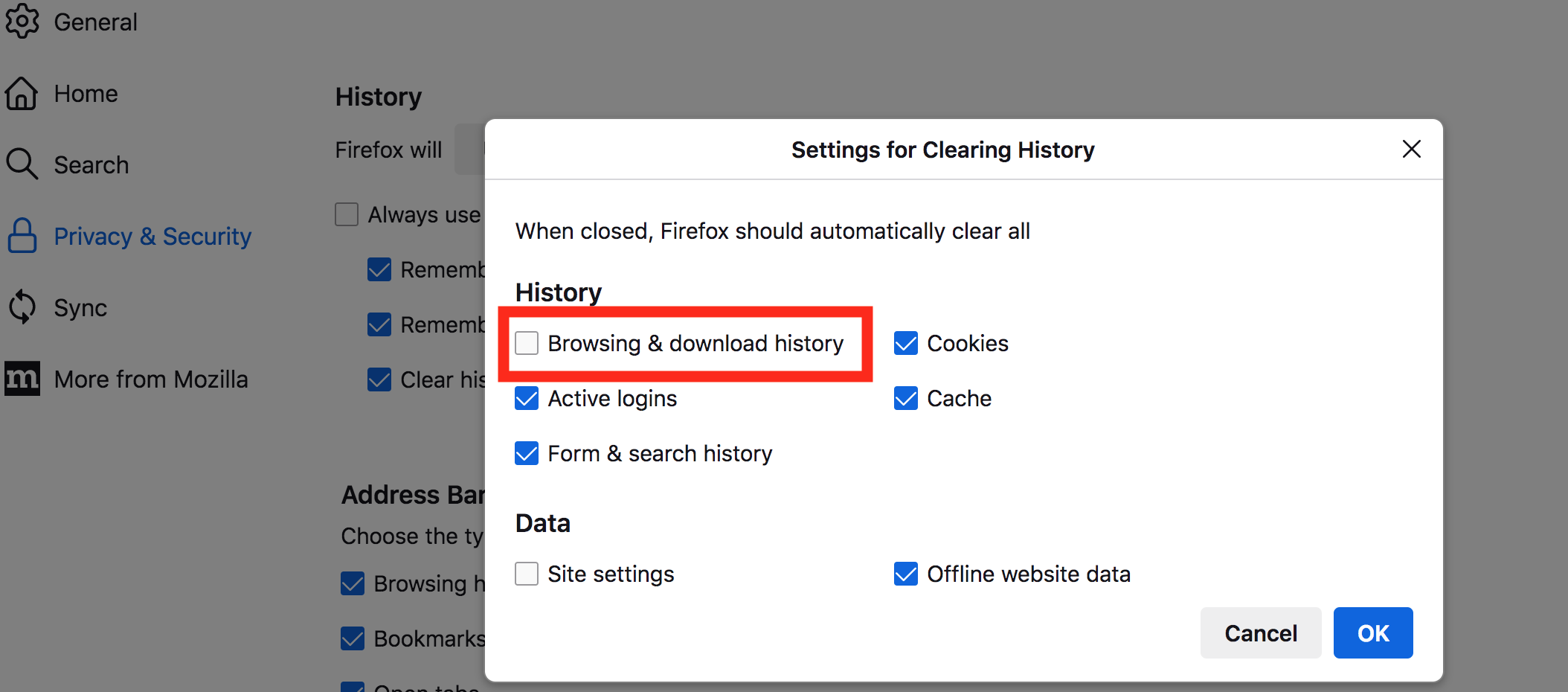
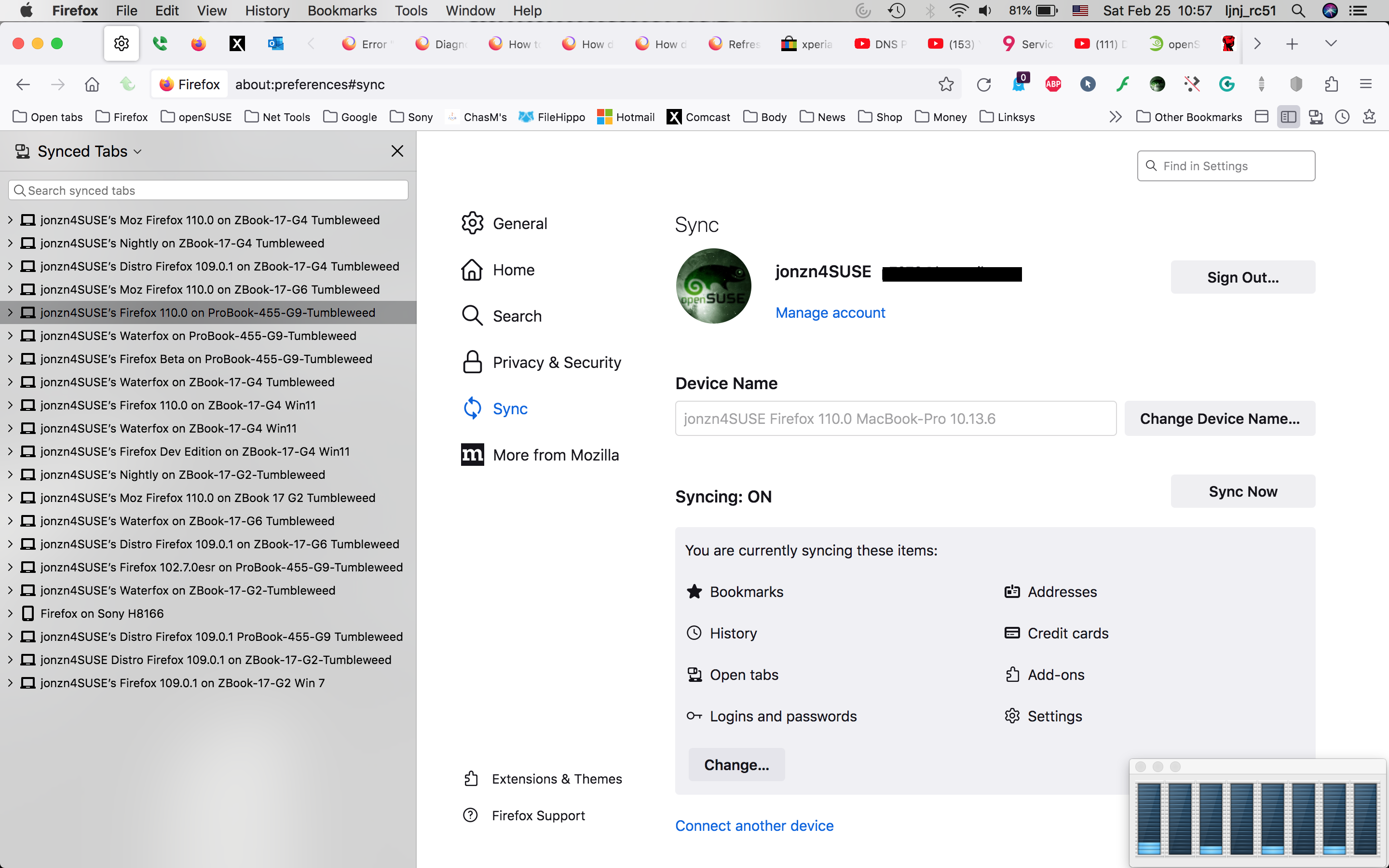
I would also recommend running Firefox form Mozilla so that you can have your data in more than just one browser. I stopped running just my distro version about 6yrs ago when I first experienced the session restore issue. https://www.mozilla.org/en-US/firefox/all/desktop-release/linux64/en-US/ The versions are all run from my downloads folder. Just download, unzip, and run firefox-bin.
https://support.mozilla.org/en-US/questions/1509748#answer-1752029
Adam H. said
I have History set to Remember history.
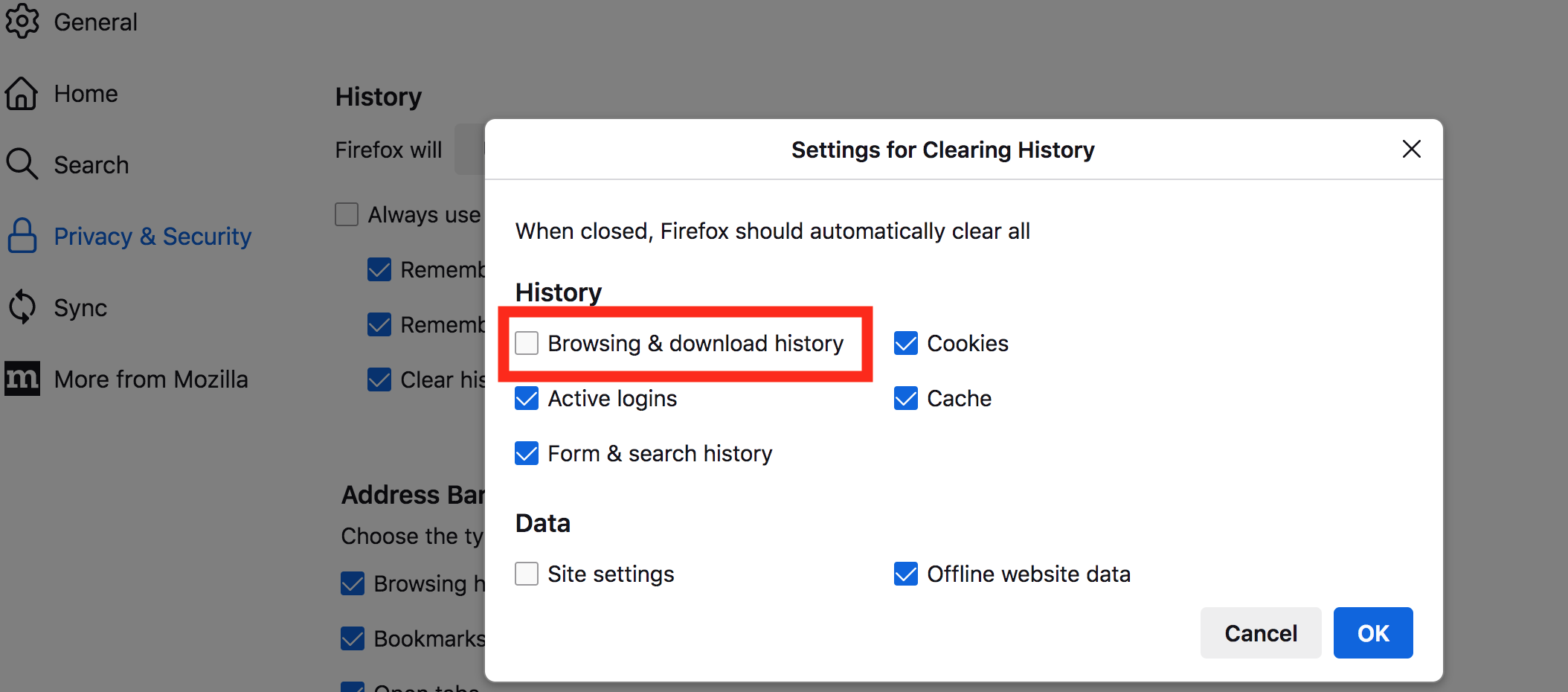
What do you have set when the browser closes? see screenshot
ჩასწორების თარიღი: , ავტორი: jonzn4SUSE
But if I have History set to Remember, then those options never come into effect, right?
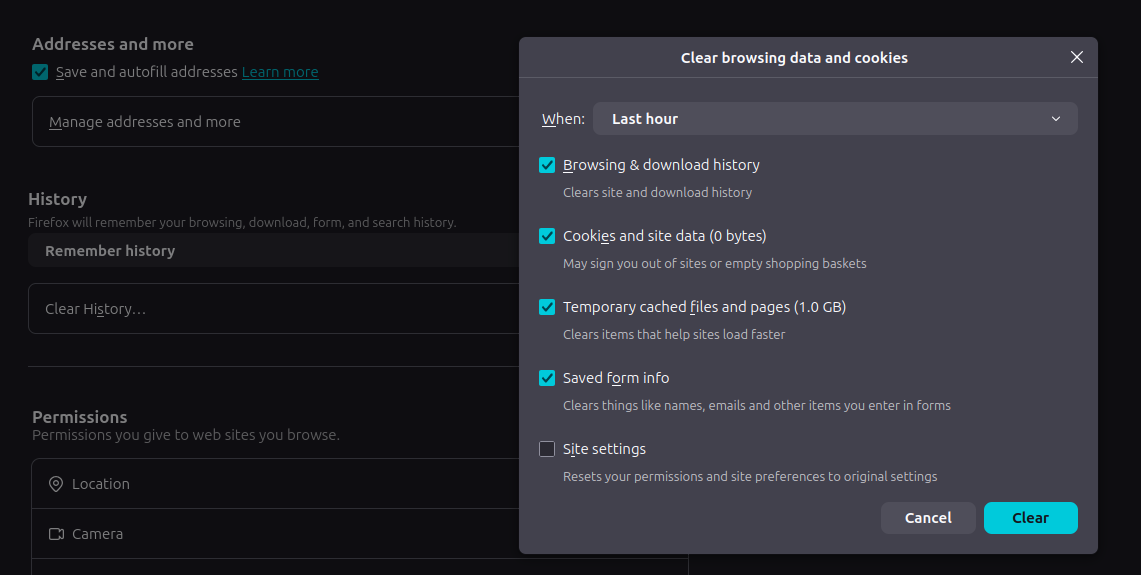
Uncheck the 1st option in your screenshot, open a few windows with tabs and see what happens. Mine is not checked.
That screenshot from me was the wrong dialog. I don't have access to the dialog you are talking about unless I change the History option from 'remember' to 'custom' and then check 'clear history when firefox closes' - but unchecking the option made no difference. I have solved it however simply by running 'apt purge firefox' and removing the .mozilla/firefox directory.
The fresh install now re-opens tabs again. With a bit of luck this issue was just random and won't recur - otherwise I'll be looking at other work-arounds for the long-time session restore issue you mentioned, like using the Mozilla packages.
I'll give it another 24 hours - so far so good
The idea of a random bug is slightly freaky.