passwords

Hey Forum, 2 problems.
- 1. - I have been having some problems w/my paypal account. Someone has been trying to hack into it. Twice in two weeks. I talked to a paypal tech and was told that they are accessing my emails. And she advised changing my email password. I have use Tbird for several years and don't remember having a password. But if I do, where is it, and how do I change it?
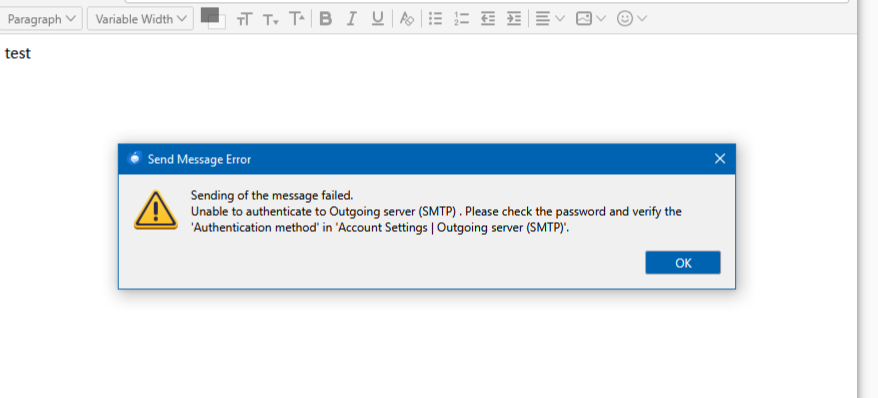
- 2 - For awhile now I have been getting an error message when trying to send an email. (I can recieve, but not send). it says: "Enter your password for ***********@suddenlink.net on smtpsuddenlink.net" Where would I find such a password and where is smtpsuddenlink.net? Also could the above problem be related to this one? They started about the same time.
ყველა პასუხი (18)
Hello there.
Do you have or had an account at suddenlink , can i ask?
It did changed to optimum-mail about two years ago.
Did you had data stuff in that account , is there a map of this email program , is it still on that pc of you?
Did you had something of that email program on that pc of you?
Do you have login names and passwords for these accounts from suddenlink?
Do you like to have suddenlink or optimum on that pc of you?🎅
Do you want to use that software?
https://support.mozilla.org/en-US/kb/how-to-make-screenshots Sent us that screenshot of all error related pop ups.
ჩასწორების თარიღი: , ავტორი: Googlethunderbird.

Hi Bob.
First, the most simple explanation:
You just need to enter the right password. If you don't know it, you must re-set it and get a new one. You cannot change an account password in Thunderbird. You must do it through you e-mail service provider. After you have a new password with Optimum, you will enter it into Thunderbird when Thunderbird asks you for it.
Second, the next most simple explanation:
Since you can receive but not send messages, there is a problem with your settings. I suggest that you call Optimum and ask for the SMTP settings for suddenlink accounts. Make sure that you get: server name, port, user name, authentication method, and type of connection security. Then go into account settings in Thunderbird, select "Outgoing Server" in the left pane, select the SMTP server in the right pane, and make sure that the right information is entered.
On the Web, I found:
Server name: smtp.suddenlink.net User name: full e-mail address Port: 465 Connection security: SSL
I have not found the authentication method. At a minimum, make sure that it is something other than insecure transmission of password. Ask Optimum what it should be.
While you're talking with Optimum, have them confirm your incoming mail settings too. In Thunderbird, they are in account settings > server settings.
Third, the least likely explanation:
I don't know how PayPal would know that someone is trying to access your mail. Maybe they are getting tracking information when messages from them are opened by a hacker from a different IP address.
If the PayPal people are correct, then these two symptoms may be related. The first thing that a hacker would do is change your account password to lock you out of your account.
In your place, I would ask Optimum for help. They can probably help explain what is happening, and they can help you re-set your password and re-gain control of your account.
This explanation makes no sense to me if you are able to receive messages.
ჩასწორების თარიღი: , ავტორი: Rick
Hi Rick, Thank you so much for your highly detailed. answer. I will be in touch w/suddenlink (optimum) in the morn as I just read your reply. I will touch all bases w/them. And I will definitely let you know the results. Again, thanks so much. Bob
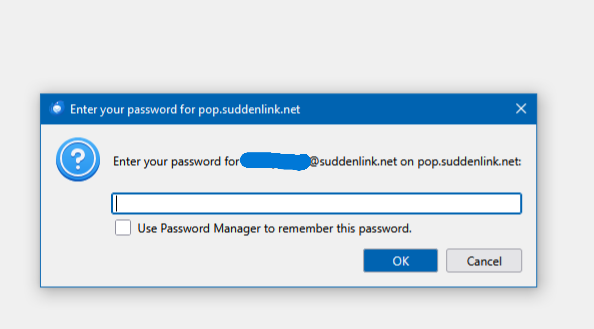
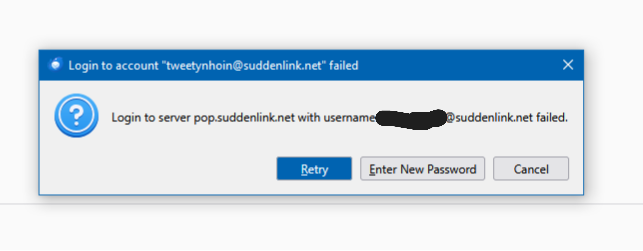
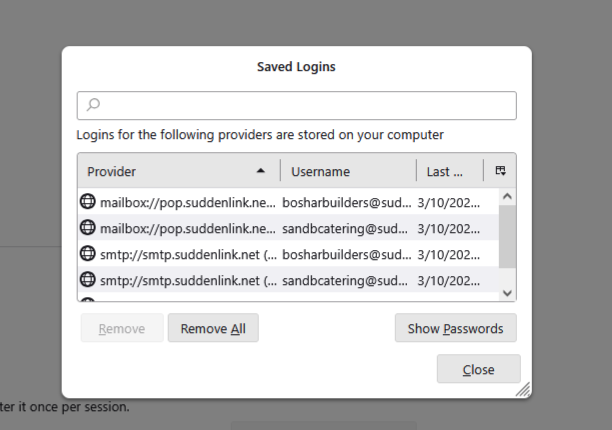
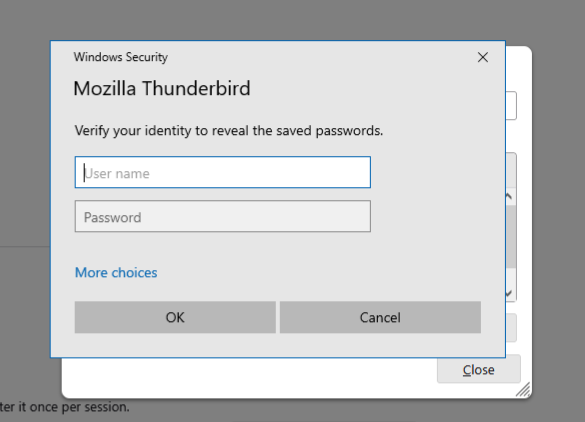
Hey Rick, I got the Paypal situation worked out, but my email is still not working correctly. I have 3 email addresses in T-bird. My default, my address, and my wife's address. I can send and recieve from two of my addresses, but not the default address. When I try to send or receive, I get two message boxes. (I will attach photos. numbered 1 &2.) Telling me my "log-in with username xxxxxxxxxto server pop.suddenlink.net failed", then the next box says: "Enter your password for xxxxxxxxxx@suddenlink.net on pop.suddenlink.net". I called suddenlink and the only thing they could do was to reset my password on their website where I go into my account with them. And there is nothing in there that can help. So, I tried to find problem myself. I went into settings, account settings, outgoing server, settings, T-bird settings, privacy and security on left,to passwords, hit saved password(s) button, a box come up, selected show passwords (pic #3 included),windows security box came up, asking me to verify my identity with user name and password (pic #4 included). That is as far as I got. When I try to send email from default I get another box (pic #5 included). I have had T-bird for a lot of years, and I can't remember identity/password, or if I even had one. I don't know what to do. My wife and I are almost 70 yrs. old, I am NOT computer savvy, I am on a fixed income or I would pay someone to come to the house to do this. I am not playing on anyone's sympathy, I just don't know how to fix this. Do you know what is wrong? It worked fine for years, then, suddenly, I started to have problems. Sorry so long, but wanted to explain in detail. And if you can't help, I totally get it. Thank you. Bob
Hi Bob,
As far as I can tell, my first two suggestions above still apply.
- You re-set your password at Suddenlink. Then, when you are asked for it in Thunderbird, you should enter it. You did not say whether or not you have done that. Have you? What happened/happens?
- Did you follow my suggestion to confirm all your outgoing server settings with Suddenlink?
ჩასწორების თარიღი: , ავტორი: Rick
Hey Rick, Entered password when asked for it in T-bird. Can receive just fine, but now I can send, but I have to enter my password each time I send an email. Suddenlink gave me a bunch of info, and when I started asking them questions, they cut me off! I ask questions Rick, because I know that one wrong word, letter, puncuation,etc., will foul it all up. He instructed me to go to Acct. settings, then Acct. actions, then Add mail account.... I could not find actions, and add mail account. So, again, I am lost. His instructions below.
Open Thunderbird & Start Setup: Open Thunderbird. Click the menu icon (three lines) > Account Settings > Account Actions > Add Mail Account. Enter Basic Info: Your Name, Email Address (e.g., yourname@optimum.net), and Password. Click Continue or Configure Manually. Manual Configuration (Recommended): Incoming (IMAP Recommended): Protocol: IMAP (or POP3). Hostname: mail.optimum.net. Port: 993 (for IMAP) or 995 (for POP3). Connection Security: SSL/TLS. Authentication: Normal password (or Autodetect). Username: Your full email address (e.g., yourname@optimum.net). Outgoing (SMTP): Hostname: mail.optimum.net. Port: 465 (for SSL/TLS) or 587 (for TLS/STARTTLS). Connection Security: SSL/TLS. Authentication: Normal password (or Autodetect). Username: Your full email address. Test & Finish: Click Re-test to verify settings; green checks mean success. Click Done to complete.
Hi Bob,
I want to make sure that I understand. You can receive messages without any problem (which, I think, you have always been able to do). Now you can also send messages. That is an improvement, right? But you must enter a password every time you send a message. Is that right?
You do not need to create an account because you already have an account. All we have to do is figure out why Thunderbird is not saving your password.
Try this:
- Go to Thunderbird's settings by clicking on the three-lined button at the top right of your screen then on "Settings".
- Click on "Privacy & Security" on the left.
- On the right, find the "Passwords" section and click on "Saved Passwords..."
- In the first column ("Provider"), find the row for mail.optimum.net and click on it. Is such a row there? You may have to expand the window to see enough information.
- Click on the button "Show Passwords".
- Do you see your current password in the password column? If not, double-click on the old password and type your new password. Then do whatever is needed to save your entry and close the window.
- Send yourself a test message. Must you still enter your password?
Hey Rick, That's right. I can send now, but I have to enterpassword everytime. I tried to tell the agent at suddenlink.net that I already had an email account. But any way,
I am in saved passwords. My current password, nor my default email is in this box. Only the secondary emails and their passwords. And these passwords for my secondary emails were entered back in 2020 on the suddenlink website when it was still suddenlink. But they are not listed on the site anywhere now. just in T-bird where you instructed me to go.
I have two hypotheses for why your password is not being saved.
One is that anti-virus software is interfering with the saving of files. Are you using any anti-virus software? If so, do one of these things:
- Disable it.
- Make an exception for Thunderbird in it.
- Start Windows in safe mode with networking.
Then see if you have to enter a password to send messages more than once.
The other hypotheses is that something has gone bad in your profile. Would you please take these actions?
- Help menu > Troubleshooting information > Application basics > Profile Folder > Show in [...]
- Find the file called "logins.json" and delete it.
- Re-start Thunderbird and see if you have to enter a password to send messages more than once.
You may have to delete other files too. I don't know. I'm going to ask someone else.
I understand you must enter password to send message. After doing that, can you immediately send a second message without entering the password? That is, do you have to enter the password only after closing and restarting thunderbird?
I don't use an anti-virus. I have always used Win security system/Defender. Never had a problem. I found the file, deleted it. And another is right under it titled logins-backup.json. And the original logins.json reappeared after I logged back in to Tbird. Also, after deleting above file, I had to insert password to send email.
david said
I understand you must enter password to send message. After doing that, can you immediately send a second message without entering the password? That is, do you have to enter the password only after closing and restarting thunderbird?
Thanks for helping, David.
Bob said
I don't use an anti-virus. I have always used Win security system/Defender. Never had a problem. I found the file, deleted it. And another is right under it titled logins-backup.json. And the original logins.json reappeared after I logged back in to Tbird. Also, after deleting above file, I had to insert password to send email.
It was expected that you would have to enter your password again. "Re-start Thunderbird and see if you have to enter a password to send messages more than once." :)
No I dont have to enter password again. I just sent 3 emails back to back. Only after I close Tbird and open up again. Thank you David for taking an interest in this.
This indicates that thunderbird is trying to save the password. It may be the antivirus that is intercepting it, or one or more files in thunderbird are otherwise being prevented from updating and time thunderbird shuts down.
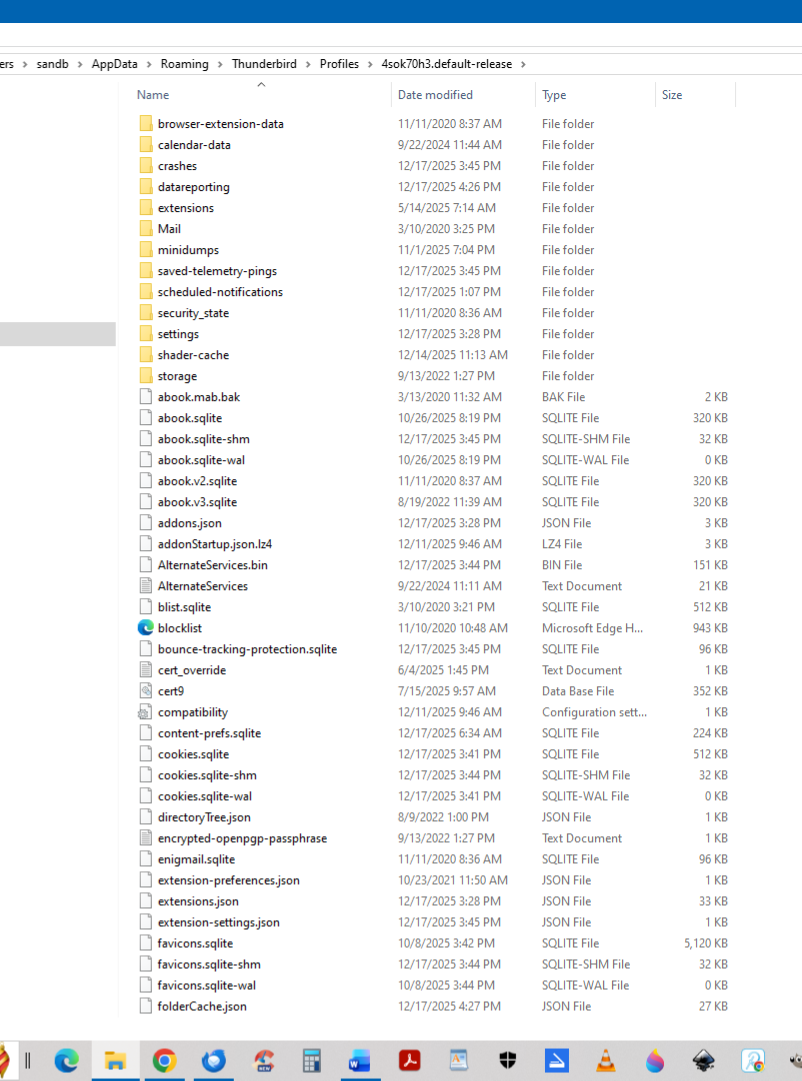
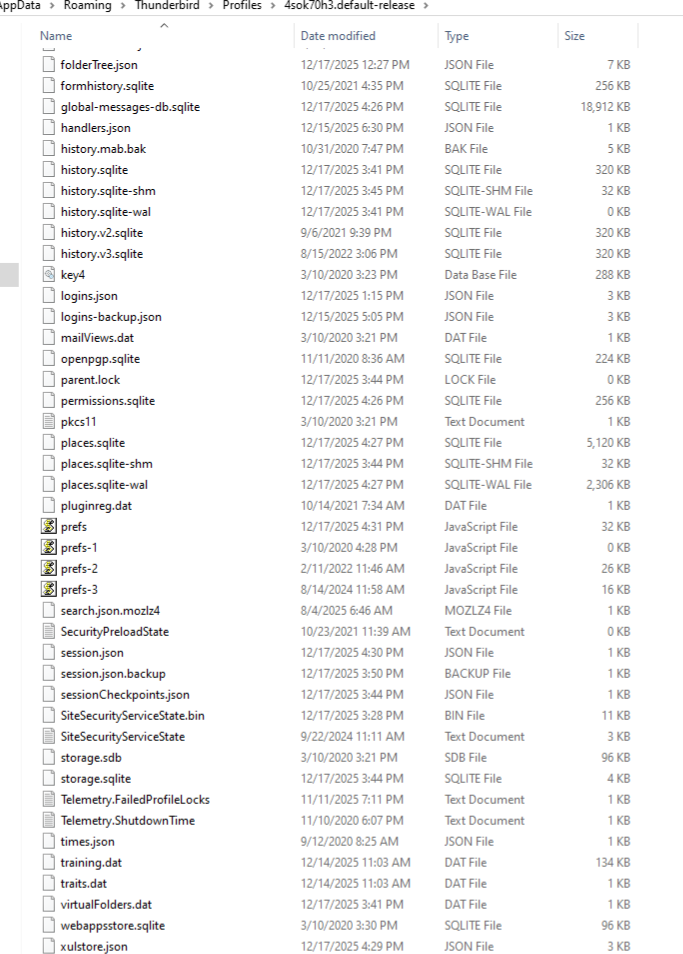
you might post a screenshot of the profile folder. you can reach that by - clicking help>troubleshootinginformation - scroll to 'profile folder' and click 'open folder' - you are now in the profile. do a screenshot and post it. No guarantees that the problem will be visible, but the screenshot should help.