Windows 10 reached EOS (end of support) on October 14, 2025. For more information, see this article.

Avatar for Username

ძიება მხარდაჭერაში

ნუ გაებმებით თაღლითების მახეში. აქ არავინ უნდა მოგთხოვოთ ტელეფონზე დარეკვა, შეტყობინების გაგზავნა ან პირადი მონაცემების გაზიარება. რამე საეჭვოს შემჩნევისას გთხოვთ გვაცნობოთ „დარღვევის მოხსენებით“.

ვრცლად

reopen pages on startup

  • 8 პასუხი
  • 3 მომხმარებელი წააწყდა მსგავს სიძნელეს
  • 176 ნახვა
  • ბოლოს გამოეხმაურა ReadWrite1 p138

სხვა პარამეტრები

Where do I find Mozilla settings to return my system to automatically reopen pages on startup?

Where do I find Mozilla settings to return my system to automatically reopen pages on startup?

ყველა პასუხი (8)

სხვა პარამეტრები

Oneota said

Where do I find Mozilla settings to return my system to automatically reopen pages on startup?

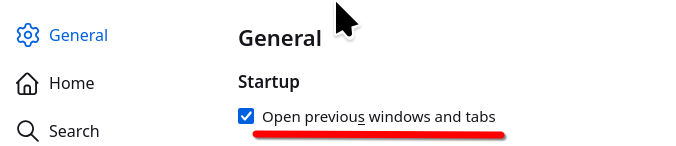
You said system... do you mean to return the tabs you had open previously? If so, here is a screenshot of the option. see screenshot
სხვა პარამეტრები

Huh? Where do I find that that is in your screen shot? It doesn't look like anything on my computer screen.

სხვა პარამეტრები

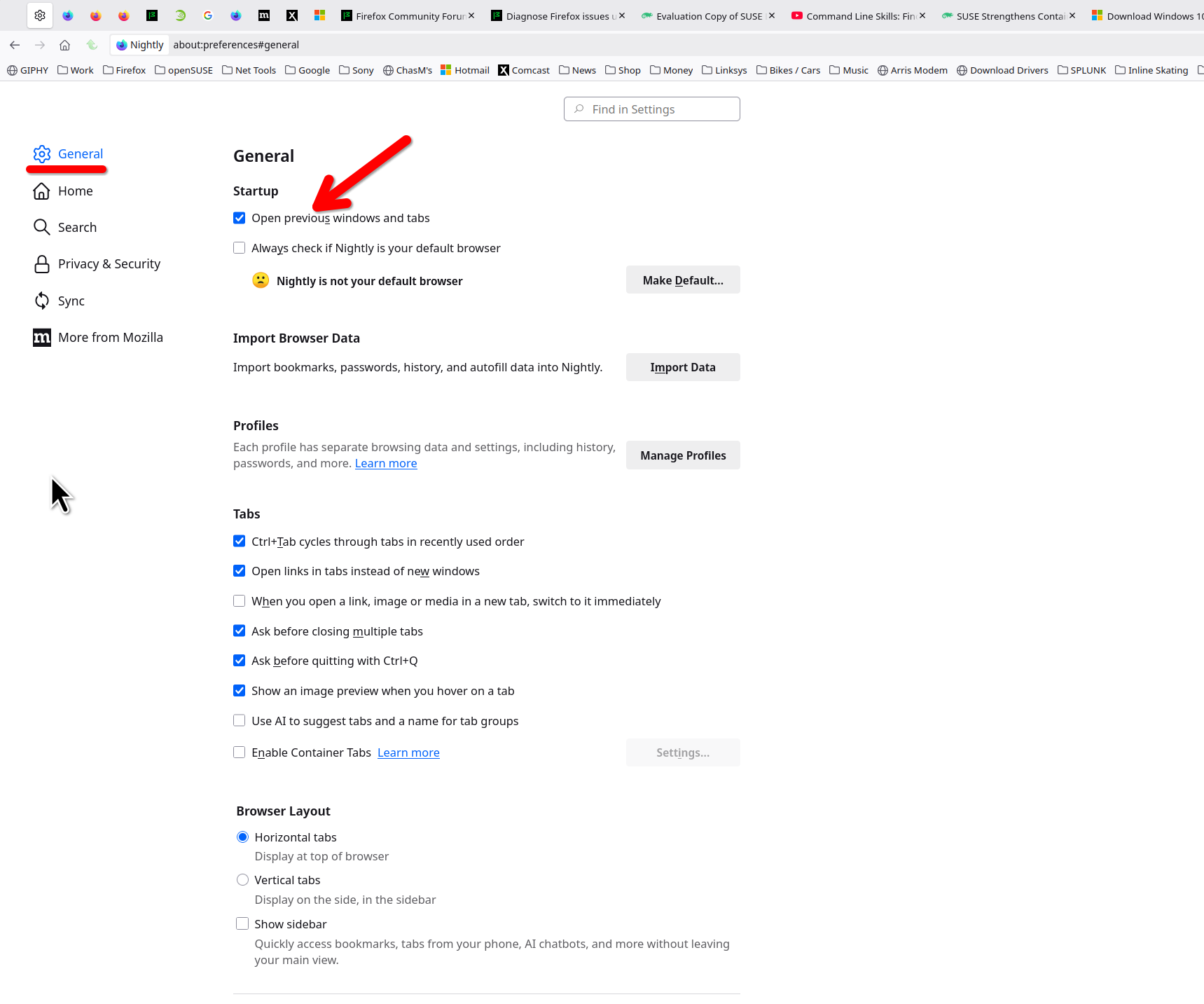
The settings page. see bigger screenshot Post a screenshot of what you're seeing.
სხვა პარამეტრები

This is what I see on settings:

სხვა პარამეტრები

That is not the settings page in the browser.

სხვა პარამეტრები

So, where do I get what I'm supposed be looking at????

სხვა პარამეტრები

In the Settings. Click ≡ in the top right corner and select Settings from the menu.

სხვა პარამეტრები

offering some helpful information :

i discovered the problem was caused by Windows11 multiple desktops :

another desktop was already showing all the Firefox tabs :

this caused the current desktop to not show all the Firefox tabs.

დასვით კითხვა

უნდა შეხვიდეთ ანგარიშზე პასუხის დასაწერად. გთხოვთ, დასვათ ახალი შეკითხვა, თუ ჯერ არ გაქვთ ანგარიში.