


Background image change

I cannot change the background image when my Firefox app opens on my MS Windows laptop. During set-up, the system had me select an image, but I want to change it as I find it distracting. Thanks!
გადაწყვეტა შერჩეულია
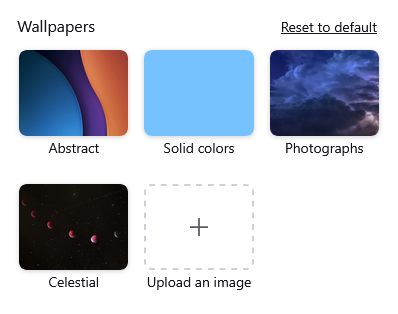
Hi Noah, you can select a different wallpaper (such as a solid color) for the built-in Firefox Home / new tab page. Can you see a gear button at the lower right of the page? If it is not visible, slowly move the mouse around about a half inch in from the corner, up to an inch in, and watch for a button to appear. Then you should be able to open the settings panel and change your wallpaper.
Any luck?
If that section is missing from the top of the panel, we can mention some hidden settings to try to turn it back on again.
პასუხის ნახვა სრულად 👍 2ყველა პასუხი (2)
შერჩეული გადაწყვეტა
Hi Noah, you can select a different wallpaper (such as a solid color) for the built-in Firefox Home / new tab page. Can you see a gear button at the lower right of the page? If it is not visible, slowly move the mouse around about a half inch in from the corner, up to an inch in, and watch for a button to appear. Then you should be able to open the settings panel and change your wallpaper.
Any luck?
If that section is missing from the top of the panel, we can mention some hidden settings to try to turn it back on again.
Forgot to mention - if the background image is only on the toolbars, not in the content area, check out the Themes section of the Add-ons page: Use themes to change the look of Firefox.