Can't there be a SIMPLE toggle button to quickly switch from TITLE BAR to no title bar? MAC
There are times where I like having the title bar appear on my laptop display of a webpage. Other times I want to take a screenshot of selected page content, and the title bar just obstructs ability to fit the bottom line or two of the page content I want to screenshot. Yes i know I can reduce the zoom size of the page display itself, but sometimes (often) due to the page layout's CSS, this results in both too-small type for me to comfortably read AND even with the text reflow, it's not enough to reveal the extra bottom of page content I am trying to capture.
The Firefox UI controls are very robust and well-appreciated how much customization can be had, but still, the number of steps required to go in and turn Title Bar off is just way too many for quick and efficient workflow -- especially when after getting the screenshot I want, I will want to just turn Title-Bar back on. Surely there must be a way to create an icon option that lives next to Home, Bookmarks, Downloads, Refresh whose function is to actuate a quick 1/2 second toggle off, then a quick toggle back on?


ყველა პასუხი (4)
Do you get enough extra space if you toggle the #navigator-toolbox off via the Browser Toolbox as I'm not sure what you can hide on Mac?
#navigator-toolbox {visibility: collapse important;}
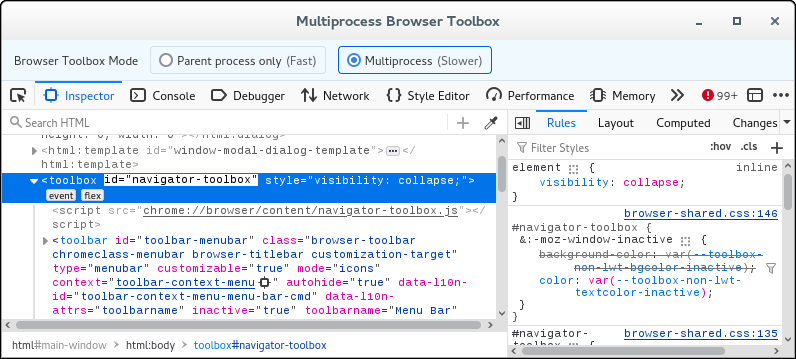
Possible code for the Browser Console.
(function(){
var elm = document.getElementById("navigator-toolbox");
elm.style.setProperty("visibility",document.defaultView.getComputedStyle(elm,"").getPropertyValue("visibility")=="collapse"?"visible":"collapse");
})()@cor-el, thank you very much. (I didn't have email notifications turned on for some reason).
I tried very hard to follow the directions for activating the Web Toolbox shown in the linked docs you provided. But I have some pretty severe ADHD which translates here to I get so much overwhelm trying to process and understand what I consider to be complex instructions that my brain just cannot hold into short-term memory the successive steps and instructions. It's a real true cognitive load issue. So try as I did, I have no idea where to paste in the code suggestion you provided:
(function(){ var elm = document.getElementById("navigator-toolbox"); elm.style.setProperty("visibility",document.defaultView.getComputedStyle(elm,"").getPropertyValue("visibility")=="collapse"?"visible":"collapse"); })()
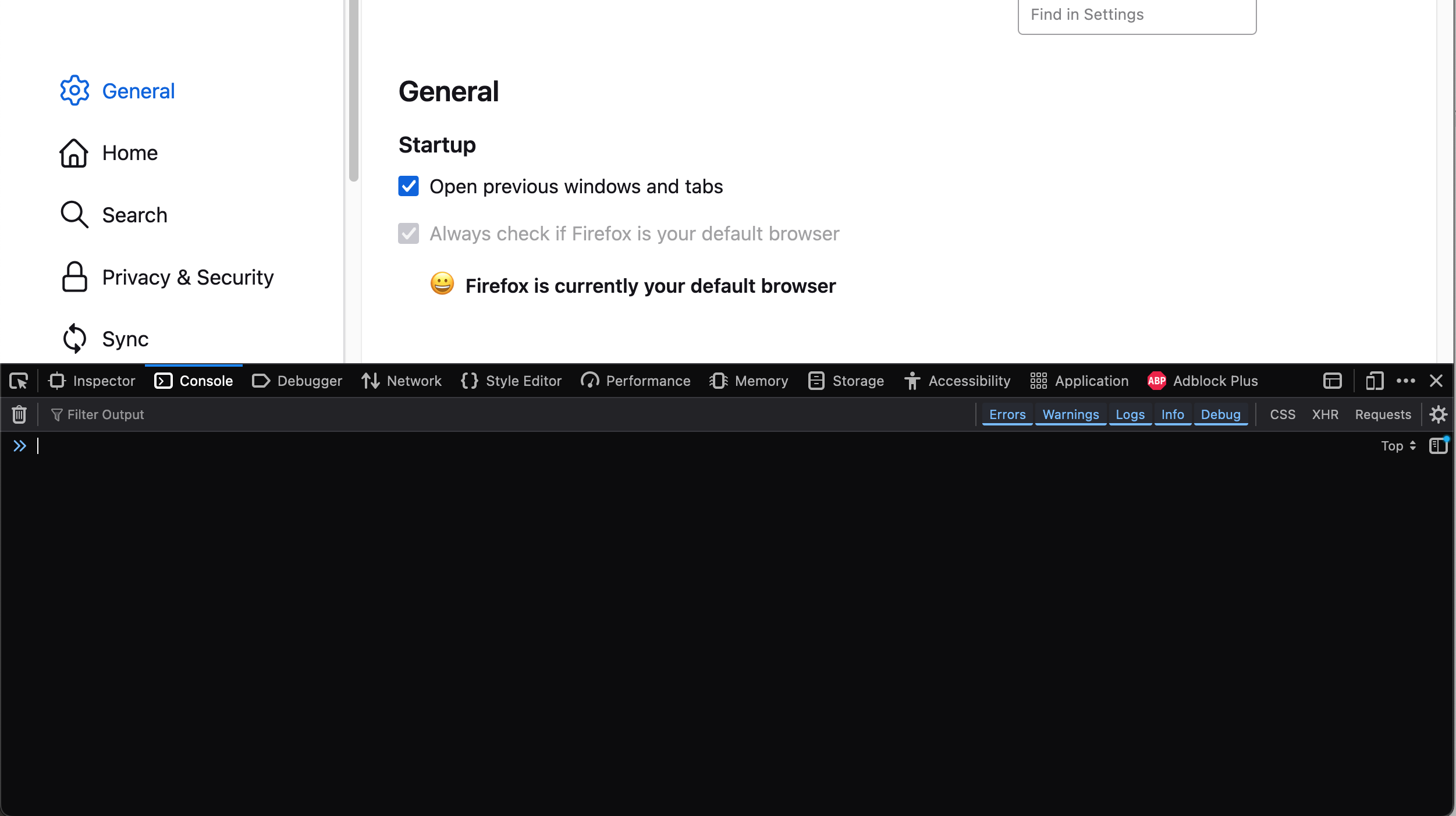
The image attached shows as far as I got, i tried pasting that code block into the space at the cursor location, but it gave me an error doing so. And I need to face facts that my brain doesn't have the RAM capacity to figure this out. I really do thank you though; I appreciate your providing tangible help.
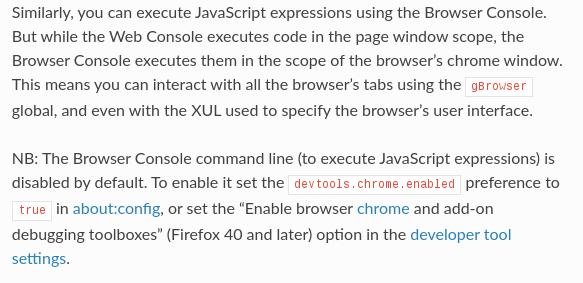
You can open the Browser Console (Ctrl+Shift+J). You need the enable the command-line in the Browser Console to be able to paste the code I posted above. You can find instruction to do this a bit further down.