


How to use Advanced Preferences (about:config) to select 'Manual proxy configuration' setting

I want to use the Advanced Preferences (about:config) to select 'Manual proxy configuration' setting. I have been able to set the HTTP Proxy and associated port but I am unable to find the setting in Advanced Preferences that will select Manual proxy configuration. Could someone please help. Thanks
ყველა პასუხი (3)
This is about this pref:
- network.proxy.type => DIRECT=0; MANUAL=1; PAC=2; WPAD=4; SYSTEM=5;
Easiest is to use the Proxy policy (Mode key fort the type) to set all proxy parameters.
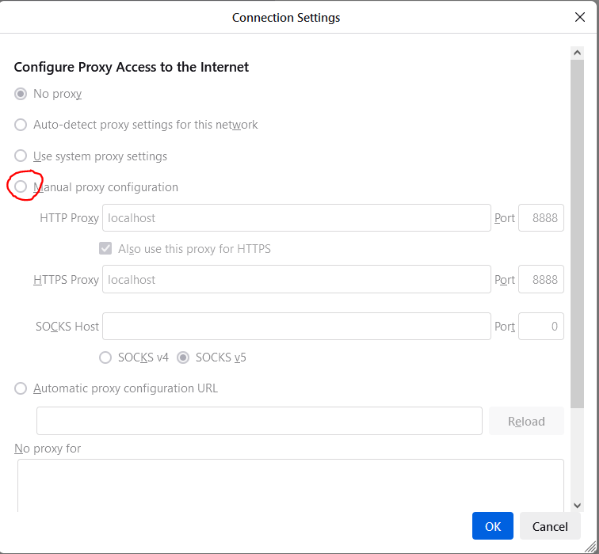
Thanks for your prompt reply cor-el. Unfortunately this setting is the only one that appears to be locked - see image uploaded. I have tried running Firefox as a local admin but the setting is still locked. Do you know how I can unlock this setting? Thanks

jon.christian said
tried running Firefox as a local admin
Never run a browser as admin.
Check for active enterprise policies in about:policies or an autoconfig file in the installation folder.