


Windows 10 reached EOS (end of support) on October 14, 2025. For more information, see this article.

Avatar for Username

ძიება მხარდაჭერაში

ნუ გაებმებით თაღლითების მახეში. აქ არავინ უნდა მოგთხოვოთ ტელეფონზე დარეკვა, შეტყობინების გაგზავნა ან პირადი მონაცემების გაზიარება. რამე საეჭვოს შემჩნევისას გთხოვთ გვაცნობოთ „დარღვევის მოხსენებით“.

ვრცლად

Need a detailed view of storage used by each site.

  • 2 პასუხი
  • 0 მომხმარებელი წააწყდა მსგავს სიძნელეს
  • 11 ნახვა
  • ბოლოს გამოეხმაურა Terry

სხვა პარამეტრები

I see that Firefox can show us how much data (bytes) stored on disk by each site.

But, can Firefox show a more detailed information about it, i.e. the breakdown of how much is used for cache, local-storage, etc? And even further, can we delete/clear only one specific kind of them, e.g. "Only delete the cache, but retain the cookie"?

I see this feature in MS Edge as attached below, but can't find the same in Firefox.

I want to clear the data stored by several sites (Google and some sites taking up 800MB each). But I don't want to clear the cookie if possible, since I don't want to being logged out from those sites.
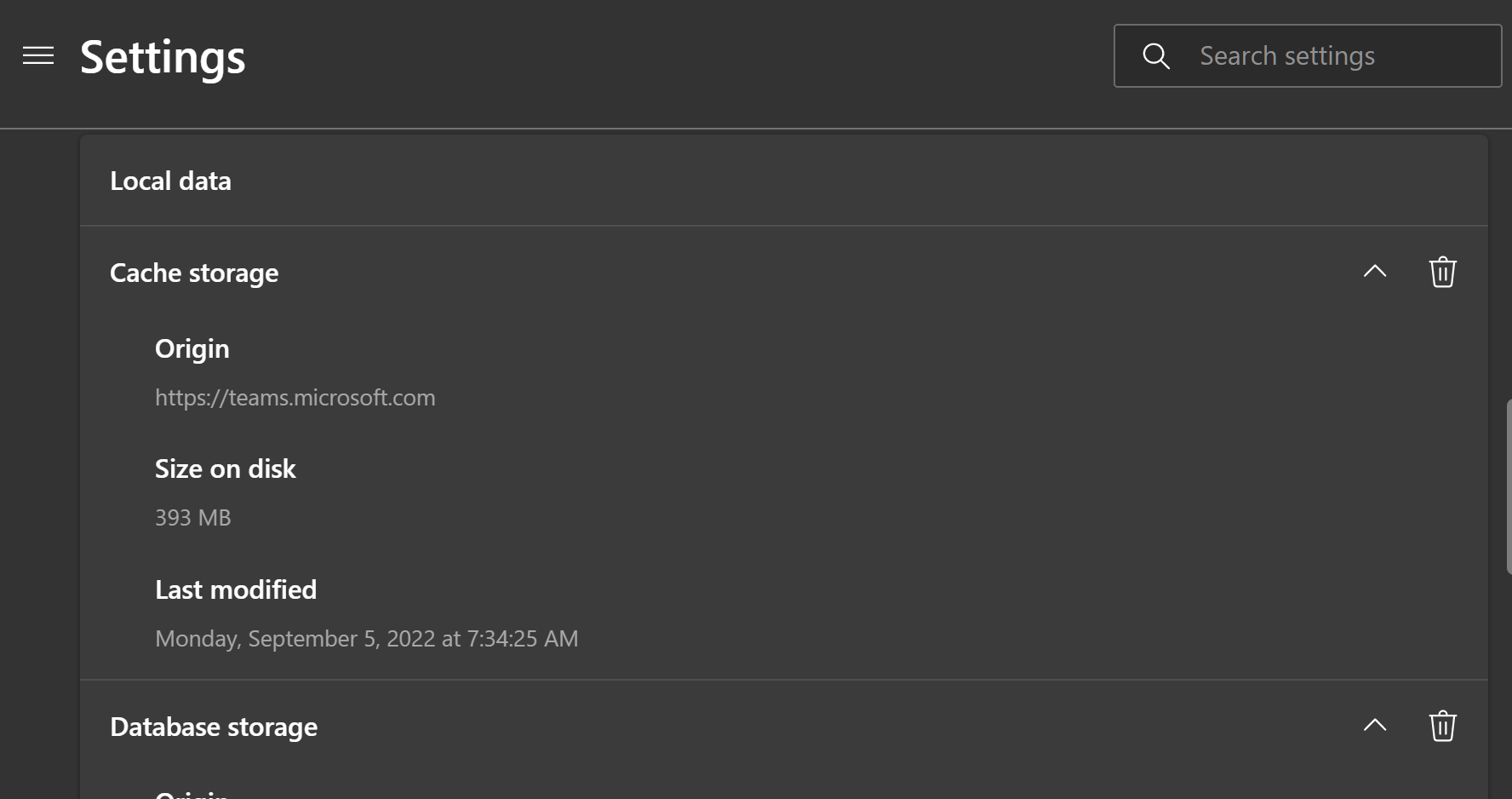
I see that Firefox can show us how much data (bytes) stored on disk by each site. But, can Firefox show a more detailed information about it, i.e. the breakdown of how much is used for cache, local-storage, etc? And even further, can we delete/clear only one specific kind of them, e.g. "Only delete the cache, but retain the cookie"? I see this feature in MS Edge as attached below, but can't find the same in Firefox. I want to clear the data stored by several sites (Google and some sites taking up 800MB each). But I don't want to clear the cookie if possible, since I don't want to being logged out from those sites.
მიმაგრებული ეკრანის სურათები

ყველა პასუხი (2)

სხვა პარამეტრები

A lot of useful things are listed in about:about like about:processes, about:performance, about:memory

To manage cookies for a site https://support.mozilla.org/en-US/kb/clear-cookies-and-site-data-firefox#w_clear-cookies-for-any-website

სხვა პარამეტრები

Have you looked at the storage tab in the inspector (ctl-shft-i)?