


Change hover color on menus
Hi,
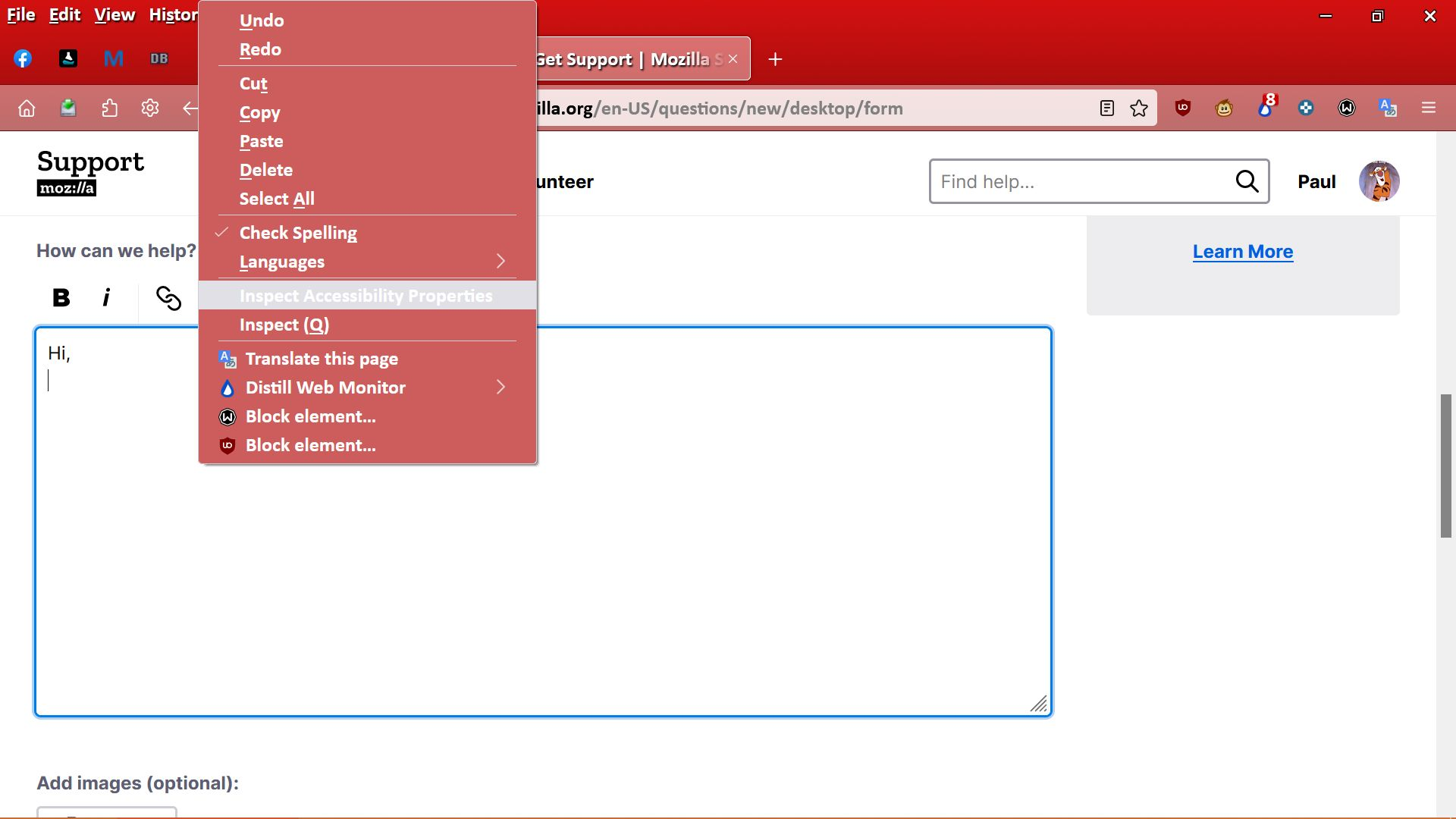
I would like to change the light grey hover color on menus (e.g. yellow), see attachments, probably using userchrome.css.
Does anyone know the correct code to do this please?
Thanks in advance.

გადაწყვეტა შერჩეულია
Generally speaking, for a given selector:
some-selector:hover { background-color: yellow !important; }
If cor-el's CSS worked for the color, then:
menupopup > :is(menuitem, menu):hover {
  background-color: yellow !important;
}
პასუხის ნახვა სრულად
👍 1
ყველა პასუხი (5)
Try this code in userChrome.css:
menupopup > :is(menuitem, menu) {
/* color of the text */
color: yellow !important;
}Hi,
Thanks for your suggestion, but it is not the text color I want to change it is the hover colour (shown in grey in the attachments) that I want to change.
შერჩეული გადაწყვეტა
Generally speaking, for a given selector:
some-selector:hover { background-color: yellow !important; }
If cor-el's CSS worked for the color, then:
menupopup > :is(menuitem, menu):hover {
  background-color: yellow !important;
}
Probably you already looked up the userChrome.css part?
Disclaimer: it's community-supported rather than officially supported.
If not, I have a site to get you started: https://www.userchrome.org/
jscher2000,
Thank you, that was it.
Yellow was too bright, gone instead for lightskyblue, which goes well with my red theme.
Thanks again.
ჩასწორების თარიღი: , ავტორი: Paul