Blinking pictures on a certain webpage (link below)
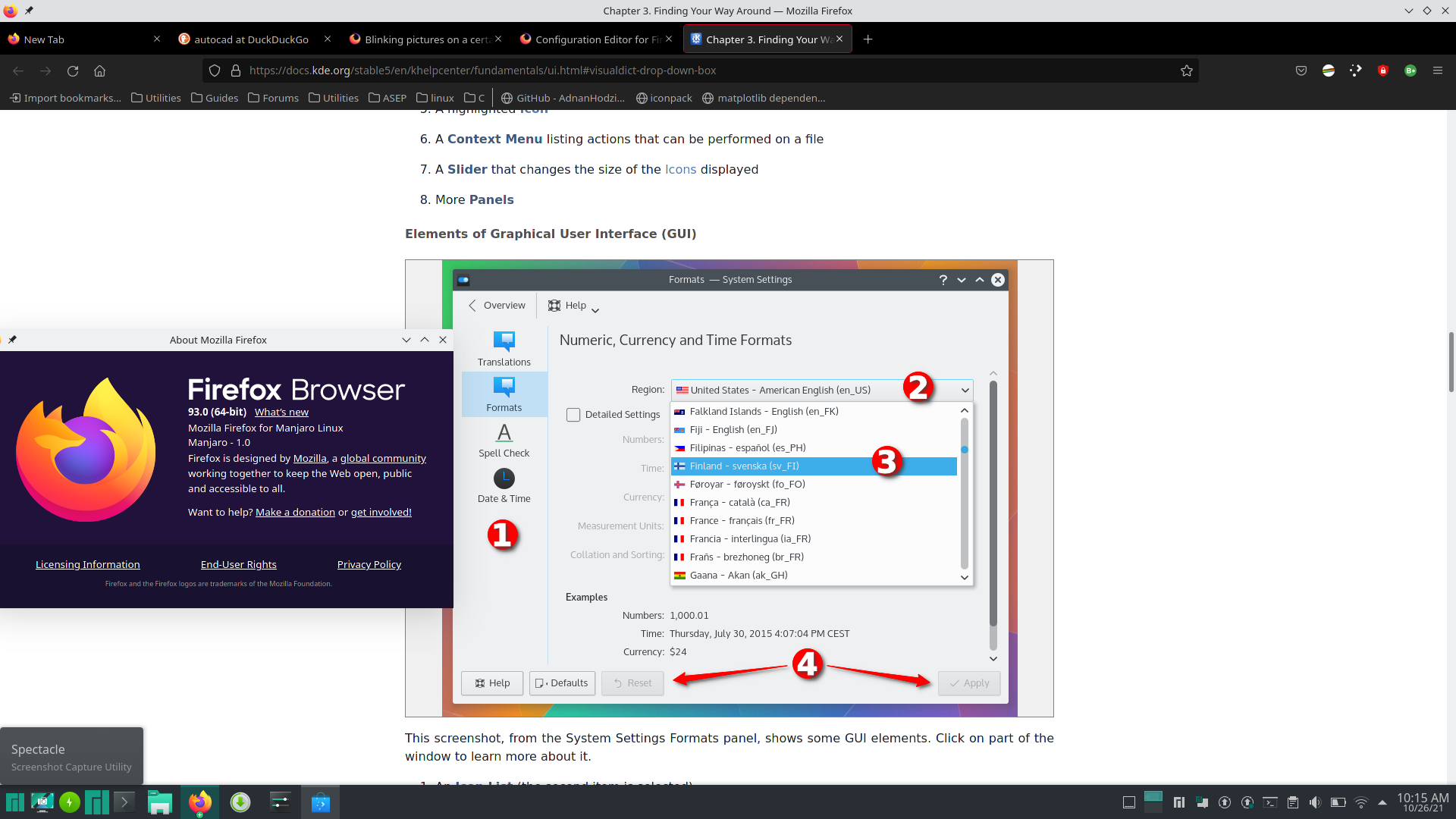
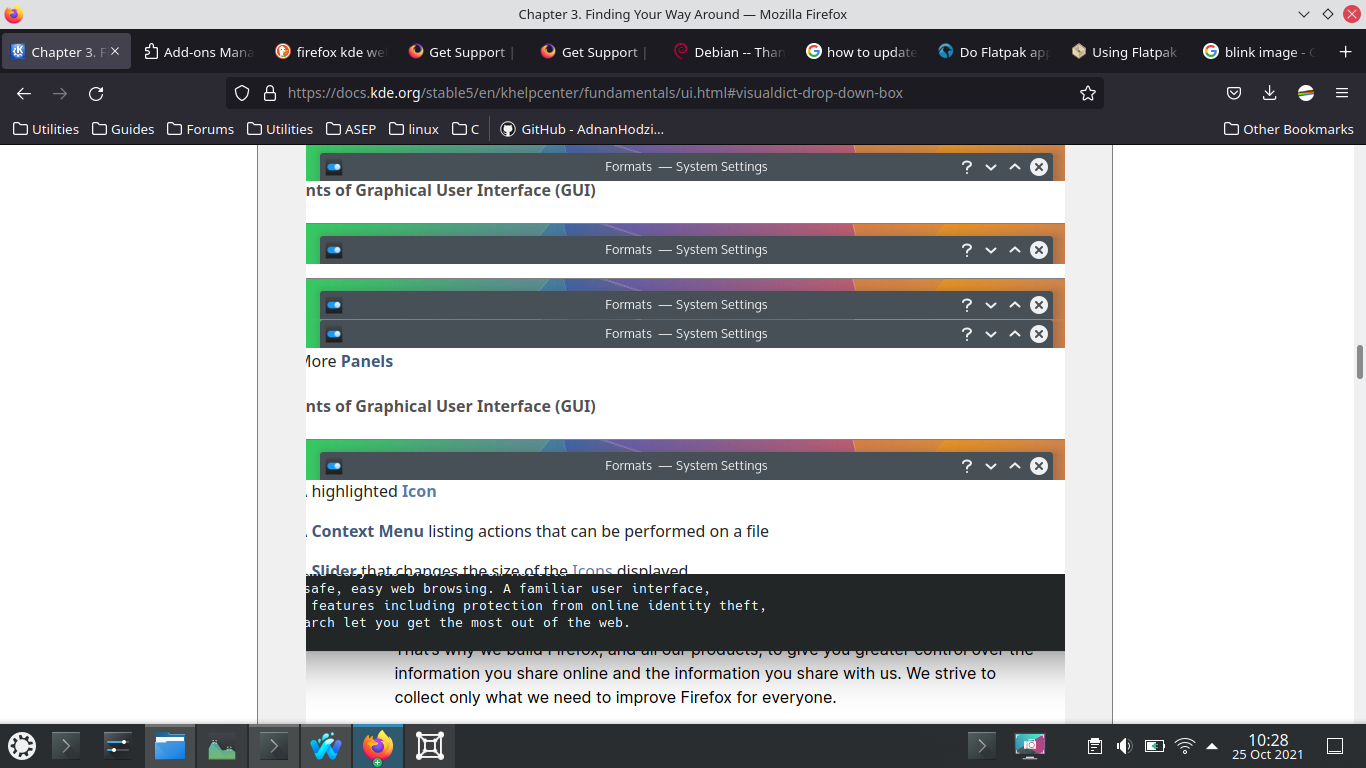
Recent updates on firefox (firefox - 93.0+build1-0ubuntu0.21.04.1) seems to have issues with pictures in this webpage webpage :
System Host: Kubuntu 20.04 Kernel: 5.11.0-38-generic
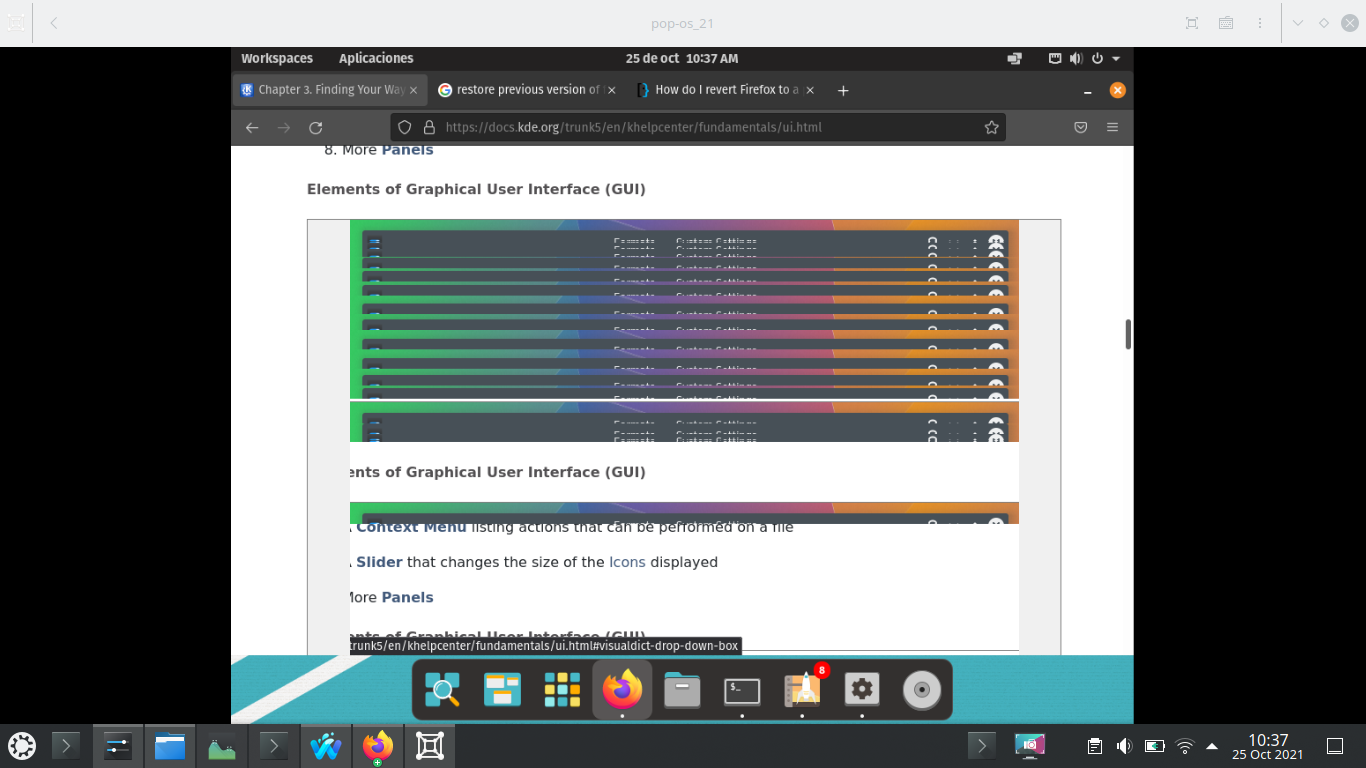
I tried a virtual machine (gnome boxes) with pop os. Firefox works fine with no updates, but after updating to (Firefox - 93.0+build1-0ubuntu0.21.04.1) it shows the same issue on this page https://docs.kde.org/stable5/en/khelpcenter/fundamentals/ui.html#visualdict-drop-down-box
Guest: POP OS 21.04 Kernel: 5.11.0-7620-generic
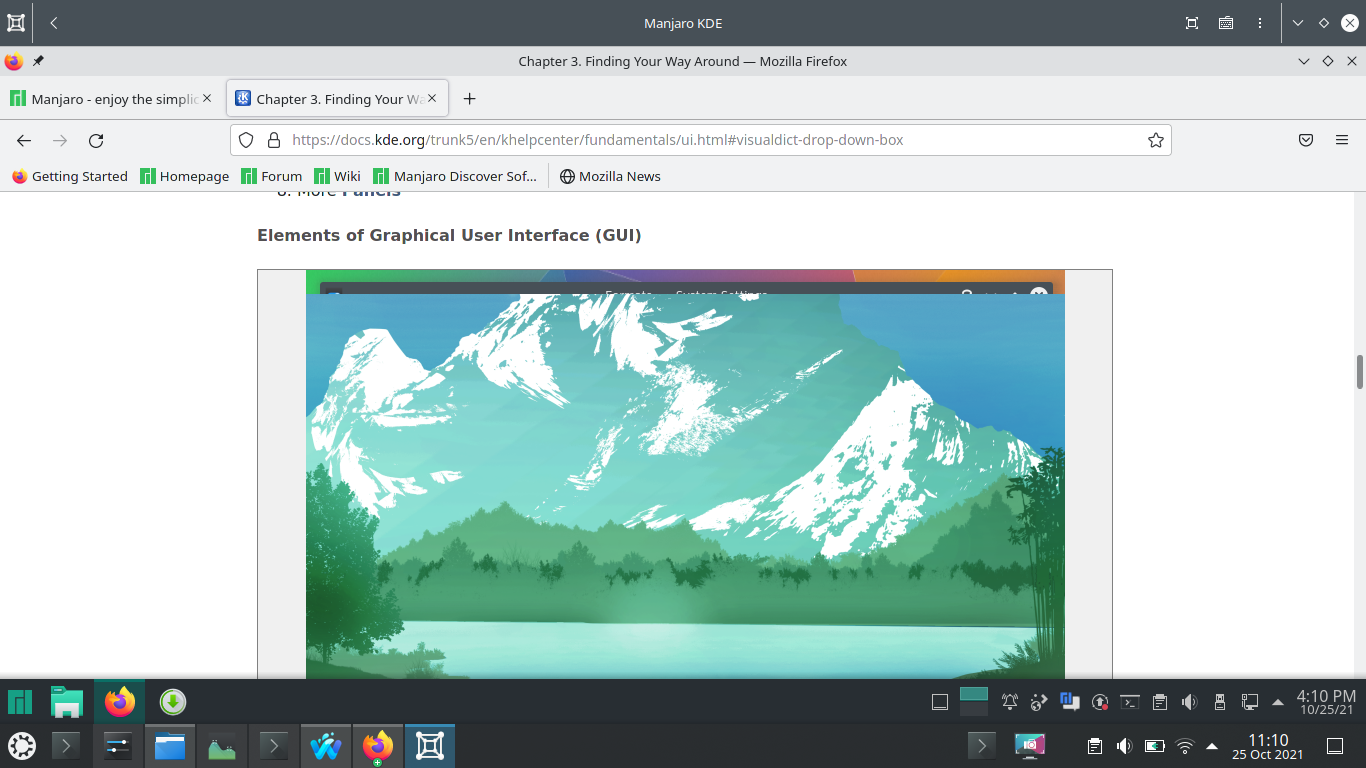
I also tried on Boxes-Manjaro (Firefox 91.0-1) and works fine, then I updated it to 93.0-1 and have issues as well on the page https://docs.kde.org/stable5/en/khelpcenter/fundamentals/ui.html#visualdict-drop-down-box.
Guest: Manjaro KDE 21.1.0 Kernel: 5.13.11-1-MANJARO
On all of this OS, pressing left click on the image solves the problem temporarily, scrolling down or up makes the blinking appear again
My final thoughts are the KDE docs page uses a lot of fancy links which probably is not standard for a general web page which leads on unexpected issues on newer version of Firefox, a workaround would be installing deb packages of Firefox 91 because is stable and trusty and installing new one if needed, a caveat would be updating manually. In any case I would like to know what else would causing
შერჩეული გადაწყვეტა
This could be a problem with WebRender. I see issues with the image on that page in 93, but not in 92 and 94 (beta) and 95 (nightly), so this could be a regression in 93.
You can try to set gfx.webrender.blob-images = false on the about:config page as that seems to be fixing this issue.
ყველა პასუხი (5)
I forgot to attach some screenshots
You can try to disable hardware acceleration in Firefox.
- Settings -> General: Performance
remove checkmark: [ ] "Use recommended performance settings"
remove checkmark: [ ] "Use hardware acceleration when available" - https://support.mozilla.org/en-US/kb/performance-settings
Close and restart Firefox after modifying the setting to make changes effective.
შერჩეული გადაწყვეტა
This could be a problem with WebRender. I see issues with the image on that page in 93, but not in 92 and 94 (beta) and 95 (nightly), so this could be a regression in 93.
You can try to set gfx.webrender.blob-images = false on the about:config page as that seems to be fixing this issue.
Thanks , It works :)
Here my proof